How to Automate Customer Support With an AI Chatbot for Small Business (Step-by-Step)
Learn how to automate customer support with an AI chatbot for small business. Step-by-step guide to setting up a chatbot for your small business.
If you’re researching how to automate customer support with an AI chatbot for small business, you’re likely trying to solve a very practical problem: too many repetitive questions, not enough time (or staff), and the fear that “automation” will make your support feel cold.
The reality: a well-designed AI chatbot for small business customer service doesn’t replace your brand voice—it protects it. It handles the predictable 24/7 questions (hours, policies, order status, scheduling, basic troubleshooting), routes edge cases to a human, and gives your team better context so replies are faster and more accurate.
This guide walks you through a simple, non-technical approach to AI customer support automation—from choosing what to automate first to training, testing, and measuring results.
If you also want the higher-level strategy behind this setup, our article on 5 Ways AI Agents Transform Customer Support covers the broader operating model.
What “automating customer support” actually means (and what it doesn’t)
Automation isn’t “set it and forget it.” Think of an AI chatbot as a front desk + triage assistant:
What it should do well
- Answer common questions (FAQs) instantly
- Collect key details before handing off (order number, email, product, urgency)
- Route conversations to the right place (sales vs. support vs. billing)
- Provide self-serve actions (links to returns, booking, password reset, shipping updates)
- Create a clean handoff to a human when needed
What it should NOT do
- Invent policies (“hallucinate”) or make promises you can’t keep
- Handle refunds, cancellations, or sensitive issues without guardrails
- Replace a human when the customer is clearly frustrated, confused, or high-value
A good rule: automate the predictable, assist with the complex, and escalate the emotional.
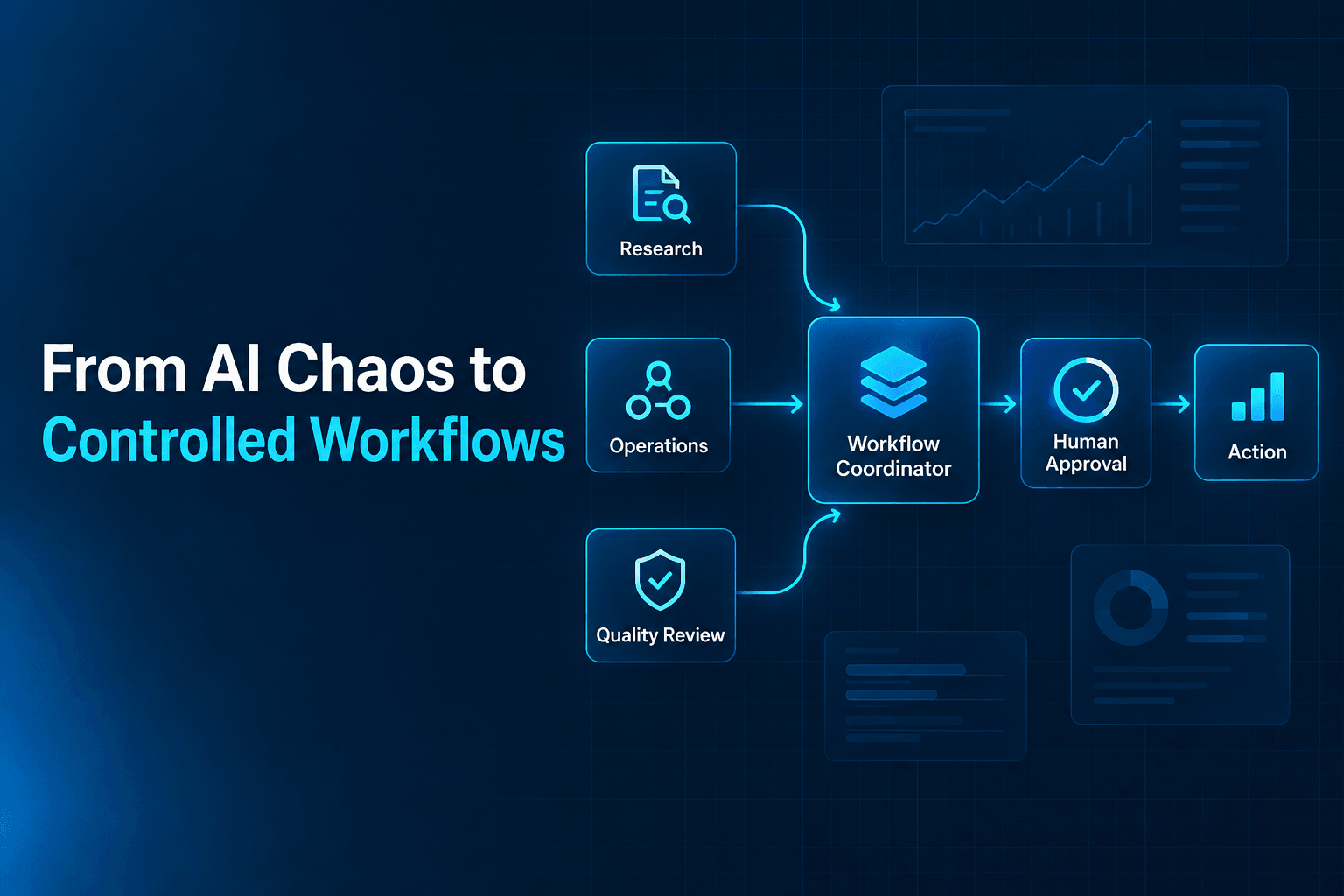
That rule lines up closely with the workflow design principles in AI-First Workflows, especially around deciding where humans should stay in the loop.
Step 1: Choose the best support tasks to automate first
If you try to automate everything at once, you’ll end up with a bot that’s “kind of helpful” but not reliable. Start with the highest-volume, lowest-risk requests.
A quick “automation shortlist” for small businesses
Pick 3–5 to start:
- FAQs: hours, location, service area, pricing ranges, lead times
- Order status updates: shipping timeframes, tracking link instructions
- Returns & exchanges: policy summary + steps + where to find forms
- Appointment scheduling: what to book, required info, link to calendar
- Basic troubleshooting: common fixes, reset steps, how-to instructions
- Lead triage: “What do you need?” + budget + timeline + best contact method
Simple prioritization framework (10 minutes)
For each request type, score it:
- Volume: How often does it happen? (1–5)
- Risk: How bad is it if the bot gets it wrong? (1–5, reverse-scored)
- Clarity: Do you have a clear policy/process for it? (1–5)
Start with items that are high volume, low risk, high clarity.
Step 2: Map your “AI customer support automation workflow”
Before you build anything, sketch what “good support” looks like in your business. This prevents the most common chatbot failure: answering questions without resolving the customer’s real need.
A basic workflow that works for most businesses
- Greet + set expectations
- Identify intent (what are they trying to do?)
- Answer or guide (links + short steps)
- Collect details when needed
- Confirm resolution
- Escalate to human (with context) if needed
Example: Ecommerce “Where is my order?”
- Bot asks for order number + email
- Bot provides steps to find tracking
- If user can’t find it: offer “connect me to support”
- Bot creates a handoff with the collected info
This is how you automate support tickets with AI without trapping customers in loops.
If you are comparing support automation to other common SMB use cases, 10 Business Tasks You Can Delegate to AI Instead of Hiring Staff puts it in that wider business context.
Step 3: Prepare your knowledge base (so the bot answers correctly)
Most people ask: “How to train a chatbot on my business documents?” The key is to start with clean, customer-friendly source material.
What to gather (minimum viable knowledge base)
- Shipping/fulfillment timelines
- Returns/refunds/exchanges policy (plain language)
- Pricing guidance (ranges are fine)
- Appointment/scheduling rules
- Product/service FAQs
- Troubleshooting steps
- Escalation rules (what requires human review)
Quick cleanup checklist
- Remove contradictions (one policy, one source of truth)
- Replace internal jargon with customer language
- Add dates to time-sensitive info (“updated Jan 2026”)
- Create short “approved answers” for sensitive topics (refunds, guarantees)
Tip: Your chatbot should link to authoritative pages when possible, not rewrite policies from scratch.
Step 4: Design the conversation flows (keep it short and scannable)
Customers don’t want a long chat. They want a fast outcome.
5 high-performing chatbot flows to build first
1) FAQ + quick links
- “What are your hours?”
- “Do you ship internationally?”
- “What’s your return policy?”
Make answers 2–4 sentences with a link for details.
2) Order status and delivery expectations
For chatbot for FAQs and order status updates, include:
- Where to find tracking
- Typical shipping windows
- What to do if it’s late
- When a human will step in
3) Booking / scheduling
- Ask: service type + preferred day/time + location
- Provide calendar link
- Confirm next step
4) Lead triage for inquiries
- Ask 3 questions max: “What do you need?” “When?” “Best contact method?”
- Route to sales or support
5) Escalation and human handoff
- “I can connect you with a teammate—what’s the best email and order number?”
- Confirm expected response time
Step 5: Set clear rules for “when to hand off from chatbot to human agent”
This is where small businesses win. You don’t need a perfect bot—just a safe one.
Escalate to a human when:
- The customer expresses frustration (“angry,” “terrible,” “refund now”)
- The issue involves money movement (refunds, chargebacks, cancellations)
- Identity verification is required
- The bot’s confidence is low or the question is unusual
- A VIP/high-value customer is identified (optional rule)
What the bot should pass to the human (so you save time)
- Customer name + email
- Order number / invoice / appointment info
- Issue summary (1–2 lines)
- Steps already attempted
- Screenshots or attachments (if applicable)
This is how you reduce customer support workload without lowering service quality.
Step 6: Write “approved response” templates (your brand voice + guardrails)
Even with AI, you should define a few reusable messages the bot can adapt.
Copy-and-paste templates (edit for your business)
Warm greeting + menu
Hi! I can help with orders, returns, scheduling, or product questions. What can I help you with today?
Clarifying question
Got it—quick question so I can help faster: are you asking about [A] or [B]?
Policy summary + link
Here’s the quick version: [1–2 sentence summary]. For full details, see: [link].
Escalation
I want to make sure we handle this correctly. I’m going to pass this to a teammate—what’s the best email and your order/booking number?
Step 7: Launch in “assist mode” before going fully automated
A common mistake is flipping the switch and trusting the bot with everything. Instead, do a phased rollout:
A safe rollout plan (7–14 days)
- Week 1: Limited scope
- Only FAQs, scheduling, and basic order questions
- Add guardrails
- Force escalation on refunds/cancellations
- Review transcripts
- Find questions the bot missed
- Expand scope
- Add troubleshooting flows and ticket routing
If you’re using a platform like AffinityBots, start with a small set of flows and a curated knowledge base, then expand based on real conversations. This keeps the bot accurate and on-brand.
That same phased rollout works especially well when support is part of a bigger agent system rather than a standalone bot, which is one of the themes in Harnessing Agentic AI for Business.
CTA (helpful, non-pushy): If you want a faster setup, AffinityBots can help you build a chatbot + workflow that triages requests, collects the right details, and hands off cleanly—without you needing to stitch together multiple tools.
Step 8: Test your chatbot like a customer (not like the owner)
Before launch (and again after), run a structured test.
Launch checklist (print this)
- Can it answer your top 20 questions accurately?
- Does it provide links to key pages (returns, shipping, booking)?
- Does it ask for order number/email when appropriate?
- Does it escalate correctly for refunds/cancellations?
- Does it avoid making guarantees it can’t keep?
- Does it stay on-brand (tone, formatting, friendliness)?
- Does it handle “I don’t know” gracefully?
- Is there a clear path to reach a human?
“Red flag” tests (must pass)
Ask:
- “Can you refund me?”
- “My package never arrived and I’m furious.”
- “I was charged twice.”
A good bot should escalate, not improvise.
Step 9: Measure ROI (so you know it’s working)
Automation should show up in your metrics within weeks.
What to track (simple)
- Deflection rate: % of conversations resolved without a human
- Time saved: fewer tickets, fewer back-and-forth emails
- First response time: chatbot = instant
- Customer satisfaction: quick thumbs-up/down or a one-question survey
- Lead conversion (optional): bookings, quote requests, email captures
A quick way to estimate time savings
If you handle 200 tickets/month and the bot resolves 40%:
- 80 tickets/month avoided
- If each ticket costs 6 minutes: 480 minutes saved
- That’s 8 hours/month back immediately
If you want to quantify results, set up basic tagging for “resolved by bot,” “escalated,” and “handoff incomplete.” Many businesses using AffinityBots do this early so improvement is obvious.
Common mistakes (and how to avoid them)
Mistake 1: Automating edge cases first
Start with FAQs and predictable flows.
Mistake 2: No escalation path
Always provide a human handoff option—especially for billing and frustration.
Mistake 3: Letting the bot rewrite policies
Use approved summaries + links. Keep a single source of truth.
Mistake 4: Forgetting mobile experience
Most chats happen on phones—short answers, clear buttons, minimal typing.
Mistake 5: Not reviewing transcripts
Your customers will tell you what the bot needs. Read chats weekly at first.
FAQ (People-Also-Ask style)
How much does an AI chatbot cost for a small business?
Costs vary based on features and volume, but many small businesses start with an affordable plan and scale up. Expect pricing to depend on channels (website, SMS, social), number of automated workflows, and how your knowledge base is managed.
Can an AI chatbot answer questions from my website or documents?
Yes—if it’s set up to reference your approved content (FAQs, policy pages, guides). The best results come from a curated knowledge base and clear rules about what the bot should link to vs. summarize.
Will a chatbot hurt customer experience?
Not if you design it for speed and escalation. Customers generally like chatbots when they solve simple issues instantly and make it easy to reach a human for complex problems.
What should I automate first?
Start with high-volume, low-risk requests: FAQs, scheduling, basic order status, and simple troubleshooting. Add billing-sensitive and exception-heavy issues later with stricter guardrails.
When should the chatbot hand off to a human?
Any time money movement, identity verification, high emotion, or low confidence is involved. If the customer is stuck after one clarification question, escalate.
Next steps: implement your first “weekend build” chatbot
If you want a simple plan you can execute quickly:
- List your top 20 support questions
- Choose 3–5 automations to launch first
- Clean up your policies and FAQs (one source of truth)
- Build flows for:
- FAQs
- Order status / booking
- Escalation + handoff
- Test with the launch checklist
- Review transcripts weekly and improve
If you’d like a guided setup, AffinityBots can help you implement a website support chatbot with clear workflows, knowledge-base training, and reliable human handoffs—so you can spend less time answering repeat questions and more time running the business.
Related Articles
Continue exploring more insights on use cases