Instant AI Lead Response: Best Practices and Workflows for 2026
Learn how instant AI lead response works in 2026, which tools to use, and how to build a faster lead qualification workflow.
If your team still takes hours to reply to a new lead, you are probably losing deals before the real conversation even starts. Buyers do not wait around anymore. They compare vendors quickly, ask questions while they are actively interested, and move on just as fast when nobody answers.
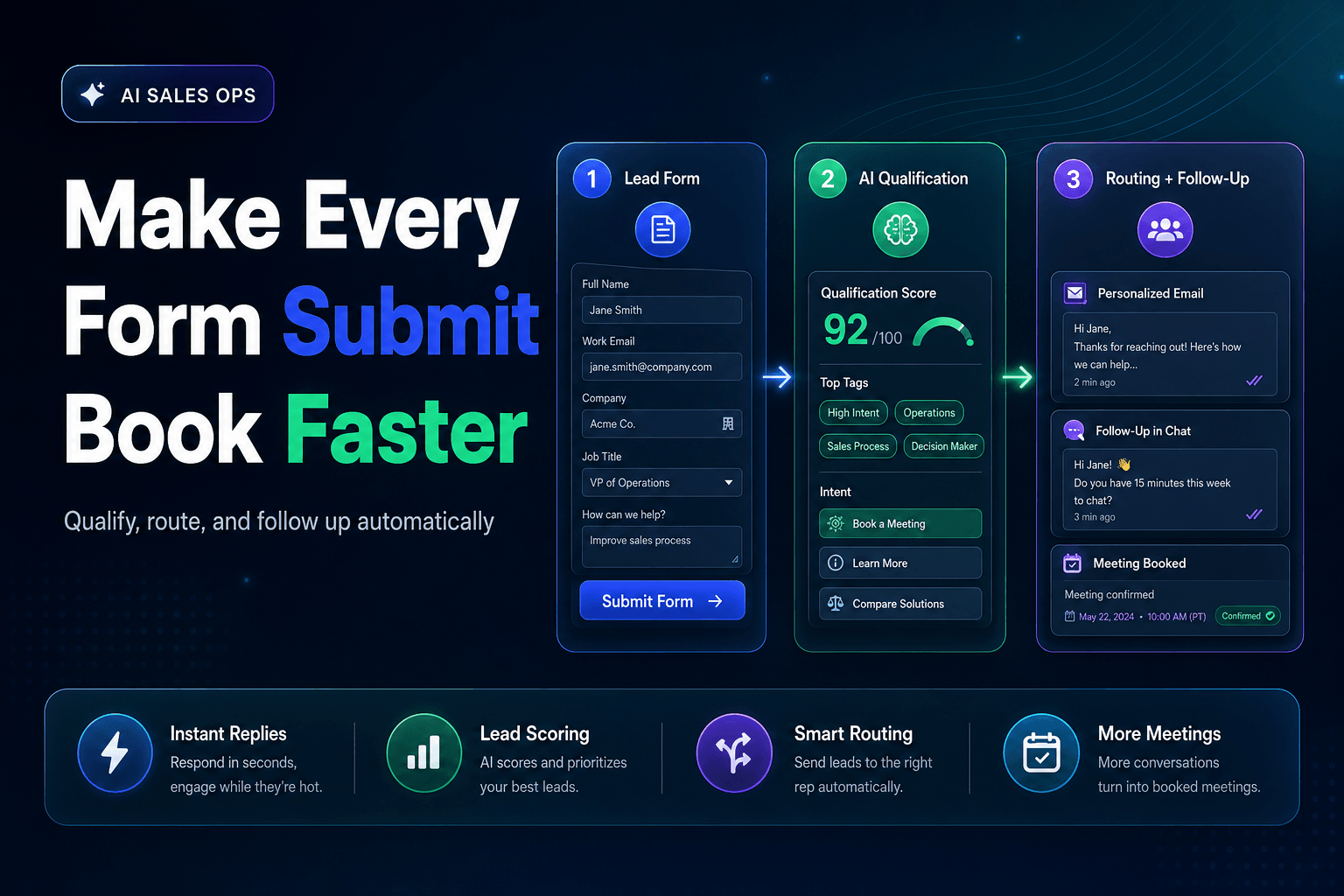
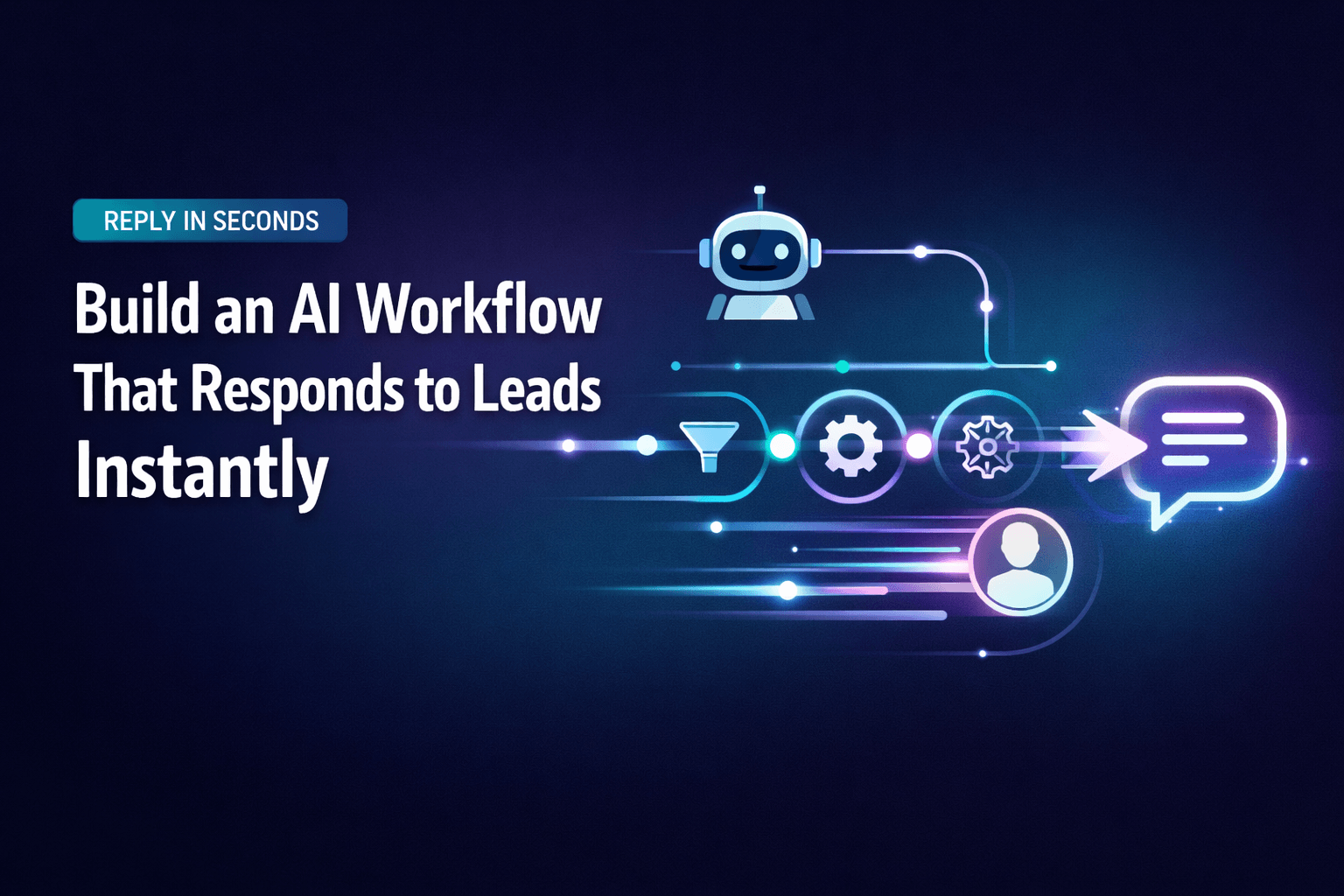
That is why instant AI lead response matters so much in 2026. Done well, it helps your business reply right away, ask a few smart qualifying questions, route leads to the right next step, and keep momentum high without making the experience feel robotic.
This guide breaks down what instant AI lead response actually looks like, how to build a workflow that feels useful instead of generic, and where a platform like AffinityBots fits when your process needs more than a basic chatbot. For a full playbook on capture, qualification, and routing with coordinated agents, see AI agent teams for lead management (2026 best practices).
Why instant AI lead response matters in 2026
Lead response speed has always mattered. What has changed is the expectation. Buyers now assume they can get answers immediately, whether they come in through a website form, live chat, ad landing page, or inbound email.
That shift shows up across current lead generation coverage from sources like WebFX's AI lead generation guide, Improvado's overview of AI lead generation tools and best practices, and Martal's lead generation workflow guide. While the numbers vary by source, the pattern is consistent: faster engagement creates a better chance of qualifying the lead while interest is still high.
Instant AI lead response helps teams:
- reply in seconds instead of hours
- capture leads after hours and on weekends
- qualify intent before a rep joins the conversation
- route the right prospect to the right person
- keep messaging consistent across forms, chat, and inbound messages
For most businesses, speed alone is not enough. A fast reply that feels canned does not build trust. The real goal is fast and relevant.
What AI should actually do in a lead response workflow
A good AI lead response system does more than send an automated thank-you message. It handles the first layer of sales operations with enough context to move the conversation forward.
Here is where AI adds the most value.
1. Start the conversation immediately
When a lead comes in, AI can acknowledge the inquiry right away, answer basic questions, and set expectations for what happens next. That matters because silence feels like friction. Even a short, helpful first response keeps the lead engaged.
For example:
Thanks for reaching out. I can help you find the best option based on your team size, goals, and timeline. Can I ask a couple of quick questions?
That feels responsive and natural. It does not feel like the lead has fallen into a black hole.
2. Qualify the lead while interest is highest
This is where AI becomes genuinely useful. Instead of dumping every lead into the same queue, it can ask a few focused questions that help your team decide what to do next.
Common qualification questions include:
- What problem are you trying to solve?
- How large is your team?
- What is your timeline?
- Do you already use a CRM or automation platform?
- Are you looking for a quick fix or a long-term system?
The point is not to interrogate people. It is to collect just enough context to make the next step smarter.
3. Route leads based on fit and urgency
Once the system has a little context, it can decide what should happen next. A high-intent enterprise lead should not get the same path as someone casually browsing options. Strong routing logic lets you separate buyers who need a rep now from prospects who are better served with follow-up content or nurture.
4. Keep follow-up moving without manual busywork
AI can trigger reminders, meeting prompts, summaries, and follow-up sequences automatically. That is where instant response connects naturally with broader agentic AI and workflow automation. The best workflows do not just respond quickly. They keep the process moving.
How to build an instant AI lead response workflow
The best workflow feels simple to the buyer and structured behind the scenes.
Step 1: Capture every lead source in one place
Start by listing every place buyer intent shows up:
- website chat
- contact forms
- demo requests
- landing pages
- paid campaigns
- inbound email
- partner referrals
Each entry point should feed into one central workflow. If your lead data is split across disconnected tools, your follow-up will always feel slower than it should.
Step 2: Trigger a useful first response
Your first reply should do three things:
- confirm the inquiry was received
- offer immediate help
- guide the person into the next step
Keep it short. Keep it human. Do not try to cram your value proposition into the first message.
Step 3: Ask two to five qualification questions
This is enough to identify fit, urgency, and buying intent without turning the interaction into a survey. Good qualification questions are tied directly to routing decisions. If an answer does not change what happens next, you probably do not need to ask it.
Step 4: Structure the data so your team can use it
This is where many workflows break down. Teams collect information, but they do not organize it well enough to act on it.
A strong system should store the answers in a way that supports reporting, routing, and handoff. If you are planning to connect AI with your stack, it helps to think through CRM and tool connections early—AI-first workflows covers how agents should plug into email, docs, CRMs, and the rest of your operations instead of treating integration like an afterthought.
AffinityBots stands out here because it is not just a front-end chat layer. It is an AI automation platform built around configurable agents, workflows, knowledge, and Smart Tables. That means you can create a process that looks more like a coordinated sales operations team than a single assistant trying to do everything.
For example:
- one agent handles the initial conversation
- one agent scores or categorizes the lead
- one agent updates your CRM or internal table
- one agent prepares a summary for the rep
If your sales process has multiple handoffs, products, or audience types, that kind of multi-agent workflow design is much easier to scale than one generic script.
Step 5: Route the lead to the right next step
After qualification, the system should move the lead into a clear path, such as:
- book a sales call
- transfer to a rep
- send a tailored email sequence
- hand off to support
- place the lead into nurture
If nurture is part of your process, it is worth building that path with the same care as your sales handoff. A lot of teams lose leads here because the immediate reply is strong, but the follow-up is weak. Stronger lead management across the full lifecycle—not just the first reply—can close that gap.
Step 6: Review what happens and improve it
Every workflow should teach you something. Review transcripts, drop-off points, booked meetings, and handoff timing. Then refine the prompts, routing rules, and triggers based on what actually works.
What to look for in AI lead response tools in 2026
There is no shortage of AI lead response tools right now. The challenge is not finding a tool. It is finding one that matches the complexity of your process.
Here are the features that matter most:
| Feature | Why it matters |
|---|---|
| Fast trigger handling | Immediate replies keep intent warm |
| Qualification logic | Helps separate high-intent from low-intent leads |
| CRM and API integrations | Reduces manual entry and missed follow-up |
| Knowledge support | Lets AI answer from your actual materials |
| Workflow automation | Moves leads to the right next step automatically |
| Human handoff controls | Prevents automation from slowing down sales |
| Reporting | Shows where conversion and response gaps exist |
If all you need is a basic chatbot for simple website conversations, a lightweight tool may be enough. If you need lead capture, qualification, routing, summaries, and internal coordination, you need more than a chat widget. You need a workflow system.
That is where AffinityBots fits especially well. Its strength is the ability to build specialized agents, connect them into workflows, and support them with structured knowledge and data. In practice, that means your lead response setup can behave more like a team than a tool.
Do not automate the human part out of the process
One of the biggest mistakes in AI lead generation is assuming the goal is full automation. It is not.
The goal is to remove delay, reduce repetitive admin work, and help sales reps step into better conversations. Buyers still want to talk to people when the decision gets real. AI just helps get them there faster.
A simple rule works well here:
- use AI for speed, triage, and consistency
- use humans for nuance, trust, and closing
That balance is what makes the experience feel polished instead of cold. A rep who joins with a clean summary of the lead's source, company size, pain point, and timeline is in a much better position than a rep starting from scratch.
If you are still tuning your front-end experience, moving from a basic script to a real agent workflow can help keep the interaction natural.
Quick implementation checklist
If you want to get a first version live without overcomplicating it, start here:
- Identify every lead entry point.
- Define what qualifies someone for sales.
- Write a short, natural first-response message.
- Choose three to five qualification questions.
- Connect the workflow to your CRM, email platform, or Smart Table.
- Set routing rules for sales, support, and nurture.
- Add human handoff triggers for high-intent leads.
- Test the full flow on mobile and desktop.
- Review transcripts weekly.
- Improve the workflow based on real conversations.
If your company serves different industries, buyer types, or regions, do not force one script to handle everything. Separate branches or specialized agents usually work better.
Common mistakes to avoid
Even strong teams run into the same problems.
Over-automation
If AI keeps talking when the lead is ready for a real person, it creates friction instead of momentum.
Weak qualification questions
Vague questions lead to vague data. Ask questions that tie directly to the next decision.
Poor internal handoff
If the rep does not receive a clean summary, the lead ends up repeating information, which makes the experience feel sloppy.
No shared source of truth
When lead data lives in chat, spreadsheets, and email at the same time, follow-up starts to break down.
Generic responses
Speed matters, but relevance matters just as much. The best instant responses feel like the business understands what the buyer actually needs.
Frequently asked questions
What is instant AI lead response?
It is the use of AI to respond to new leads immediately, qualify them, and move them to the next step without waiting for manual action.
How fast should lead response be?
As fast as possible. In practical terms, most teams should aim for seconds or minutes, not hours.
Can AI qualify leads accurately?
Yes, if you define clear qualification criteria and connect the workflow to real business rules. AI works best when the logic is specific.
Is a chatbot enough?
Sometimes, but not always. A chatbot can start the conversation, but many teams also need routing, CRM updates, summaries, and follow-up automation.
How does AffinityBots help with lead response?
AffinityBots helps businesses build specialized agents and connect them into workflows. That makes it useful for qualification, routing, knowledge-based responses, and internal coordination.
Final takeaway
Instant AI lead response is no longer just about being quick. It is about building a system that captures intent, qualifies leads, and moves them forward without dropping the human experience along the way.
If you are evaluating tools in 2026, look past the surface. A nice chat widget is not enough if the rest of your process is still manual. Focus on workflow depth, data structure, handoff quality, and how easily the platform fits the way your team actually sells.
Start simple. Respond fast. Keep the experience helpful. Then improve the system one step at a time.
Related Articles
Continue exploring more insights on seo