
Adding Integrations
Empower your agents by connecting them to external MCP servers and services via OAuth.
Tools in our platform are built on the Model Context Protocol (MCP). MCP is an open standard that enables AI models to securely interact with local and remote resources. Think of it as a universal language that allows your agents to "talk" to your files, databases, and external services.
For a deeper dive into MCP, you can check out:
- The official Model Context Protocol website
- Our blog post: MCP 101: Why This Open Standard is Crucial
1. Connecting Tools (Global Configuration)
Before any agent can use a tool, you must first connect and authenticate it at the platform level. This is done in the Tools or Integrations section of the app.
Authentication via OAuth
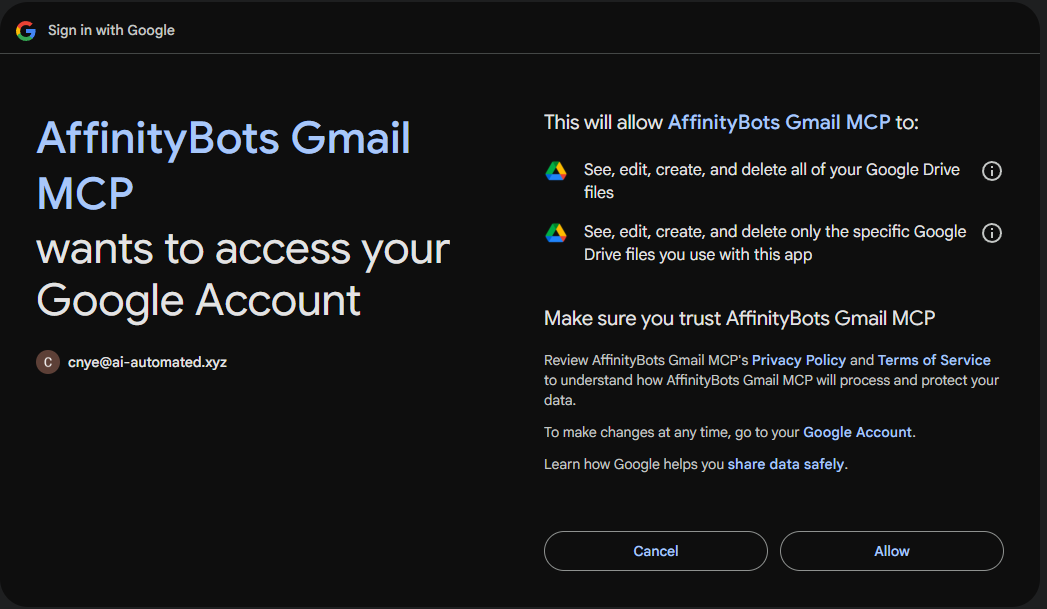
For services like Google Drive, you'll need to authorize the application to access your data.
- Navigate to the Tools page.
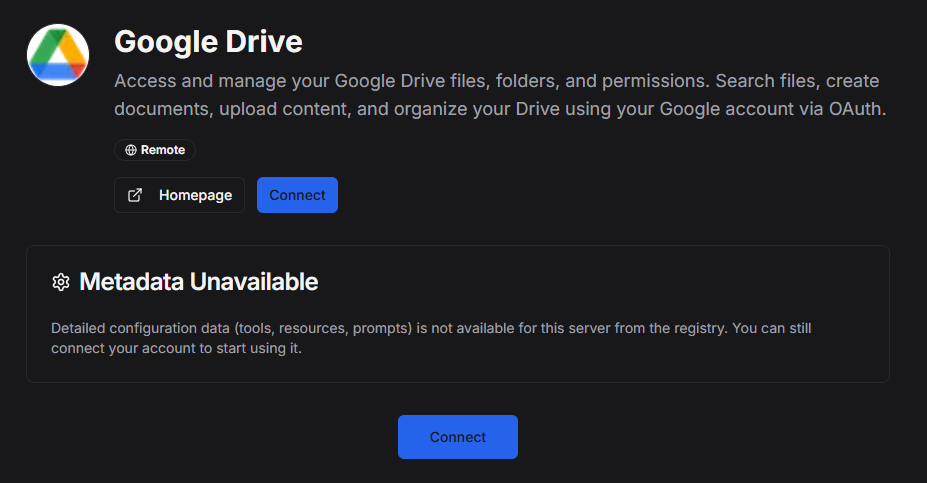
- Find the MCP server you want to connect (e.g., "Google Drive MCP").
- Click "Connect".
- Follow the OAuth flow to log in and grant permissions.
Viewing Tool Capabilities
Once an MCP server is connected, you will be able to see exactly what it provides:
- Tools: Functions the agent can execute (e.g.,
list_files,send_email). - Resources: Data sources the agent can read.
- Prompts: Pre-defined templates for using the tool.
2. Assigning Tools to an Agent
Important: Connecting a tool globally does not automatically give every agent access to it. You must explicitly assign tools to specific agents. This allows you to create specialized agents with distinct capabilities (e.g., one agent for file management, another for coding).
To assign a tool:
- Go to the Agents page and open the Agent Configuration modal (either when creating a new agent or editing an existing one).
- Expand the "Add Tools" section.
- Select the specific tools you want this agent to have access to.
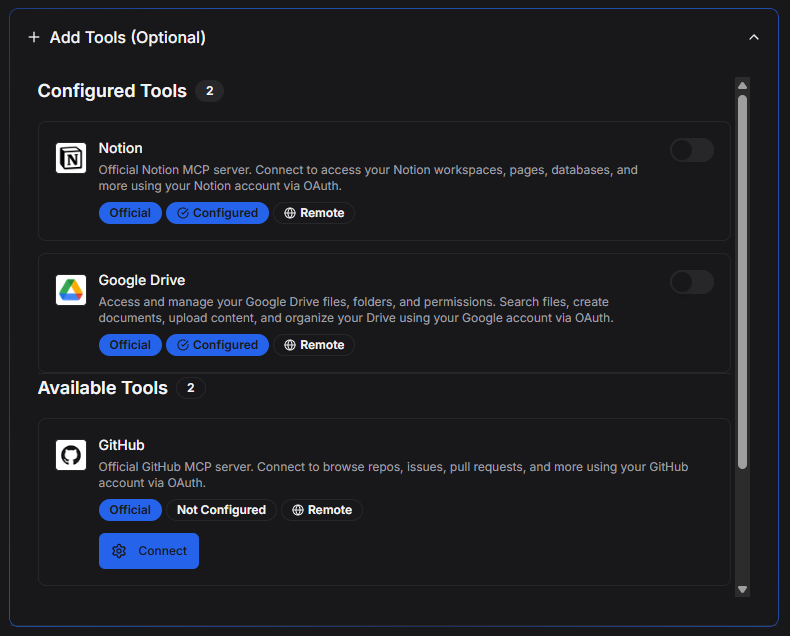
[!NOTE] Why is this separate? By decoupling global connection from agent assignment, you maintain security and control. You might have 10 different tools connected to your account, but you only want your "Writer Agent" to have access to Google Docs, not your GitHub repository.
3. Using Tools in Chat
Once assigned, the agent is aware of its tools. When you ask a question that requires external action, the agent will intelligently decide to call the appropriate tool.
For example, if you've assigned the Google Drive tool and ask, "Find the marketing report in my Drive," the agent will execute the search_files tool provided by the Google Drive MCP server.