Why Agent Assist Copilots Are the Secret Weapon for Faster Customer Support
See how agent assist copilots cut search time, speed resolutions, and help support reps answer customers with confidence.
A support rep rarely loses time typing. They lose it hunting: for the last order note, the one policy exception, the engineer’s workaround buried in a Slack thread, or the sentence that will calm an understandably annoyed customer without accidentally promising the moon.
That search tax is why agent-assist copilots matter. They sit beside the human rep, assemble the case context, suggest the next best move, and handle the fiddly follow-up work after approval. The rep stays accountable. The copilot makes sure they are not spending half a conversation playing digital archaeologist.
The timing is hard to ignore. Customer service organizations using AI agents rose from 39% in 2025 to 66% in 2026, according to the Salesforce 2026 service-agent research. Yet speed alone is not the prize. Faster support only counts when customers leave with the right answer, the right action, and no need to repeat their story next Tuesday.
The biggest delay happens before the first useful sentence
A customer writes, “My replacement arrived damaged, and I was charged twice.”
That sounds like one ticket. For a human rep, it may mean checking shipment history, payment records, warranty terms, previous contact, current inventory, and the refund policy. Then comes the awkward part: deciding which issue takes priority and whether a replacement can be sent before the duplicate charge is reversed.
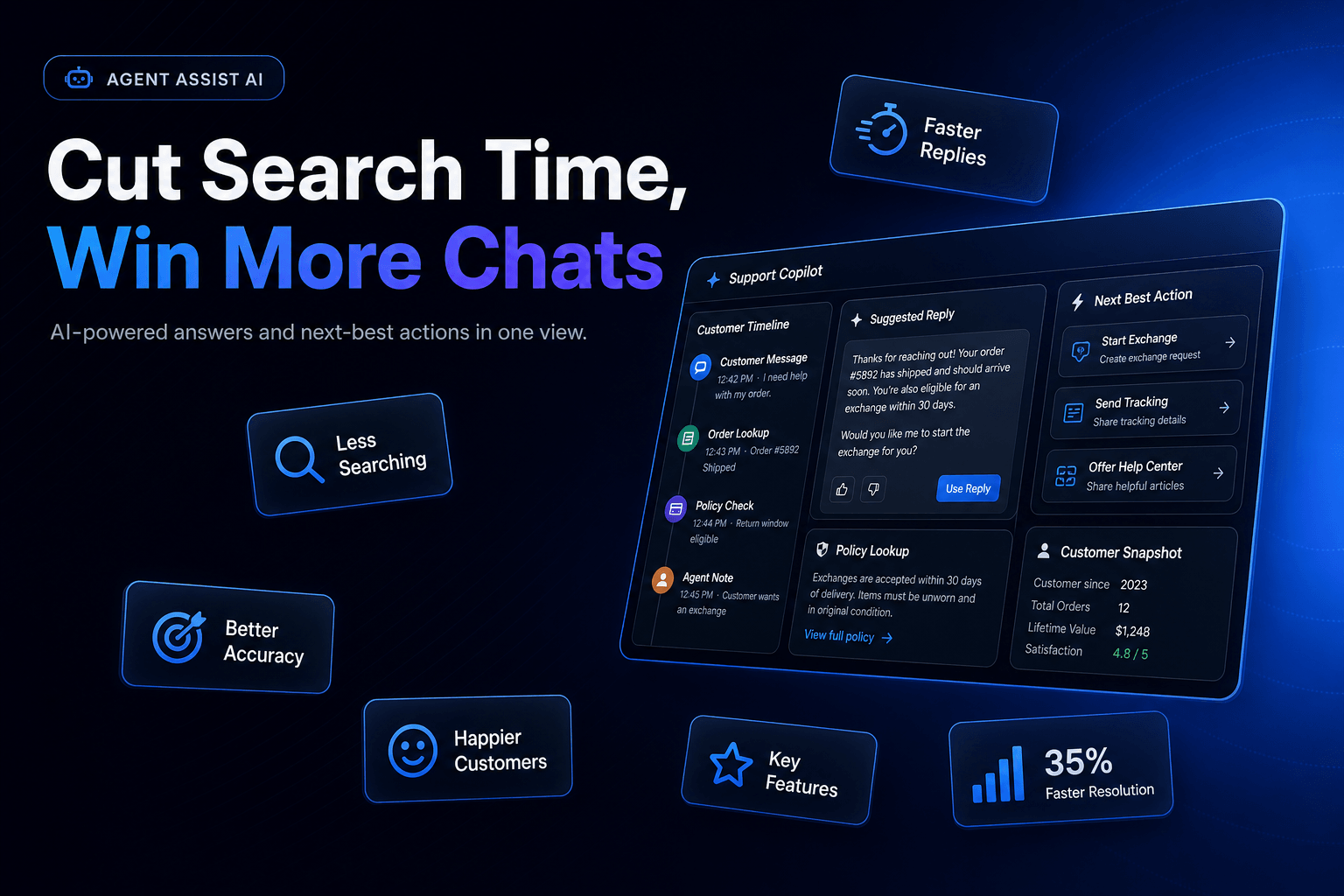
A good agent-assist copilot prepares that runway before the rep starts composing. In practice, we configure it to create a compact case brief:
- customer tier, region, and account status
- last three conversations and any promises already made
- relevant order, billing, and delivery events
- policy excerpts that apply to this exact situation
- recommended actions, including anything requiring approval
That brief should take roughly 10 seconds to scan, not 10 minutes to assemble.
This is where copilots beat generic reply generators. A generic tool drafts pleasant prose from the customer’s latest message. A useful copilot understands that the message is only the newest layer of a longer operational story. It retrieves the right records, flags contradictions, and puts the rep in position to make a decision.
Context is now the baseline expectation. In the Zendesk CX Trends 2026 report, 74% of customers say repeating their story to different agents is frustrating. That irritation has a practical implication: every unnecessary handoff and every “Can you confirm your order number again?” moment adds work for the customer, not just the support team.
For teams building this foundation, a grounded knowledge layer is non-negotiable. Turning a knowledge base into a support agent that gives actually useful answers is a useful place to start, especially if your current source material consists of 400 articles and one heroic rep who remembers everything.
Don’t ask copilots to write faster. Ask them to remove decisions nobody should make twice.
The weak version of agent assist suggests a response. The strong version reduces repetitive decision work.
Consider a SaaS support team handling an SSO setup issue. A rep should not have to manually determine whether the customer’s plan includes SSO, check whether the domain has already been verified, locate the current setup guide, inspect recent error logs, and remember which escalation path applies to an enterprise account. That is a checklist wearing a trench coat.
The copilot’s job is to execute the repeatable parts, then surface only the judgment call.
What the rep should see
A well-built workspace might show:
- Likely cause: Domain verification is incomplete.
- Evidence: Verification email was sent 22 hours ago; no confirmation event exists.
- Account context: Enterprise plan, 180 seats, renewal in 41 days.
- Suggested next step: Resend verification, attach the enterprise setup guide, create a success-manager task if unresolved after one business day.
- Risk flag: Do not alter identity-provider settings without customer confirmation.
Now the rep can validate, adjust tone, and act. More importantly, they can spot the one fact that changes the case: a renewal is close, so the issue deserves more care than a standard setup question.
This is also why copilots should have access to tools, not merely a document search box. They need permission to retrieve a subscription status, draft an internal task, update a ticket field, or prepare a refund request. They do not need blanket authority to make irreversible changes. That distinction keeps “helpful” from becoming “expensive.”
If you are mapping those permissions, read how to set up AI approval gates for refunds, escalations, and sensitive actions. Support automation gets far more practical once the system knows which actions it may prepare and which ones must stop for a human nod.
The best copilot is quiet when the case is easy
There is a temptation to plaster every support screen with generated summaries, suggested macros, confidence scores, sentiment badges, and five “helpful” prompts. That is not assistance. It is a new kind of clutter.
Support reps already operate in dense interfaces. They are listening, reading, checking details, managing tone, and watching the clock. A copilot that interrupts every turn creates another source of cognitive drag.
We have found that the most useful designs are selective. They become prominent when the case is messy, risky, or expensive to mishandle.
A practical triggering model looks like this:
| Trigger | Copilot behavior | Human role |
|---|---|---|
| Simple status request | Pull order status and draft a concise reply | Approve or edit |
| Policy exception detected | Show relevant clause and required approval path | Decide whether to escalate |
| Negative sentiment plus high-value account | Create case brief and recommend retention playbook | Lead the conversation |
| Possible security or privacy issue | Stop action, capture evidence, route to specialist queue | Take ownership |
That last row matters. A copilot should be confident enough to help, but humble enough to stop.
There is room for a little friction. For a $12 shipping update, the rep should not need a five-step review flow. For a customer asking to change a bank account, cancel an enterprise contract, or disclose account data, a pause is healthy. Gartner warned in May 2026 that applying identical controls to every AI agent causes two problems: simple assistants become too restricted to be useful, while more autonomous systems can be left dangerously under-controlled in the Gartner guidance on tiered AI-agent governance.
Treat agent assist as a read-mostly copilot first. Give it authority in narrow, audited steps later. That rollout order saves a surprising amount of cleanup.
A polished wrong answer is worse than a slow honest one
Here is the mildly unpopular truth: agent assist can make bad support faster.
If the copilot pulls outdated policy text, misses a prior promise, or confidently recommends the wrong workflow, the human rep may accept it because the answer looks tidy and plausible. The risk rises during busy periods, which is exactly when teams expect AI to carry more load.
Customers notice the gap. Qualtrics found that customer service AI has the highest failure rate among the AI applications it studied, with AI falling short on convenience, time savings, and usefulness in its 2026 Agent Effectiveness Benchmark Study. Friendly language does not rescue a resolution that is wrong.
So evaluate the copilot like a new teammate. Not a demo.
Review these five signals every week
- Acceptance rate: How often do reps use, edit, or dismiss suggestions?
- Correction type: Did the rep change facts, policy interpretation, tone, or next action?
- Repeat-contact rate: Did customers return within seven days on the same issue?
- Escalation precision: Were risk flags useful, or did they create noise?
- Time to productive context: How long until the rep has enough information to decide?
The correction type is especially revealing. If reps mostly shorten replies, your knowledge and policy logic may be sound. If they repeatedly fix account facts or remove invented promises, pause the rollout and inspect retrieval, tool data, and routing rules.
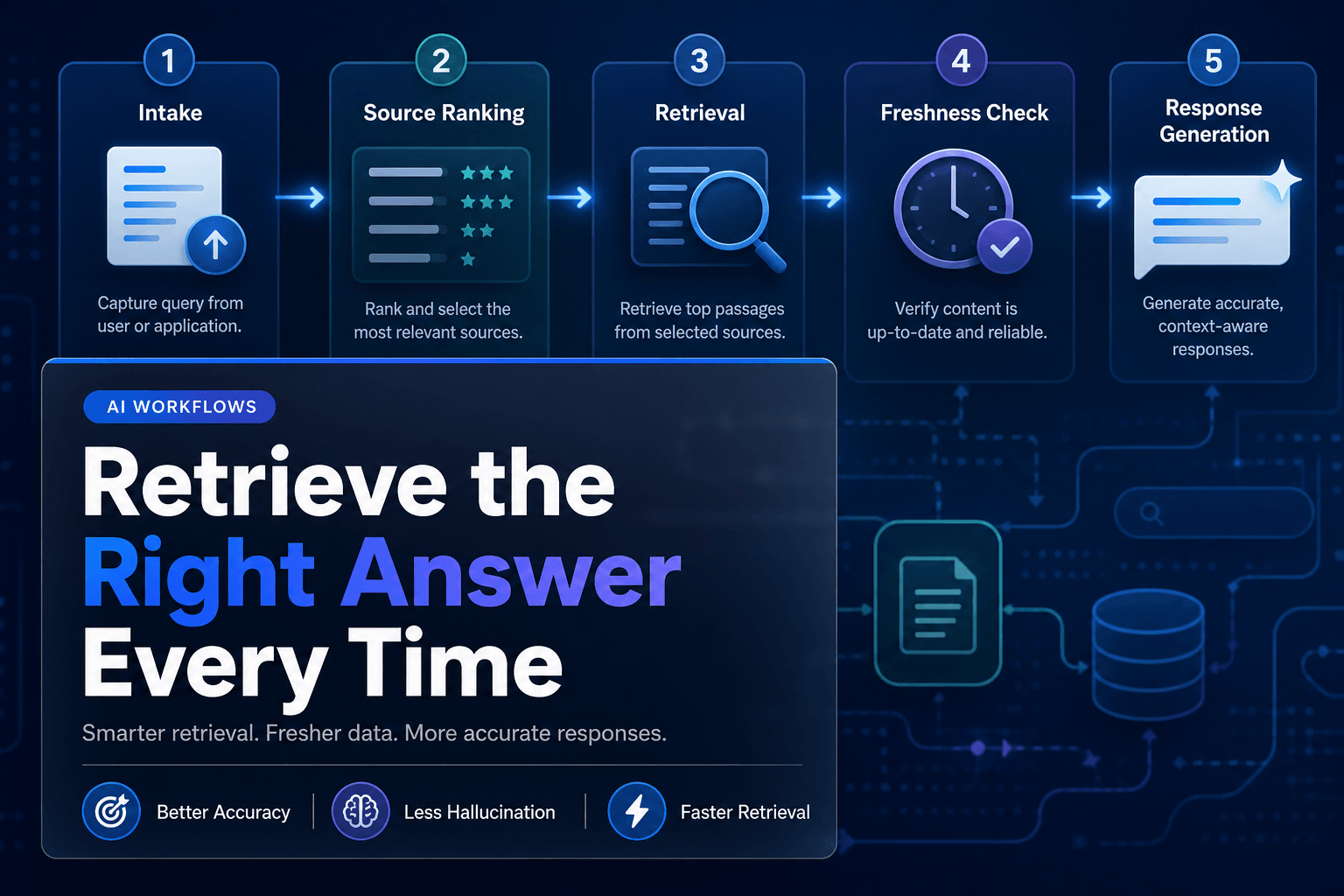
This is the practical value of combining grounded retrieval with explicit reasoning checks. Combining RAG and reasoning for reliable AI agents explains why pulling the right documentation is only part of the job. The system must also apply that information to the customer’s actual circumstances.
Faster support becomes a coaching system, not just a queue-clearing machine
A copilot produces a useful byproduct: a structured record of where support work gets sticky.
Suppose 18% of your billing tickets require a rep to override the recommended response. At first, that looks like a copilot problem. Look closer. You may discover that the billing policy has three contradictory exceptions, the help center uses different terminology than the product, or a recent pricing change never reached the support team.
That is operational intelligence.
Copilots can identify:
- product steps that cause repeated confusion
- policy language that forces unnecessary escalations
- macros that reps constantly rewrite
- account signals that predict a difficult conversation
- missing documentation after a new release
A team handling 1,000 tickets per week does not need a giant transformation project to use this data. Pick one expensive issue type, such as failed renewal payments or delayed shipments. Review 30 copilot-assisted cases every Friday. Track what the rep changed. Turn recurring edits into better instructions, better source content, or a clearer workflow rule.
Over time, the copilot becomes less like autocomplete and more like a quality loop. It helps new reps perform closer to the standard of experienced ones, while giving experienced reps fewer dead ends to clean up.
AffinityBots supports this operating model by letting teams connect knowledge, ticketing, CRM, and business tools in one workflow, while retaining run traces and approval steps for review. The goal is not a magical answer box. It is a support operation that gets measurably sharper after each week of real customer conversations.
Build the copilot your best rep would actually trust
The secret weapon is not the draft reply. It is the rep who gets to skip the scavenger hunt, sees the relevant evidence, makes the call that requires judgment, and leaves behind a cleaner case for the next person.
Start with one high-volume, moderate-risk queue. Give the copilot read access to the records reps already check manually. Have it assemble a case brief, retrieve grounded guidance, and prepare actions for approval. Then measure whether reps accept it, correct it, or quietly work around it. That last behavior tells the truth.
Do not grade success by how human the copilot sounds. Grade it by whether a customer gets a correct resolution without repeating themselves, whether the rep makes fewer avoidable clicks, and whether the team learns something useful from every correction.
Build that workflow in AffinityBots, connect the tools your reps actually use, and run it against 50 real cases before expanding. Your fastest support team may still be human. It will just arrive at the hard part sooner.
Related Articles
Continue exploring more insights on customer support