The Complete Guide to Using Skills to Standardize How Every AI Agent Behaves
Learn how skills standardize AI agent behavior, reduce prompt drift, and keep enterprise workflows consistent as teams scale.
A business can build 40 AI agents in 2026 and still end up with 40 slightly different opinions about what “professional,” “approved,” or “escalate this” means. Custom GPTs and copied system prompts were last year’s version of that problem. Skills were supposed to fix it. Then teams imported a dozen community packages, cloned half of them, and the inconsistency became portable.
The companies pulling ahead treat skills as shared operating methods, not prompt folders. In OpenAI’s August 2026 Enterprise Signals research, weekly skills usage reached 19% of active users at frontier firms versus 3% at typical firms, a six-times gap that tracks who packages recurring work instead of leaving it in private chat history. (openai.com)
Skills are how you make that shift without turning every new agent into a prompt-writing project.
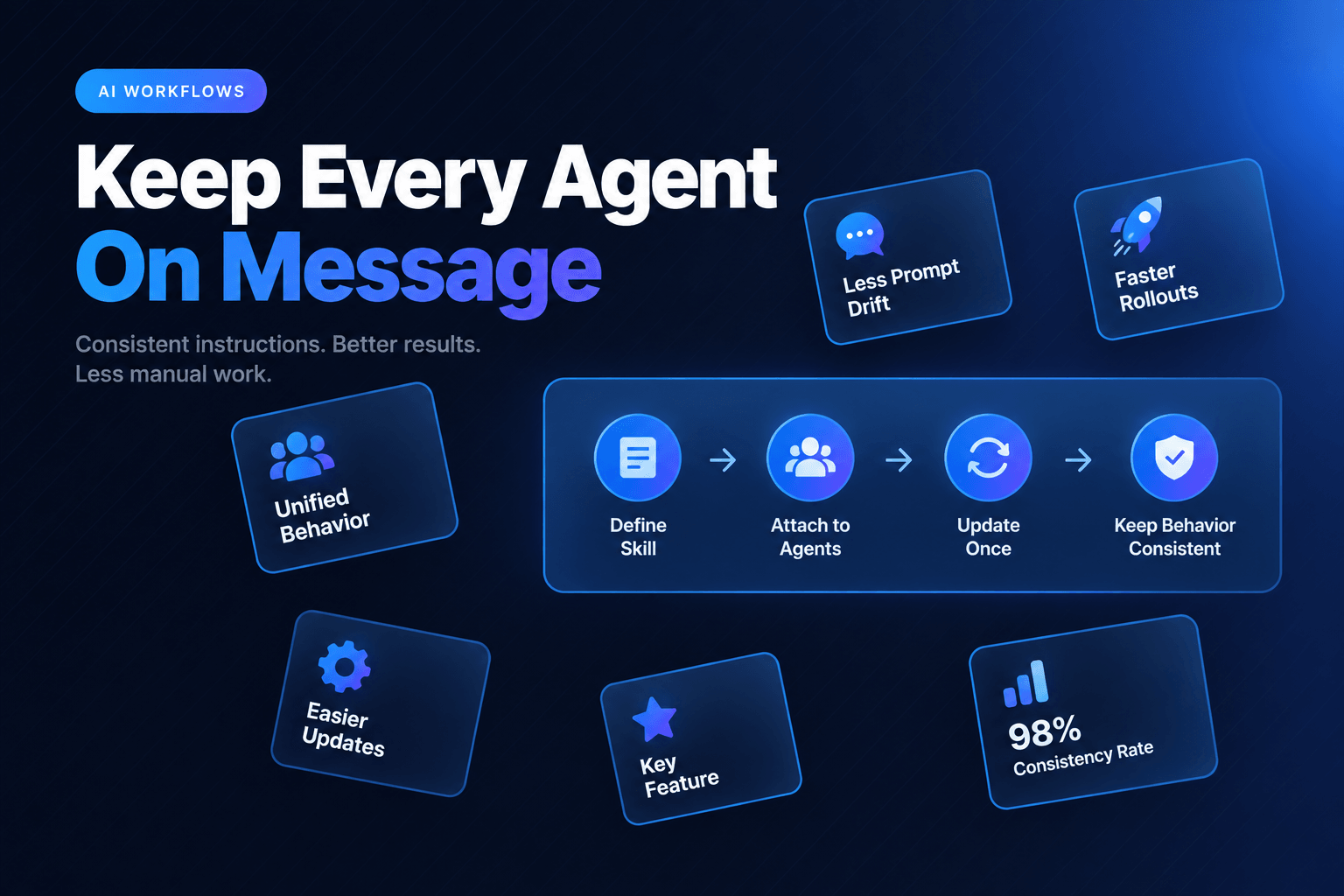
A skill is now a portable package: reusable instructions, expected behaviors, and optional requirements such as tools, scripts, or reference materials. The industry converged on the open Agent Skills format (SKILL.md plus optional resources), so the same playbook can move across products instead of living inside one vendor’s custom GPT. Attach it to the agents that need it, update it once when the business rule changes, and stop hoping that six copied prompts stay identical after six weeks of “quick tweaks.”
A skill is the operating manual your agent can actually follow
Most teams begin with a capable agent and a decent prompt. Then sales needs a qualification rule, support needs a warmer tone, operations needs a compliance checklist, and someone adds a 900-word block of instructions to each agent “just for now.”
Soon, nobody knows which version is right.
Skills replace that copy-paste drift with a reusable package. In AffinityBots, a skill can contain:
- Markdown instructions that define how an agent should behave
- Metadata such as its name, description, and compatibility details
- Optional tools, knowledge, scripts, references, or templates
Think of a skill as a focused operational playbook, not a biography for the agent.
A “Refund Review” skill, for example, might tell an agent to verify order age, check the refund reason against policy, flag repeat claims, and request approval above a set dollar amount. The same skill could support a customer-service agent, a finance agent, and an escalation agent. Each agent still has its own role, tools, and personality. They simply follow the same rules when refunds enter the picture.
That distinction matters. An agent is the worker. A skill is the repeatable method. Tools and MCP connections give the agent access. The skill tells it what to do with that access.
In practice, the best skills are narrow enough that a teammate can explain their job in one breath:
“This skill turns messy inbound requests into a complete intake record, then flags anything missing.”
That is far more useful than a mega-skill called Business Assistant v14 FINAL final.
Skills also load progressively. An agent receives metadata for its assigned skills, activates the relevant ones based on the user’s request, then loads the full instructions and any linked files only when needed. That pattern is now part of the open skill spec, not a vendor quirk. It keeps working context cleaner and reduces the chance that a travel-booking rule suddenly barges into a customer complaint.
Use prompts for identity, skills for repeatable judgment, memory for history, knowledge for source material
These four tools often get tossed into the same bucket. They should not be.
A prompt gives an agent its standing job. A skill gives it a reusable way to perform a particular capability. Memory keeps track of facts, decisions, and preferences that should survive from one interaction to the next. Knowledge is the source material the agent should retrieve and cite, not invent.
Here is the practical split.
| Use this | When it belongs there | Example |
|---|---|---|
| System prompt | The rule applies to nearly everything the agent does | “You are an operations coordinator. Be concise, verify uncertainty, and never approve payments.” |
| Skill | The behavior is reusable but only relevant in certain situations | “Classify inbound IT requests and route security incidents within five minutes.” |
| Memory | The information changes based on experience or past decisions | “This customer prefers email updates and has an approved exception for net-45 terms.” |
| Knowledge base | The agent needs source material to retrieve and cite | Current refund policy, product documentation, service catalog |
Here is the mistake we see most often: teams put a changing customer preference inside a skill, or bury a universal safety rule in a one-off task prompt.
That creates maintenance debt. Fast.
Use a prompt for the agent’s enduring identity and hard boundaries. Use memory for the things the agent should remember because they happened. Use a skill for a repeatable procedure that may apply across several agents, departments, or workflows.
For example, a marketing agent might have a system prompt defining its brand voice. When it needs to review a campaign claim, it activates a “Marketing Claims Review” skill. That skill checks for prohibited promises, required disclaimers, and unsupported performance language. If legal approved a specific wording for a product launch last Thursday, that decision belongs in memory or a controlled knowledge source, not hardcoded into the skill forever.
This is also why skills pair neatly with AI-ready SOPs. A standard operating procedure is often too long, too vague, and too full of human shorthand to hand directly to an agent. A skill extracts the executable part: what to check, what to produce, what to escalate, and when to stop.
The best skills package decisions, not just writing style
“Use a friendly tone” is fine. It is not enough.
A skill earns its keep when it captures the decisions that otherwise live in someone’s head, an old Slack message, or the one person who is mysteriously “the only one who knows how this works.”
Take a lead intake workflow. The raw task sounds simple: review a form submission and book a meeting if the prospect qualifies. A useful skill turns that fuzzy task into a decision system:
New lead received
→ Confirm required fields
→ Enrich company and role data
→ Score fit against target criteria
→ Route high-fit leads to sales
→ Send lower-fit leads to nurture
→ Escalate missing or conflicting data
The skill should specify more than the flow. It should name the acceptance criteria.
For a B2B software company, that could include:
- Treat company size as “unknown” when the data source conflicts.
- Do not invent budget, authority, or timeline.
- Route accounts with 250+ employees and a verified business email to sales within 10 minutes.
- Send regulated-industry leads to a review queue if they request security documentation.
- Return a structured output with
fit_score,routing_reason,missing_fields, andnext_action.
That is a skill. It gives every participating agent the same playbook, whether the workflow is handling 12 leads on Monday morning or 1,200 after a webinar.
Structured outputs matter here. Free-form handoffs invite creative interpretation, which is a charming quality in a novelist and a terrible one in a routing workflow. Use schemas, checklists, and explicit fields whenever the skill feeds another agent or a business system.
For more on keeping those transitions clean, see this breakdown of how specialized AI agents should hand work off.
Do not build a giant skill library nobody can govern
Here is the mildly unpopular view: more skills do not automatically mean better agents. In late 2026, that is the default failure mode.
A company with 80 overlapping skills, inconsistent names, unclear owners, and no review process has recreated the shared-drive problem inside its AI stack. Portability made it worse. Once skills travel as zip files and community clones, “helpful” forks accumulate faster than anyone can audit them. Congratulations, the mess is now interoperable.
The warning signs are predictable:
- Three skills all claim to handle “customer priority”
- A skill contains a full department handbook instead of one capability
- Nobody can say whether a skill is current
- Agents activate conflicting rules for the same request
- A skill requires tools that half the assigned agents cannot access
- A cloned community skill still encodes someone else’s refund threshold
The broader governance gap is still wide. Only 21% of the 3,235 business and IT leaders surveyed by Deloitte said their organization had a mature governance model for agentic AI, even as 74% expect at least moderate agent use by 2027. (deloitte.com) Skills will not solve every governance problem, but they give teams a practical place to centralize behavior before variation becomes invisible.
Start with a small taxonomy:
| Skill type | What it controls | Typical owner |
|---|---|---|
| Process skills | Steps, routing, checklists, stop conditions | Operations leader |
| Quality skills | Rubrics, formatting, brand requirements | Functional team lead |
| Risk skills | Approval thresholds, red flags, prohibited actions | Legal, finance, security, or compliance |
| Tool skills | How an agent uses a particular integration safely | System owner |
Every skill should have an owner, a clear purpose, a test case, and a retirement date or review cadence. Quarterly works for stable workflows. Anything tied to pricing, policy, compliance, or product releases may need review every month.
The point is not bureaucracy. It is preventing “helpful” edits from quietly changing how the business operates.
Build skills around the moments where inconsistency costs real money
Do not begin by standardizing everything. Begin where two employees would currently handle the same request differently, and where that difference creates rework, risk, delay, or customer confusion.
Common high-value candidates include:
- Support triage for refunds, cancellations, damaged orders, and account access
- Sales qualification and follow-up rules
- Document checks for onboarding, claims, vendor intake, or compliance requests
- Content review for claims, tone, required disclosures, and approved terminology
- Internal request routing for IT, HR, procurement, and facilities
A good first skill often saves only a few minutes per transaction. That is okay. The larger benefit is eliminating the variation that causes downstream work.
Say an HR team receives 60 onboarding requests each week. Without a shared onboarding skill, one agent might ask for a manager name before creating a ticket, another might create the ticket first, and a third might forget to request equipment requirements. Each result looks plausible. The operations team still has to chase missing details.
Give every agent the same intake skill, with six required fields and a defined exception path, and the workflow gets boring in the best possible way.
That consistency becomes more valuable as teams hand agents more of the work. OpenAI’s frontier firms generated 8.3 times as many output tokens per active user as typical firms in June 2026, up from a 2.6-times gap in January. (openai.com) Token volume is not the same thing as better work. It is a signal that heavy users are delegating longer assignments. Wider adoption without shared methods can multiply inconsistency just as quickly as it multiplies output.
Before publishing a skill, test it against real messy inputs:
- A complete, straightforward request
- A request with missing data
- A contradictory request
- A request that should trigger escalation
If the output cannot be scored consistently by a human reviewer, the skill is not ready. Tighten the instructions, add a required field, or define a clearer stop condition.
This is where AI approval gates for sensitive actions become useful. A skill should know exactly when to continue, when to ask for more information, and when to put a human in charge.
Consistency is valuable, but blind consistency is still a problem
Skills standardize judgment. They should not standardize bad judgment at scale.
Gartner’s 2026 Hype Cycle for Agentic AI still places the category at the Peak of Inflated Expectations: only 17% of organizations had deployed AI agents, while more than 60% expected to do so within two years. Last year’s warning has not expired. Gartner’s June 2025 forecast that more than 40% of agentic AI projects will be canceled by the end of 2027 remains the right counterweight to every “build an agent workforce by Friday” pitch. (gartner.com)
A beautifully written skill cannot rescue a pointless workflow. Nor can it compensate for outdated policies, poor source data, or an agent with access it should never have received.
We have found that the strongest skills contain four guardrails:
- A defined trigger: what kind of request activates the skill?
- A confidence boundary: what uncertainty blocks action?
- An escalation rule: who takes over when the case crosses a line?
- A measurable outcome: what proves the skill improved the process?
For a support refund skill, “draft a good response” is not a measurable outcome. “Reduce incomplete refund requests from 18% to under 5%, while maintaining approval accuracy above 98%” is something a team can inspect.
Skills should also be versioned. When a policy changes, publish a new version, test it on a fixed set of examples, and document what changed. Do not edit the live instructions at 4:47 p.m. and hope every agent interprets the revision kindly.
That is how you keep a reusable capability from becoming a reusable surprise.
Put your best operating knowledge to work, not in another document folder
The useful version of AI standardization is not making every agent sound like the same corporate memo. It is making sure every agent follows the right procedure when the right situation appears.
Build a small set of skills around high-friction decisions. Give each one an owner, clear activation criteria, structured outputs, and a real test set. Then attach those capabilities where they belong, instead of rebuilding them inside every agent prompt.
AffinityBots lets teams build skills with AI, import existing SKILL.md packages, clone community skills, and assign reusable capabilities across agents. Start with one workflow where inconsistent handling creates obvious cleanup, then turn the team’s best method into a skill your agents can use every time.
Related Articles
Continue exploring more insights on artificial intelligence