Why Proactive AI Agents Matter More Than Faster Replies
Learn why proactive AI agents prevent issues earlier, improve customer outcomes, and create value faster than reactive support.
A support team can answer a ticket in 30 seconds and still lose the customer.
By then, the failed renewal has already interrupted access. The delayed order has already ruined a gift. The API error has already derailed someone’s afternoon. Fast replies are valuable, but they begin after the customer has paid the frustration tax.
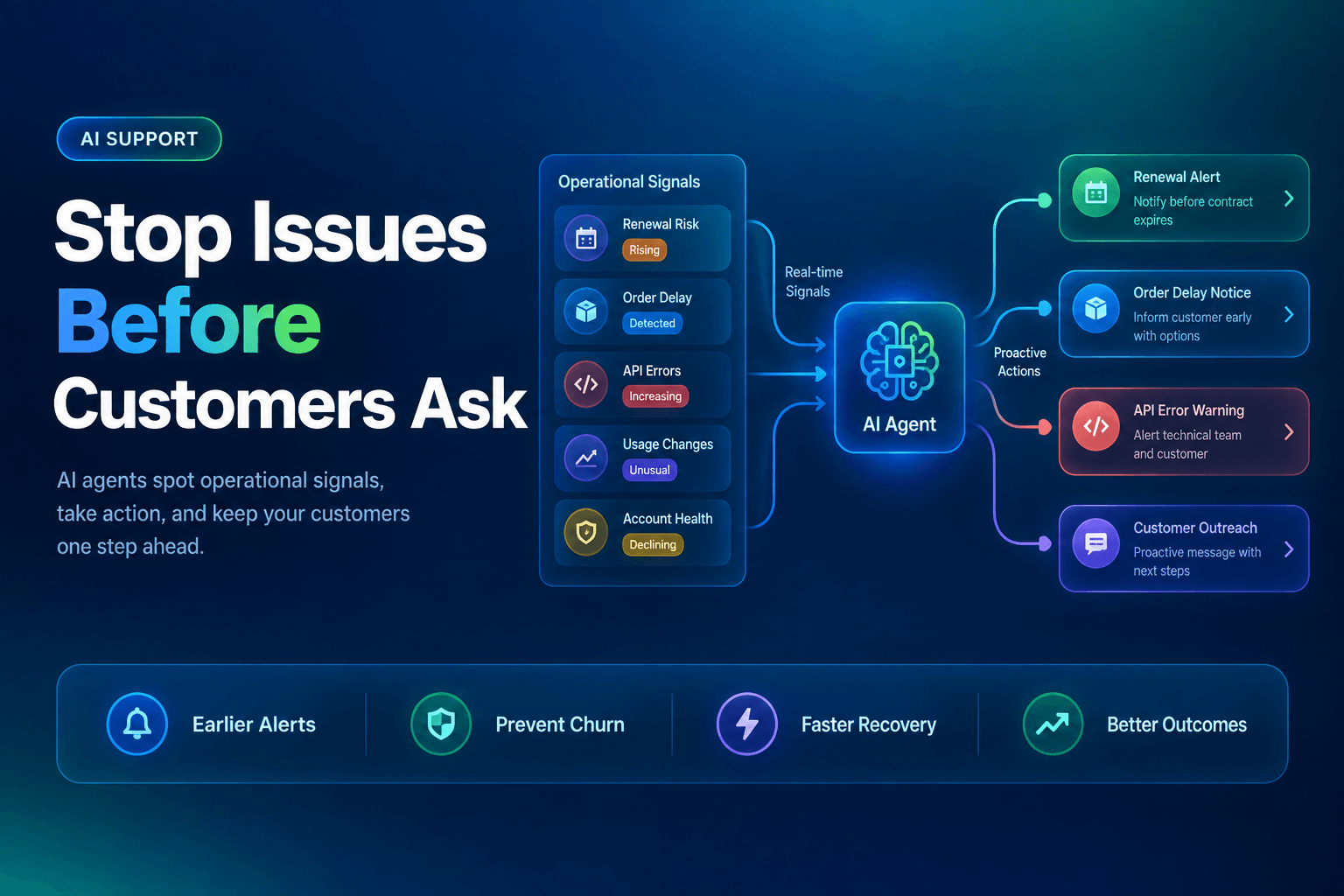
Proactive AI agents work earlier. They watch the operational signals your business already produces, decide which ones deserve attention, and take a useful next step before somebody opens chat with “Is anyone there?” That shift is gaining traction: 66% of customer service organizations reported using agentic AI in 2026, up from 39% in 2025, and 70% of adopters reported measurable value within 60 days in Salesforce’s 2026 State of Service: AI Agents Edition.
The interesting part is not that an agent can send an email. Plenty of software can send an email. The interesting part is whether it can spot a brewing problem, pull the right account context, choose an appropriate action, and leave a clean record for the human who may need to step in later.
Faster first replies are a vanity metric once the customer has lost time
First-response time is easy to measure, easy to improve, and easy to celebrate in a quarterly slide deck. It is also a lagging indicator. A ticket must exist before your team can respond to it.
Prevention creates a different scorecard:
- Tickets avoided per 1,000 active customers
- Accounts recovered after a payment failure
- Customers notified before an outage-related complaint
- Delayed orders resolved before a “where is it?” message arrives
- At-risk users who return to a key feature within seven days
Those measures force a useful conversation: where does customer friction actually begin?
A proactive agent is most effective when it watches an event that has a clear owner, a known recovery path, and a narrow action it can take safely. It should not treat every odd data point as a five-alarm fire. It should recognize the difference between “one login failed” and “an enterprise account suddenly has 40 authentication errors after a permissions change.”
Service leaders see the shift coming. In Zendesk’s 2026 guide to proactive agentic service, 86% of leaders said they expect proactive AI outreach to reshape support by identifying issues before customers contact the business.
In practice, the best workflows do not begin in the help desk. They begin in billing, product analytics, logistics, and observability tools. The help desk becomes the record of what happened, not the first place your company learns there is a problem.
A failed payment is a 10-minute recovery job, until it becomes a cancellation
Failed payments are often handed to finance automation with a blunt instruction: retry the card, send a dunning email, hope for the best.
That misses context.
A payment failure can mean an expired card. It can mean a bank decline. It can mean a procurement team changed billing contacts two days before renewal. Those are very different customer experiences, and they should trigger different outreach.
For a B2B SaaS company using Stripe or Chargebee, a proactive recovery agent can watch payment-failure webhooks, then check the CRM for account value, renewal date, account owner, past payment history, and open support cases. Instead of firing off a generic “your payment failed” email at 2:13 a.m., it can decide what happens next.
Build a recovery sequence around the customer, not the invoice
A useful payment-recovery workflow may look like this:
- Detect a failed charge or failed renewal event.
- Check whether the account is in a grace period and whether service access is affected.
- Look for a recent billing-contact change, unresolved invoice dispute, or prior payment issue.
- Send the right message, create a task for the account owner, or request approval for a credit extension.
For example, a $99 monthly account with an expired card may receive a friendly self-service payment link. A strategic account with 500 users and a renewal meeting tomorrow may need a customer success manager alerted within five minutes, plus a temporary access extension.
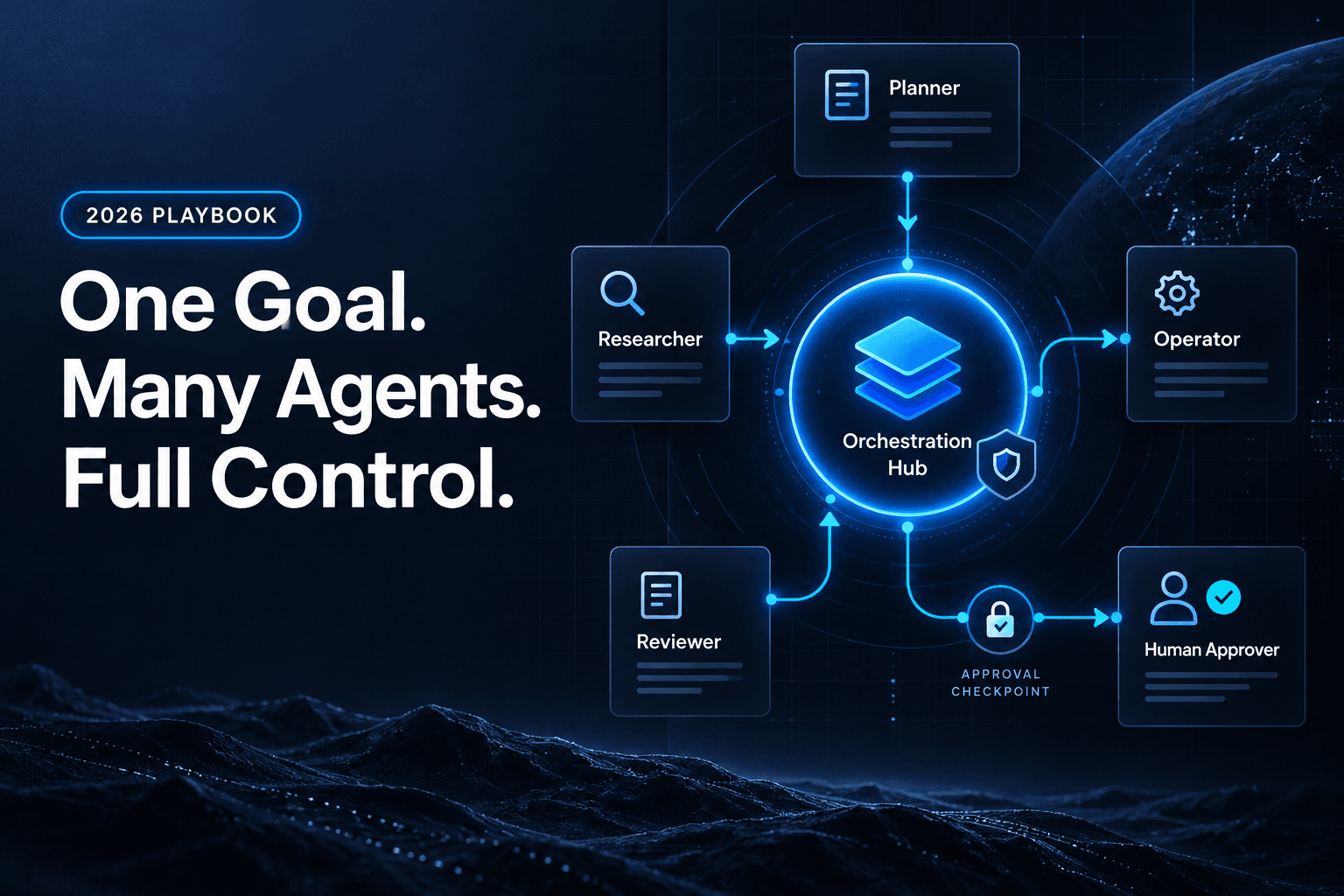
That last action should never be a casual permission. Connect agents to the systems they need, then put boundaries around consequential actions with AI approval gates for refunds, escalations, and sensitive actions. An agent can assemble the case, draft the outreach, and prepare the change. A designated employee approves the exception.
Small detail, big difference: customers interpret payment notices as either a threat or a helpful heads-up. The workflow decides which one they get.
Error spikes need a customer plan, not another dashboard alert
Engineering teams already have alerts. Datadog, New Relic, Sentry, Grafana, and incident tools can scream about error rates with impressive urgency.
The gap appears after the alert.
An API timeout spike may affect only one endpoint, one customer region, or one integration. Support learns about it later through a messy flood of nearly identical tickets. Engineering investigates. A status-page post eventually appears. Meanwhile, a customer has restarted the same export six times and assumes your product is quietly falling apart.
A reliability agent closes that gap. It watches error and performance signals, checks affected account IDs against CRM data, compares the event to known incidents, and triggers a defined response path.
Error threshold crossed
→ Confirm affected feature and account segment
→ Check active incident and recent deployments
→ Create incident brief
→ Notify affected customers
→ Open support and engineering tasks
→ Watch for recovery, then send follow-up
The agent should not announce every internal blip. That creates alert fatigue with better grammar. It should communicate when there is a credible customer impact and enough detail to be useful.
We have found that a short, factual message usually beats a polished apology drafted after the inbox fills up:
We are investigating elevated export failures affecting some accounts. Your team may see retries fail until 2:30 p.m. ET. We will update you here when service is stable.
That message gives the customer three things a fast ticket reply often cannot: acknowledgement, scope, and a next update time.
This workflow needs traceability. If the agent decides not to notify a customer, your team should be able to see why. If it sends the wrong audience a message, you need the event history, source data, decision path, and tool calls. Build that discipline before volume arrives with AI workflow observability for agent teams.
Do not chase every wobble in product usage
Usage drops are tempting because the data looks so clean. A customer used Feature X five times last week and zero times this week. Send an email. Problem solved.
Usually, problem manufactured.
A usage signal can reflect a holiday, a completed project, a staff change, a product defect, a successful migration to a better workflow, or a customer who is simply busy. Treating every dip as a churn emergency is how businesses create the digital equivalent of a sales rep hiding in the bushes.
There is a real trust risk here. In a pair of preregistered studies involving 761 and 571 participants, researchers found that anticipatory AI help could increase perceived threat and reduce willingness to adopt the tool, especially when the AI acted rather than merely offered help in “Proactive AI Adoption Can Be Threatening: When Help Backfires”.
The fix is restraint. A product-success agent needs more than one signal before it contacts a customer.
Use a confidence rule before outreach
For example, require at least two of these conditions:
- Weekly active usage has dropped 40% for 14 days.
- The account has not completed a high-value setup step, such as SSO or first automation.
- A support issue or error event occurred during the same period.
- The renewal date is within 90 days.
- The account owner has marked adoption as a risk.
Then give the agent a limited job. It can create a customer-success task, prepare a tailored checklist, or offer a relevant help article. It should not casually tell a customer, “We noticed your team stopped using the platform.” That sentence has never improved anyone’s morning.
Context comes from real procedures, not vague model memory. Teams should turn onboarding guides, escalation rules, and account-health playbooks into usable inputs by making company SOPs AI-ready. A good agent knows the approved next step for an inactive customer. A bad one invents a retention campaign because it saw a downward chart.
The operational concern is justified. In a survey of 1,000 IT and business executives, 40% identified bad data inputs reducing output quality and 37% identified hallucinations as expected agentic-AI risks in PagerDuty’s 2025 Agentic AI Survey. Prevention is useful only when the signal quality is high enough to earn trust.
A delayed order earns trust only when the agent owns the next move
Order delays are where proactive service becomes painfully tangible. Nobody wants an elegant support reply after a birthday gift misses the birthday.
An order-monitoring agent can connect ecommerce data from Shopify, shipping events from Shippo or AfterShip, warehouse data, customer records, and the help desk. When a package sits at “label created” for 48 hours, misses an expected-delivery window, or hits an exception scan, the agent checks the customer’s order history and the merchant’s policy before acting.
The workflow should separate communication from compensation.
For a low-value order delayed by one day, the agent may send a clear update with revised delivery timing. For a repeat customer whose expedited shipment is now three days late, it might draft an apology, flag a shipping refund for approval, and open a replacement-order task. Different stakes. Different authority.
Before deployment, define the event packet the agent needs:
- Order number, carrier status, promised delivery date, and current location
- Customer history, loyalty status, and prior delivery issues
- Inventory availability for a replacement
- Approved compensation limits and escalation rules
This is also where shared context earns its keep. The warehouse workflow should know if support already promised a refund. The support agent should know if a replacement label has been created. Nobody should ask the customer to explain a missing package twice because two systems chose amnesia.
AffinityBots can coordinate those tool calls and handoffs across your commerce, support, CRM, and analytics stack, while keeping each agent focused on a defined decision. That turns delivery updates from a reactive queue category into a managed recovery process.
The ticket you prevent is usually worth more than the ticket you close
Proactive AI agents should not become a machine for sending more messages. They should reduce customer effort at the exact moments when your business has enough information to act responsibly.
Start with one recurring failure pattern. Pick the one with a clear trigger, a known recovery action, and an outcome you can measure in 30 days. A failed renewal is a strong first candidate. So is a shipment delay with a defined refund policy. Avoid fuzzy “detect churn” projects until you can prove that your signals mean something.
Then build the workflow around evidence: what happened, who was affected, what the agent may do, and when a human must decide. Keep the customer message specific. Keep the action proportionate. Keep the run trace.
With AffinityBots, you can build an agent team that monitors the signals across your tools, prepares the right response, routes sensitive actions for approval, and records every step. Build one prevention workflow now, then measure the tickets that never had to exist.
Related Articles
Continue exploring more insights on customer support