Why AI Workflow Observability Matters Before You Scale Your First Agent Team
Learn why workflow observability matters before scaling your first AI agent team, and how tracing catches hidden failures fast.
A workflow can finish successfully and still be wildly wrong.
That is the uncomfortable part of scaling AI agents. A green checkmark may mean the researcher found the wrong company, the writer used stale context, the CRM agent updated the wrong field, and the reviewer never saw any of it. The run “worked.” The business process did not. That gap is why 89% of organizations using agents have implemented some form of observability, while 62% have detailed step-level tracing. (langchain.com)
Before adding a second, third, or tenth agent to a workflow, teams need a way to answer a painfully practical question: What happened on this run, and why? Logs, traces, confidence signals, and execution timelines turn that question from a Slack scavenger hunt into a five-minute investigation.
A green “completed” status can hide six bad decisions
Traditional automation is mostly deterministic. If a rule says “when form submitted, create contact,” the debugging path is fairly short. An agent workflow is different. It interprets a request, retrieves context, chooses tools, creates intermediate outputs, retries when something breaks, and may hand work to another agent.
That is a lot of room for polite chaos.
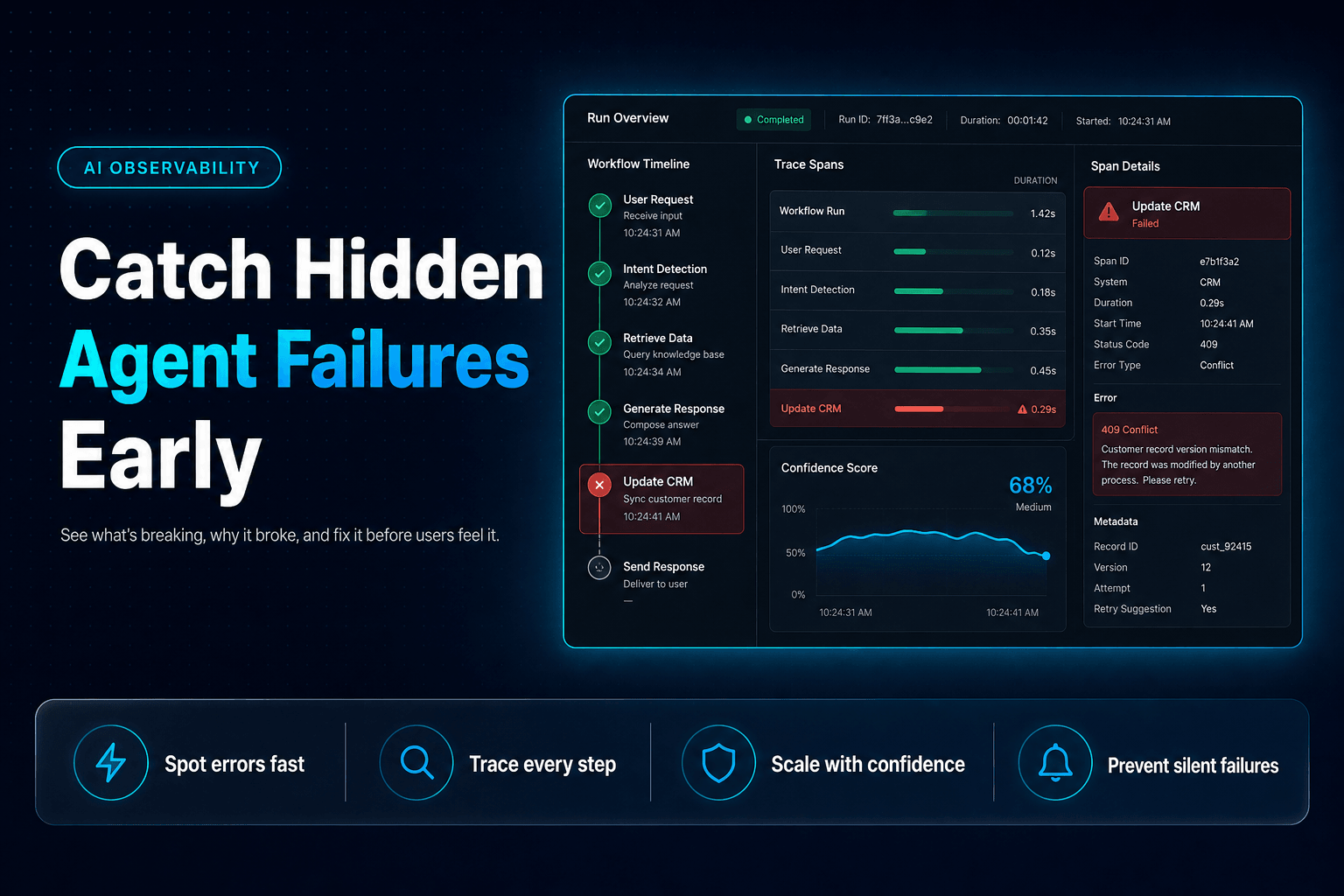
A useful trace records the full chain, not merely the final answer:
Trigger received
→ Context retrieved
→ Agent decision
→ Tool call
→ Tool result
→ Validation check
→ Handoff or approval
→ Final action
Consider a lead-routing workflow. A prospect submits a demo request. The intake agent classifies company size, the enrichment agent looks up firmographic data, and the routing agent assigns an owner in the CRM.
The final result might say: Lead assigned successfully. Great. Except the trace reveals the enrichment lookup timed out, the intake agent guessed the company had 500 employees, and the routing rule sent a two-person startup to enterprise sales. Nobody gets an error message. Everyone gets a confusing Tuesday.
At minimum, log:
- the workflow and run ID
- the agent responsible for each step
- input source and retrieved records
- prompts, tool calls, and tool outputs
- retries, fallbacks, and validation failures
- the final action, including who or what approved it
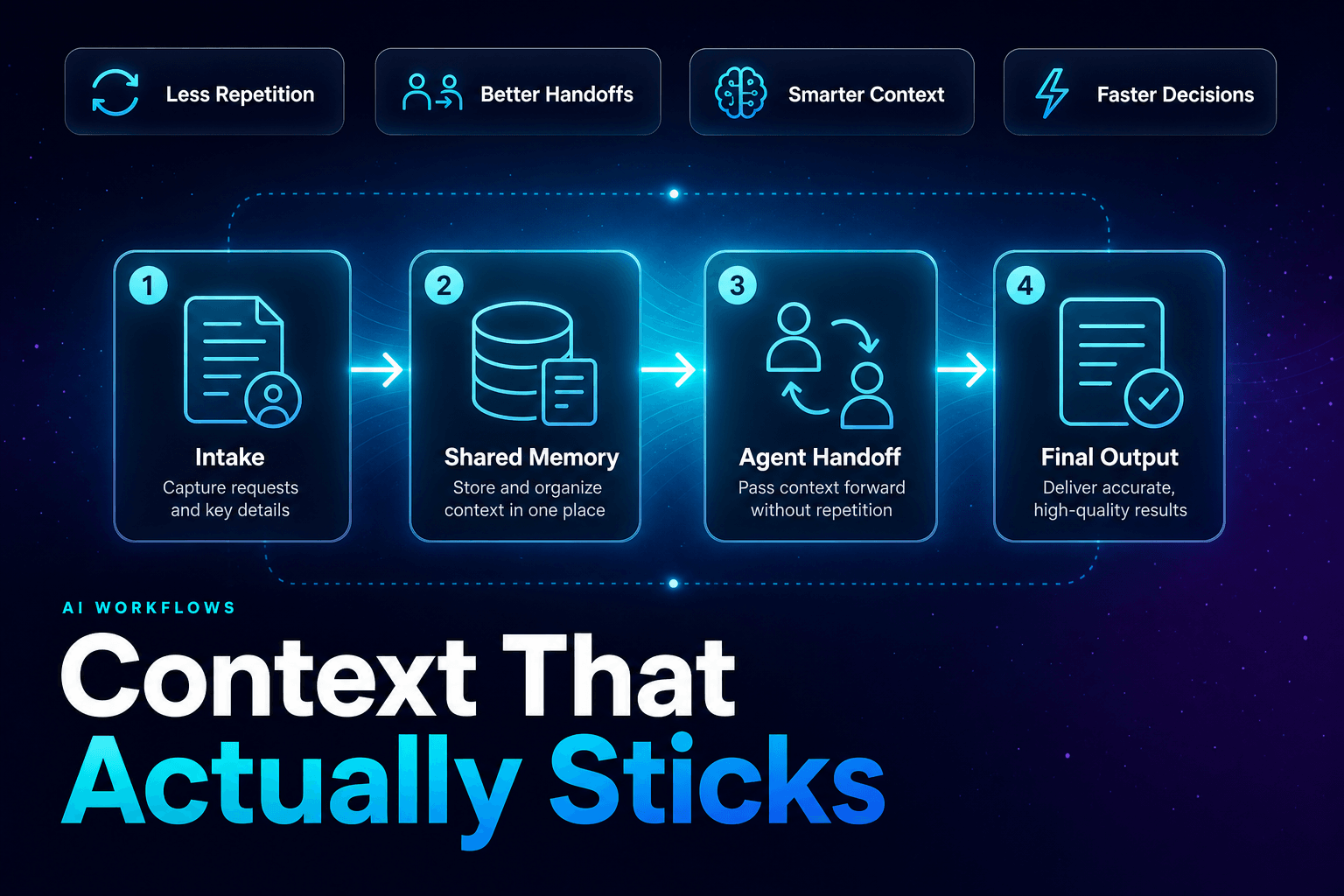
This is especially important when agents pass work between roles. A clean trace exposes whether the failure began in research, routing, permissions, or the handoff itself. For the mechanics behind that transfer, see our guide to AI agent handoffs and the state they need to carry.
Monitor the moments where an agent can change a business record
Not every agent step deserves the same level of scrutiny.
An agent drafting an internal meeting summary can tolerate a little odd phrasing. An agent changing a renewal date, issuing a refund, or sending an email to 4,000 prospects cannot. The risk jumps when a workflow crosses from “thinking” into “doing.”
In practice, we mark tool calls as decision points. Each decision point should tell you four things:
-
What did the agent intend to do?
Example: “Update lead stage to Sales Qualified.” -
What evidence did it use?
The form response, CRM history, enrichment result, and routing policy should be visible. -
What permission allowed the action?
Show the agent identity, tool scope, and approval rule. -
What changed afterward?
Record the before and after values, plus the receiving system’s confirmation.
That sounds detailed because it is. Details are cheaper than clean-up.
The production data backs up the concern. Datadog found that 5% of LLM call spans had errors in February 2026, and 60% of those errors came from rate limits. A rate-limit error can look like a minor infrastructure hiccup until an agent silently retries, loses context, or moves to a fallback model with different behavior. Datadog’s 2026 State of AI Engineering report makes the point clearly: agent reliability has operational dependencies, not just prompt dependencies. (datadoghq.com)
Tool-level visibility also keeps permissions honest. If an agent only needs to read a CRM contact and draft a follow-up, it should not have the authority to delete records or modify account ownership. That is one reason teams should review the mistakes businesses make when giving AI agents tool access before wiring every available integration into a workflow.
Confidence scores are triage signals, not permission slips
A confidence score is useful. It is not a hall pass.
Many teams make the mistake of treating an agent’s self-reported confidence as proof that the output is correct. But language models can sound highly certain while working from incomplete context, outdated documents, or a tool response that quietly failed three steps earlier.
The better use of confidence is routing.
For example, a support workflow might use three separate signals:
- Retrieval confidence: Did the knowledge agent find a current policy that directly applies?
- Data completeness: Are the order ID, account status, and refund history present?
- Action risk: Does the proposed step affect money, legal terms, personal data, or a customer promise?
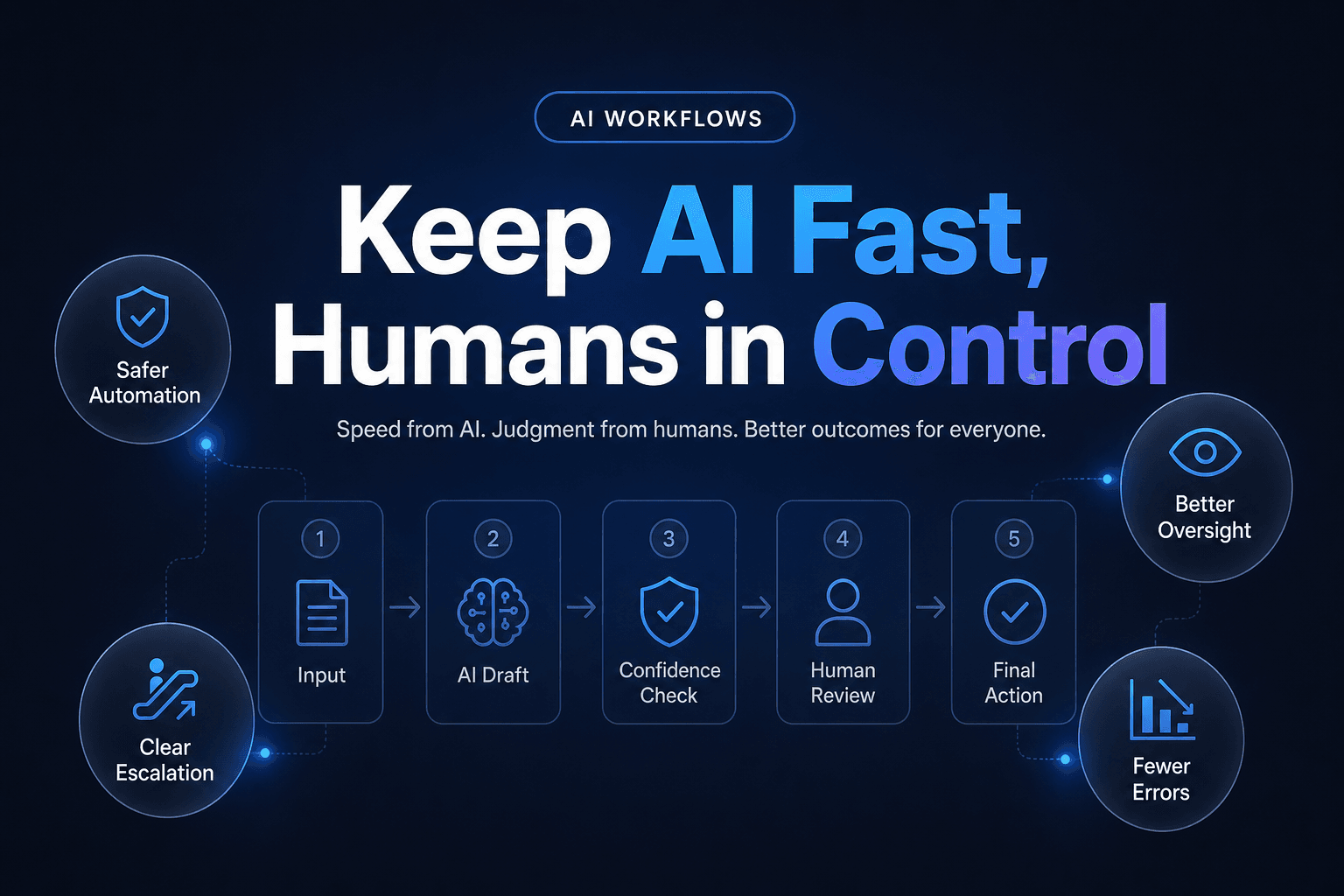
A low score in any one category should change the workflow’s path. It might trigger a second retrieval attempt, a request for missing information, or an approval queue. It should not cause the agent to invent confidence with a cheerful “All set!”
Here is a practical routing rule:
High evidence + low-risk action
→ Execute automatically

Incomplete evidence + low-risk action
→ Draft, then request human review

High evidence + high-risk action
→ Require approval before tool execution

Low evidence + high-risk action
→ Stop, explain what is missing, escalate
The key word is evidence. Confidence becomes valuable when it is tied to observable conditions, such as a valid source citation, a successful API response, a matching policy version, or a passed schema check.
If you are designing those approval points now, our human-in-the-loop AI workflow guide shows where review gates protect the business without turning every run into a manual chore.
The expensive failures look boring until they repeat 10,000 times
The contrarian view: most agent failures are not spectacular.
They are repetitive, quiet, and initially easy to dismiss. A workflow takes 18 seconds longer than usual. One in 30 enrichment calls returns thin data. A fallback prompt increases token use. An agent reopens tickets that should have been closed. None of these makes a dramatic demo reel. Together, they create cost creep, staff distrust, and bad customer experiences.
Gartner predicts that more than 40% of agentic AI projects will be canceled by the end of 2027, citing escalating costs, unclear business value, and inadequate risk controls. Gartner’s June 2025 agentic AI forecast is not an argument against agents. It is a warning against shipping systems nobody can inspect. (gartner.com)
Watch for these early patterns:
- Tool thrashing: The agent calls the same search, CRM, or database tool repeatedly because it cannot recognize a usable result.
- Retry inflation: A workflow succeeds, but only after three model calls and two failed API requests.
- Context drift: The final agent receives an old summary instead of the current customer record or policy.
- False completion: The workflow reports success after generating a draft, even though the intended tool action never happened.
- Human correction clusters: Reviewers keep changing the same field, phrase, routing choice, or action threshold.
That last one is gold. Human edits are not just cleanup. They are production feedback. If reviewers correct account ownership 14 times in a week, you have found a routing rule that needs attention. If they rewrite refund explanations but approve the actual refund decision, the policy logic may be sound while the communication prompt needs work.
Observability converts those recurring edits into a backlog of specific fixes instead of a vague sense that “the agent is being weird again.”
Build the dashboard your on-call human can use in five minutes
A dashboard should help an operator answer one question quickly: Is this workflow safe, useful, and behaving as intended right now?
Do not begin with a wall of token charts. They matter, but they rarely explain why a lead vanished or why a support agent promised something it should not have. Start with the workflow outcomes that affect the business.
For each agent workflow, track a compact scorecard:
| Signal | What it reveals | Useful threshold |
|---|---|---|
| Completion rate | Whether runs reach a valid end state | Investigate sudden drops |
| Median and p95 run time | Where queues, tools, or retries create delays | Compare by workflow version |
| Human correction rate | Whether output meets real operating standards | Review weekly by failure type |
| Tool failure rate | Whether external systems are breaking the flow | Alert on repeat failures |
| Cost per successful outcome | Whether retries and model choices are creeping upward | Compare against baseline |
| Escalation rate | Whether confidence and routing rules are calibrated | Watch for sharp movement |
Add execution timelines beside those metrics. A timeline lets an operator see that a workflow spent 900 milliseconds retrieving knowledge, 14 seconds waiting on a CRM request, then looped twice through a fallback agent. That is infinitely more actionable than “average duration increased by 22%.”
Dynatrace’s 2026 research found that 69% of organizations use observability during agent implementation, while 59% use it for continuous performance monitoring after operationalization. Dynatrace’s Pulse of Agentic AI 2026 report suggests teams are learning the right lesson: visibility cannot disappear once the pilot gets applause. (cdn.dm.dynatrace.com)
AffinityBots gives teams a practical control surface for this work. You can inspect agent reasoning and execution logs, review workflow runs, limit tools by role, and use the evidence from real runs to refine prompts, routing, memory, and approvals. Pair that with a clear workflow design, such as the patterns in our multi-agent workflow design guide, and debugging becomes an operating habit instead of an emergency ritual.
Trust comes from being able to reconstruct the run
The first agent team should not feel magical. It should feel inspectable.
When a workflow works, you should know which inputs mattered, what tools it used, how long each step took, what it changed, and whether a human had to correct it. When it fails, your team should be able to replay the sequence without guessing which prompt, integration, or handoff caused the damage.
That is the real value of observability. It makes automation accountable before volume makes it expensive.
Build your first workflow in AffinityBots with visible run histories, controlled tool access, and approval paths from day one. Then scale the agent team only after you can explain its decisions as comfortably as you explain your own operating process.
Related Articles
Continue exploring more insights on ai operations