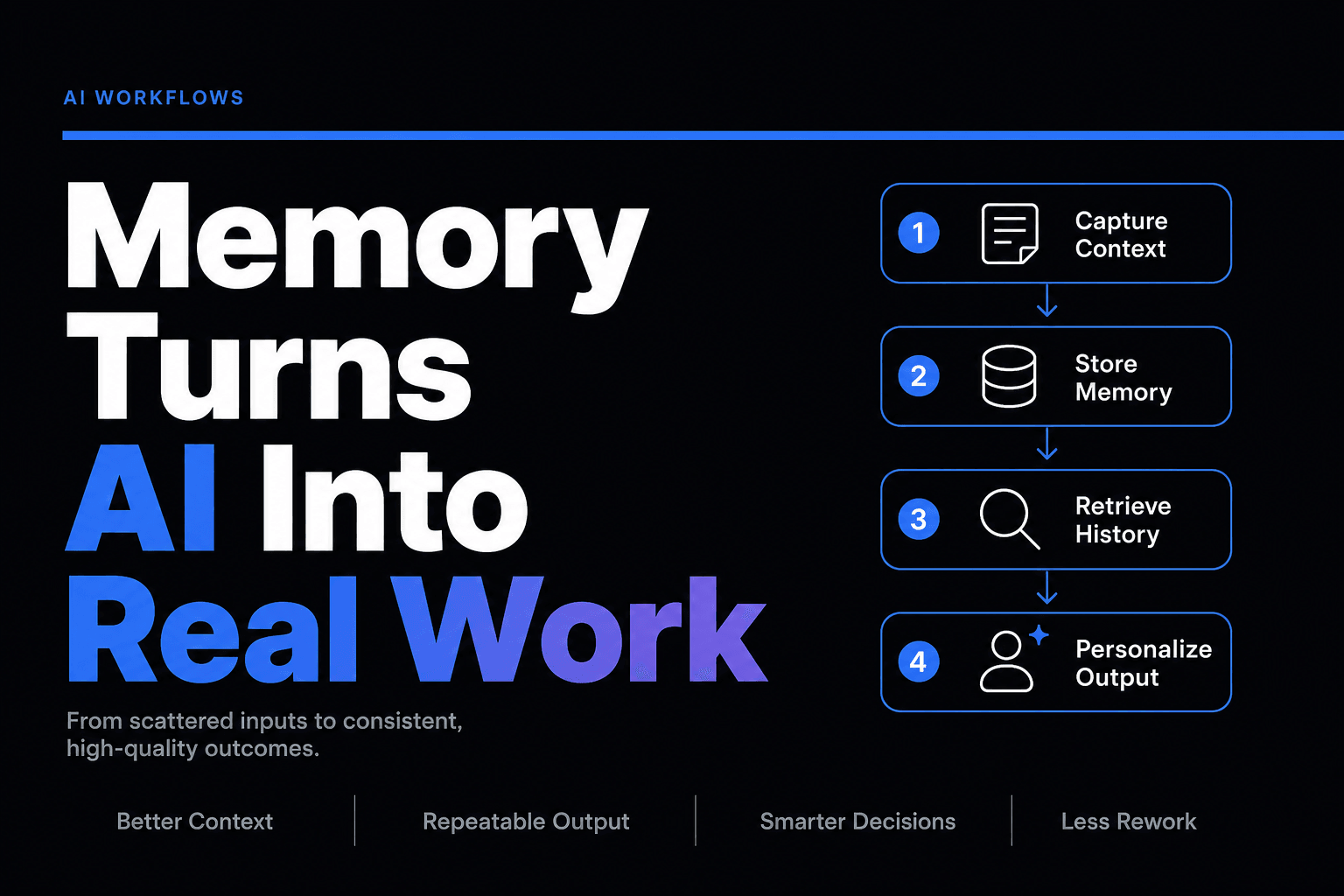
Why Memory Is the Missing Ingredient in Useful AI Workflows
Learn why memory turns AI from a demo into a useful workflow, and how it drives repeatable, business-ready results.
What makes an AI workflow actually useful?
Not the demo. Not the prompt poetry. Memory. Without it, your “smart” workflow is just a goldfish with API access. That matters more now because AI adoption is spreading fast: McKinsey’s 2025 State of AI found 78% of organizations use AI in at least one business function, yet more than 80% report no material enterprise-level EBIT impact. Meanwhile, OpenAI’s enterprise report says usage is moving into repeatable, multi-step workflows across business units. In other words, companies are trying to operationalize AI, and the workflows that work are the ones that remember enough to behave like part of the business, not a clever stranger.
We’ve found that when teams complain an AI workflow is “inconsistent,” they usually mean one of three things:
- It forgot what happened two steps ago
- It answered without using the right company context
- It made the human repeat information the system should have carried forward
That is not a model problem first. It is a memory design problem.
Context windows are not memory, and treating them like memory gets expensive fast
A lot of teams confuse more context with usable memory. They dump CRM notes, support docs, old emails, meeting transcripts, policy pages, and random Slack archaeology into the prompt, then act surprised when the workflow starts free-associating like it had three coffees and no supervision.
What actually happens is uglier:
- The workflow gets slower
- The cost per run climbs
- The model pulls the wrong detail from the pile
- The user still has to restate the one fact that mattered
A real memory layer is selective. It stores and retrieves the right facts at the right moment.
For example, a lead qualification workflow does not need every interaction a prospect has ever had with your company. It probably needs:
- latest source and campaign
- company size or segment
- prior routing outcome
- meeting status
- objections already raised
- fields that determine the next action
That distinction sounds boring. It is also the difference between an AI assistant and a very expensive autocomplete machine.
If you are building multi-step automations, this is why workflow design matters as much as model choice. We break that out more in How to Design a Multi-Agent Workflow That Actually Hands Work Off Cleanly. A workflow without memory forces every handoff to start from scratch. That is not orchestration. That is organizational amnesia.
The highest-friction moment is not the first response, it is the second one
Most AI workflow demos obsess over the first turn. The first email draft. The first support answer. The first summary. Cute. Production value usually breaks on the second interaction, when the workflow has to remember what already happened and adjust accordingly.
Think about support. A customer writes in, gets an answer, replies with “That did not solve it, I’m on the Pro plan, and this issue started after the March billing change.” If the workflow treats that message like a brand new conversation, you get the classic AI support experience: fast, polite, and deeply unhelpful.
Useful memory in that workflow should preserve:
- customer tier
- prior troubleshooting steps
- product area involved
- linked knowledge base article already used
- escalation threshold
- unresolved status
That is why knowledge-grounded support systems beat generic chat behavior. If you are working on that use case, 6 Ways to Turn a Knowledge Base Into a Support Agent That Gives Actually Useful Answers gets into the mechanics.
The same logic applies in sales. A lead follow-up system that remembers the form submission, qualification score, and last reply can route or personalize intelligently. One that forgets will ask the lead for information they already gave you, which is a fantastic way to make your automation feel cheap. For that workflow pattern, How to Turn a Lead Intake Form Into an Automated AI Follow-Up System is the more tactical playbook.
The ROI shows up when memory reduces rework, not when the output sounds smart
This is where teams miss the plot. They evaluate AI by how polished the text looks, when the real win is whether memory reduces repeat work.
That is also where the numbers get interesting. In Microsoft Research’s 2025 Early Impacts of M365 Copilot study, workers spent half an hour less per week reading email and completed documents 12% faster. Useful, yes, but the bigger lesson is why: the tool helped across recurring work patterns, not just one-off prompts. Similarly, OpenAI’s enterprise report found that workers using more advanced features reported higher time savings, and firms that move further tend to invest in workflow standardization and integration.
In practice, memory creates ROI in a few very unglamorous ways:
- fewer duplicate questions asked to customers
- fewer manual corrections after handoffs
- cleaner CRM and ticket records
- less human re-briefing between workflow steps
- lower abandonment in multi-step processes
Those are not flashy benchmark screenshots. They are operational gains.
Here is a simple way to think about it:
Workflow typeWithout memoryWith useful memoryLead follow-upRe-asks form details, generic outreachReferences source, need, and stageSupport triageRepeats KB article, loses prior stepsCarries failed attempts and routes correctlyReportingRebuilds context every weekPreserves definitions, owners, and anomaliesContent opsForgets brand choices and approvalsReuses tone rules, revision history, and source preferences
If the workflow still depends on a human constantly reloading context, the AI is not saving as much time as you think it is.
Most “AI failure” is really memory failure wearing a fake mustache
Here is the mildly contrarian bit: a lot of what gets blamed on hallucination is not pure hallucination. It is the workflow failing to retrieve, preserve, or prioritize the right business context.
That is one reason enterprise AI stalls after the pilot phase. IBM’s 2026 analysis of real-world AI failure points to context and workflow integration as the core barrier, citing MIT NANDA Initiative findings that up to 95% of enterprise generative AI projects fail to deliver ROI. Fivetran’s 2025 enterprise AI data-readiness research found nearly half of enterprises report delayed, underperforming, or failed AI projects, and 65% plan to invest in data integration tools as their primary AI-enablement strategy. Translation: the problem is often not that the model is dumb. The problem is that the workflow cannot remember what matters across fragmented systems.
What actually goes wrong in production looks like this:
- sales memory lives in the CRM, but the agent cannot reliably retrieve it
- support memory lives in stale docs, contradictory macros, and ticket notes
- policy memory exists, but nobody marked which source is authoritative
- workflow memory is not persisted between runs, so every task starts cold
That is why memory architecture matters. If your agents need tool access, The Complete Guide to Using MCP Servers with No-Code AI Agents and Combining RAG and Reasoning: The Secret Sauce for Reliable AI Agents are both worth reading. One helps connect agents to the right systems. The other helps them use retrieved information without turning every answer into probabilistic improv.
Don’t store everything, store what changes decisions
The best memory systems are opinionated. They do not hoard context. They preserve the few facts that change what the workflow should do next.
We’ve found this is the practical checklist that helps most:
Keep three kinds of memory separate
Session memory
What happened in this run? Inputs, outputs, tool results, errors, human overrides.
Workflow memory
What should persist across runs? Customer status, lead stage, preferred routing, unresolved issue state, approval history.
Reference memory
What is true unless updated? Policies, product facts, pricing rules, process docs, brand standards.
When teams blur those together, bad things happen. Temporary details get treated like policy. Old policy gets treated like current truth. Human overrides vanish. Chaos puts on a tie and calls itself automation.
Save only decision-relevant facts
A memory write is justified if it changes one of these:
- what the agent is allowed to do
- which tool or route it should choose
- whether a human should review
- how it should personalize the next step
- what counts as success or failure
Everything else is often just storage cosplay.
Design forgetting on purpose
Yes, forgetting.
Memory that never expires becomes operational compost. Useful at some point, now mostly heat and confusion. Put retention rules around temporary notes, stale interaction summaries, and outdated workflow assumptions.
If you are giving agents live access to business systems, pair memory design with governance. 9 Mistakes to Avoid When Giving AI Agents Access to Your Business Tools covers the approval, permission, and blast-radius side of that equation.
If your workflow cannot remember cleanly, it will never scale cleanly
The companies getting real value from AI are not just adding models. They are redesigning workflows so context survives the trip.
That is why memory is the missing ingredient in useful AI workflows. Not because it sounds advanced, but because work is cumulative. Customers do not want to repeat themselves. Sales teams do not want leads reset to zero. Ops teams do not want weekly reports rebuilt from scratch. And managers definitely do not want an agent that is brilliant at step one, then mysteriously concussed by step three.
A useful AI workflow remembers just enough to make the next action smarter, safer, and faster. No more. No less.
If you want to build workflows that actually carry context across tools, handoffs, and follow-ups, AffinityBots gives you a practical way to combine agents, knowledge, and orchestration in one place, without stitching together a Frankenstack of prompts and apologies.
Related Articles
Continue exploring more insights on artificial intelligence