9 Mistakes to Avoid When Giving AI Agents Access to Your Business Tools
Avoid costly AI agent mistakes when connecting business tools. Learn how to protect data, workflows, and approvals before you scale.
Most teams imagine the risk starts when an AI agent says something weird. Cute theory. In practice, the real trouble starts when it can do something weird.
Once an agent can update a CRM record, send an email, change a ticket status, pull customer data, or trigger a downstream workflow, you are no longer experimenting with prompts. You are designing an operating system for decisions. That is why “just connect the tools and see what happens” is such an expensive sentence.
The timing matters too. According to IBM’s 2026 AI control-gap study, 77% of organizations say AI adoption is already outpacing governance capabilities. Meanwhile, Deloitte’s 2026 State of AI in the Enterprise findings show only 21% of organizations have a mature governance model for agentic AI. Translation: plenty of companies are handing the keys to agents before they’ve installed brakes.
If you want AI agents to help your business instead of improvising a small operational disaster, these are the nine mistakes worth avoiding.
1. Giving the agent full tool access “for flexibility”
This is usually the first mistake, and it tends to arrive wearing a helpful disguise. A team wants the agent to be “useful,” so it gets CRM access, inbox access, calendar access, help desk access, billing access, and maybe one mysterious internal database nobody has documented since 2022. Very empowering. Also very dumb.
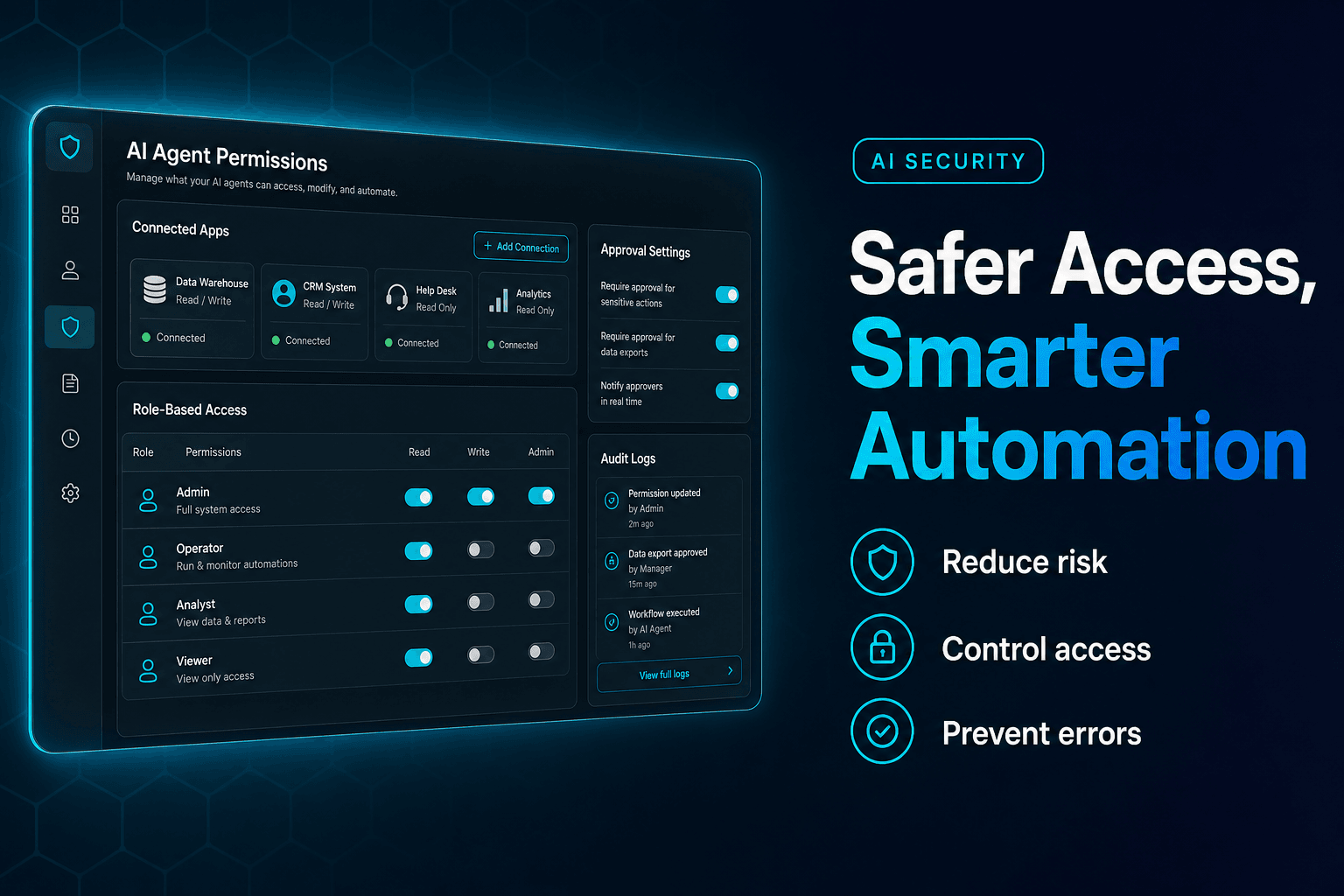
What actually works is least-privilege access. If the agent’s job is qualifying inbound leads, it probably needs to read form submissions, enrich records, and draft follow-up. It does not need permission to edit pricing fields, close opportunities, or browse support history from unrelated accounts.
We’ve found the safest setup is role-based and workflow-specific. One agent gets read-only CRM access. Another can create drafts but not send. A third can update specific fields, not whole records.
If you’re building multi-step automations, the cleanest version looks more like a relay race than a superhero movie. That is exactly why clean handoffs in multi-agent workflows matter so much. Narrower permissions reduce blast radius, make debugging easier, and stop a single confused agent from becoming your most enthusiastic internal vandal.
2. Letting the agent both decide and act in one jump
This is where teams get seduced by autonomy.
An agent reads an inbound request, decides what it means, and immediately takes action. No review. No confirmation. No checkpoint. That feels efficient right up until a refund gets approved for the wrong account or a “hot lead” gets routed to the wrong territory because the source field was malformed.
The counterintuitive fix is simple: separate judgment from execution.
Have the agent classify first, then act second. Or better, let one step produce a structured recommendation and let the next step execute only if the confidence threshold, rules, and required fields all pass. When you do this, mistakes become visible before they become expensive.
A simple pattern:
Input -> classify -> validate required fields -> approve action path -> execute tool call
This matters because most companies are still early here. Gartner’s 2025 survey of IT application leaders found only 15% were considering, piloting, or deploying fully autonomous agents, even though 75% were using some form of AI agents. That gap tells you something useful: serious teams want automation, but they still distrust blind action. They’re right to.
3. Treating bad internal data like a small inconvenience
Here’s the unglamorous truth: your agent is usually only as competent as the systems it touches.
If CRM stages are inconsistent, customer names are duplicated, support tags mean different things to different teams, or your knowledge base is a digital junk drawer, the agent won’t magically fix that. It will simply process nonsense at machine speed.
This is one of the least appreciated failure modes in agent projects. Deloitte’s 2026 agentic AI strategy analysis notes that 48% of organizations cite data searchability as a challenge and 47% cite data reusability as a challenge in their AI automation strategy. In other words, the agent isn’t lost. Your data map is.
We’ve found you get better outcomes by cleaning the decision-critical fields first, not by trying to “fix data quality” as a giant abstract program. Pick the fields the agent relies on most: lead source, owner, status, priority, product line, customer tier. Standardize those. Lock down allowed values. Then test.
If your agents rely on company docs and policy content, this is also where combining retrieval and reasoning matters. Combining RAG and reasoning is what turns “the bot found a paragraph” into “the system made the right call from the right source.”
4. Assuming the prompt is enough protection
A lot of teams try to govern tool access with instructions alone. “Only send emails when appropriate.” “Do not modify sensitive records.” “Use billing tools carefully.” That is not governance. That is wishful thinking with punctuation.
Agents need technical constraints, not just polite reminders.
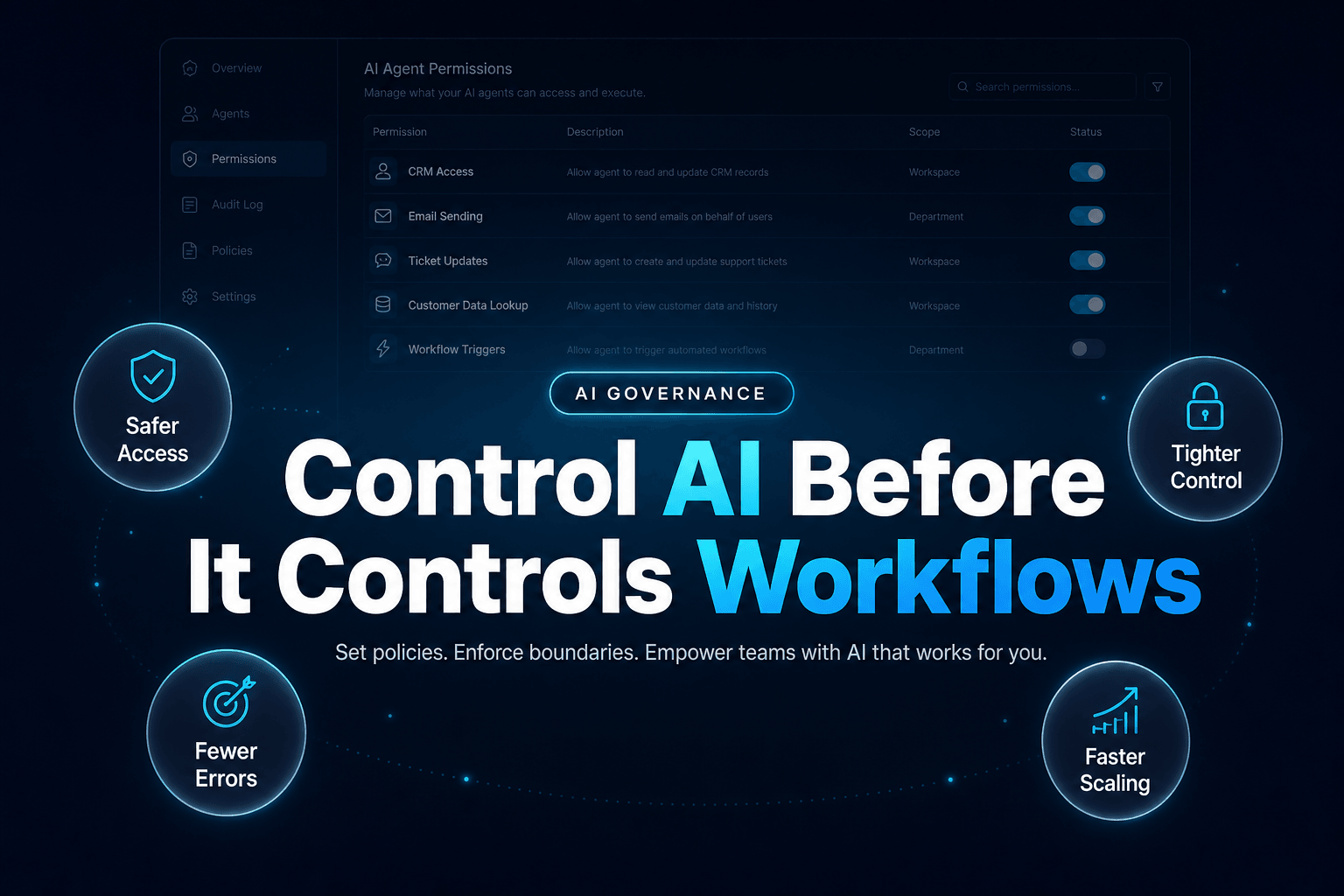
If sending an email is risky, make the tool create a draft instead of sending. If updating a customer account is sensitive, restrict editable fields. If financial or legal workflows are involved, require human approval before the final action. System prompts should reinforce policy, not be policy.
Microsoft’s 2026 Cyber Pulse report on AI agent governance warns that more than 80% of Fortune 500 companies globally are already using AI agents, many created by non-technical employees with low-code tools. That is great for speed, but it also means your risk surface may expand faster than your security review process.
This is why tool wrappers matter. In practice, the safest pattern is:
Tool typeSafer defaultEmailDraft only, not sendCRM updatesSpecific fields onlyFile accessFolder or record scopedBilling actionsHuman approval required
Prompts guide behavior. Permissions enforce it. One of those is much better at 2:13 a.m.
5. Skipping an approval layer for high-stakes actions
Not every workflow needs human review. Many do.
The mistake is treating approval as a sign of failure, as if any human checkpoint means the agent “isn’t really autonomous.” That’s nonsense. Good operations design is not a purity contest. It is a risk-management discipline.
We usually bucket actions into three levels:
- Low risk: summarize, draft, tag, classify
- Medium risk: update non-critical records, route tasks, trigger internal follow-up
- High risk: send external communications, change financial data, alter contracts, grant access
Only the third bucket should reliably require approval, but that bucket matters a lot. One wrong outbound email from an agent can create more cleanup than a week of manual work ever did.
This is also where teams confuse speed with throughput. If an agent drafts 100 perfect-ish messages and a manager approves the top 20 in 10 minutes, that is still an enormous gain. For examples of where this balance works especially well in customer-facing flows, AI agent teams for customer support shows how selective human checkpoints improve trust without dragging the whole process back to manual mode.
6. Forgetting that the scariest bug is a chain reaction
A single bad tool call is annoying. A bad tool call that triggers three more systems is where the fun stops.
Say an agent mislabels a lead as enterprise. That updates the CRM, triggers an account assignment rule, sends a personalized outbound sequence, creates a sales task, and logs the account for weekly forecasting. Now one wrong classification has turned into five wrong records plus one irritated rep.
This is why agents should not be judged only on “did the answer look right?” They should be judged on downstream effect.
Before granting access, map the action chain:
Agent action -> system updated -> automations triggered -> humans notified -> reporting changed
Then decide where to add circuit breakers. Maybe a status change should not trigger external messaging until a second check passes. Maybe any update to account tier needs a queue review. Maybe the agent can create tasks but not reassign owners.
If you’re redesigning workflows around agents, AI-first workflows is the right mental model. The tool call is not the endpoint. It is the start of a business consequence.
7. Chasing “agentic” where a boring automation would work better
Here’s the mildly contrarian bit: some companies do not need an AI agent for the job they are describing. They need a workflow rule, a form validation, or a dead-simple if/then automation.
Yes, I said it.
When the task is deterministic, adding an agent can actually make the system worse. More latency, more variability, more monitoring, more debugging, more cost. Deloitte’s 2026 agentic AI strategy research calls out this exact issue, noting that some enterprises are applying agents where simpler tools would suffice, creating poor ROI and what it bluntly describes as “workslop.”
A good test is this: if the rule can be written in one sentence with no ambiguity, you probably don’t need the model.
- “If lead source is partner, assign to channel sales”
- “If invoice is over $10,000, require approval”
- “If ticket contains password reset, send the standard flow”
Use agents where interpretation is genuinely useful: summarizing context, comparing documents, classifying messy requests, or deciding among multiple valid next steps. Use standard automation where logic is fixed. Your finance team will find this refreshingly adult.
8. Not logging what the agent saw, decided, and touched
When something breaks, most teams want to know one thing immediately: why did it do that? If you can’t answer, you don’t have an agent program. You have a haunted house.
Every action-taking agent needs a basic audit trail:
- what input it received
- what context or documents it used
- what decision it made
- what tool it called
- what changed afterward
Without that trail, debugging becomes folklore. Sales says the agent is random. Support says it ignored policy. Ops says the CRM was already wrong. Nobody knows, everybody has a theory, and the agent becomes the office ghost.
This is not just operational hygiene. According to IBM’s 2026 study on enterprise AI deployment, only 11% of surveyed leaders believe they are fully ready for the scale of AI agent deployment expected in the next year. Read that again. Not “somewhat ready.” Fully ready.
Readiness comes from instrumentation. If you cannot inspect a decision path, you cannot improve it, defend it, or safely scale it.
9. Rolling out live access before proving the workflow in a sandbox
The most expensive sentence in agent deployment is still: “Let’s test in production.”
We’ve found the best launch path is staged. First, the agent observes. Then it drafts. Then it acts in a sandbox. Then it acts in production on a narrow slice of cases. Then, and only then, it earns broader access.
A simple rollout ladder works well:
PhaseAgent capability1Read and recommend2Draft outputs only3Execute in sandbox4Execute limited live actions5Expand scope by workflow
This approach is especially useful when you’re giving agents access to multiple systems, because integration bugs rarely show up in a pristine demo. They show up when real customers write vague messages, internal fields are half-complete, and some “temporary” workflow from eight months ago is still firing in the background.
If you’re building without a big engineering team, that is where a no-code platform with scoped workflows, integrations, knowledge, and controlled deployments can save a lot of pain. AffinityBots lets teams build AI agents fast, but more importantly, it gives you the structure to keep those agents from freelancing across your business.
The Bottom Line
Giving AI agents access to business tools is not dangerous because the technology is magical. It is dangerous because business systems are messy, connected, and full of consequences.
The good news is that most failures are preventable. Scope access tightly. Split decision from execution. Clean the fields that matter. Add approval where stakes are real. Log everything. Roll out in phases. Boring controls beat clever apologies every time.
If you want to build agents that can actually work across your tools without turning operations into a trust fall, AffinityBots gives you a practical way to create no-code AI agents, connect workflows, use knowledge, and control how those actions get deployed. Start with one bounded workflow, prove it, then scale like a grown-up.
Related Articles
Continue exploring more insights on artificial intelligence