Why Shared Memory Makes Multi-Agent Workflows Feel Weirdly Human
See how shared memory makes multi-agent workflows feel human, improves context, and reduces repeated work in agentic AI systems.
What makes a multi-agent workflow feel less like software and more like a team meeting with suspiciously good recall?
Usually, it is shared memory. Not because the agents are alive. Let’s not give the spreadsheet feelings. But when multiple agents can access the same decisions, preferences, constraints, and past outcomes, the workflow starts behaving the way competent coworkers do: it remembers what matters, avoids making you repeat yourself, and hands work off with context intact. That shift matters in 2026 because McKinsey’s 2026 infrastructure research says 62% of organizations are experimenting with or piloting AI agents, while Gartner’s June 2025 forecast warns more than 40% of agentic AI projects could be canceled by the end of 2027 because of cost, unclear value, or weak controls. Translation: lots of teams are building agent systems, and plenty are still one bad handoff away from chaos.
The weirdly human feeling comes from continuity.
When a planner agent knows the critic rejected a draft last week for missing legal language, when a support agent remembers a customer’s preferred escalation path, and when a routing agent knows sales already touched the account yesterday, the system stops acting like a row of isolated bots. It starts acting like a group with institutional memory. In practice, that is the difference between “impressive demo” and “please put this into production.”
Human-like does not mean emotional, it means nobody asks the same question twice
Most teams assume “human-like AI” means better tone, more natural chat, maybe a little polished empathy. Nice. Also not the main thing.
What actually feels human at work is continuity across tasks.
Think about the coworkers you trust most. It is rarely because they sound poetic in Slack. It is because they remember the last decision, know the client hates PDF attachments, and do not make you restate the same rule every Tuesday. Shared memory gives multi-agent systems that same practical competence.
We’ve found this usually shows up in three ways:
- Decision memory: what was approved, rejected, or deferred
- Preference memory: tone, channels, timing, formatting, routing rules
- State memory: what has already happened, what is blocked, and what must happen next
Without that layer, every agent acts like it just woke up from a polite concussion.
This is also why a lot of customer-facing AI still feels off. In Twilio’s 2025 conversational AI report, 54% of consumers said AI agents rarely or never have context about them as a customer. That gap is not mostly about language quality. It is about memory quality.
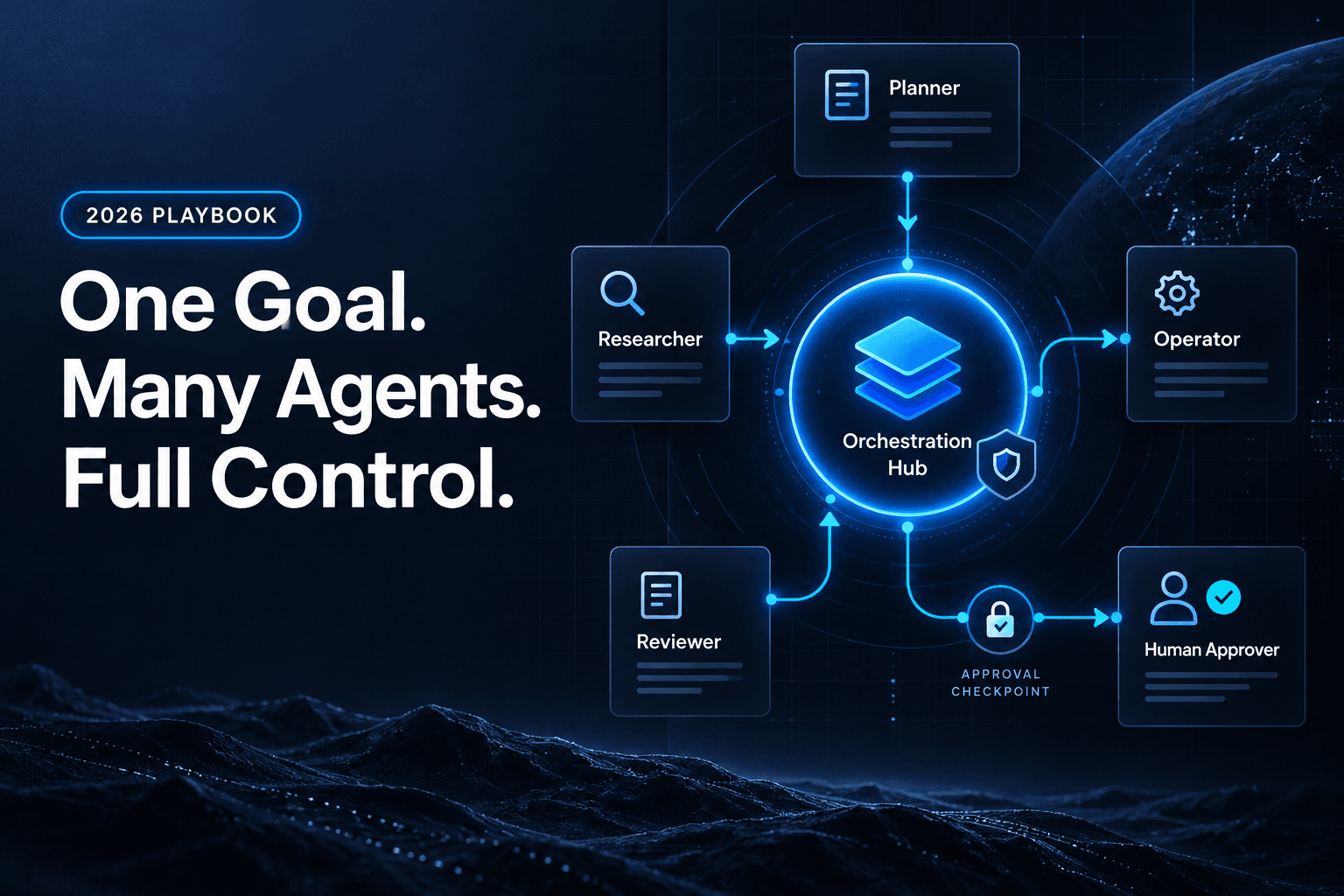
If you want the technical version, this is the same reason we keep pushing teams toward multi-agent workflow design with explicit roles, handoffs, and state. The illusion of intelligence gets stronger when the system remembers the right things, not when it writes longer paragraphs.
Shared memory fixes the part of automation users actually hate
Users will forgive a clunky interface. They will even forgive the occasional robotic sentence.
They do not forgive repetition.
The most frustrating workflow moments are usually small:
- A reviewer flags a missing field, then the next agent ignores that feedback
- Sales updates the CRM, then marketing sends a “just checking in” email anyway
- Support escalates a billing issue, then another bot asks the customer to explain it again
That is where shared memory earns its keep. It lets agents inherit context instead of recreating it badly.
In practice, a good shared memory layer is not one giant junk drawer. It is a selective system that stores:
- stable customer facts
- prior decisions and reasons
- workflow status
- constraints on what can happen next
- corrections from humans
For example, in a lead workflow, memory might hold demo_requested=true, priority=high, owner=AE_team, last_contacted=2026-07-25, and blocked_action=auto_discount. That is not glamorous. It is also exactly what prevents three downstream mistakes.
This matters even more as AI agents spread across revenue teams. Salesforce’s 2026 State of Sales found 54% of sellers have already used AI agents, and nearly 9 in 10 plan to by 2027. More agents touching the same account means more chances for contradictory behavior if memory is fragmented.
That is why why memory makes AI workflows useful is not a philosophical point for us. It is operational. Shared memory reduces duplicate work, awkward follow-ups, and the kind of “why did the system do that?” moments that make humans stop trusting automation.
The workflow feels smart when memory survives the handoff
A single agent with memory can feel helpful. A team of agents with shared memory can feel coordinated.
That distinction matters.
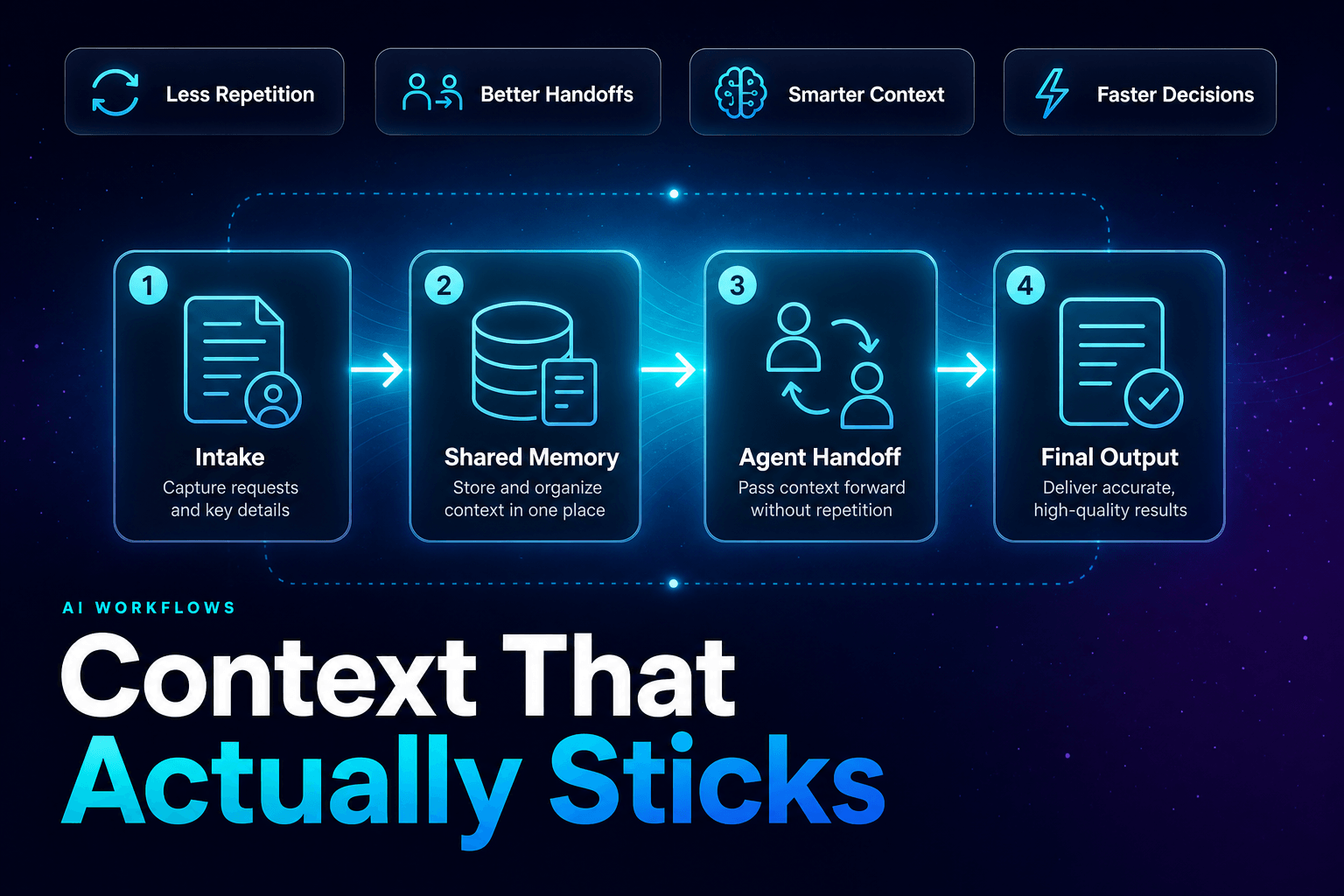
The highest-friction moment in multi-agent systems is usually not generation. It is transfer. One agent classifies. Another drafts. A third reviews. A fourth takes action. If each step gets only a thin slice of context, the workflow becomes a whisper chain with API keys.
Shared memory changes the handoff from “here is my output” to “here is the current reality.”
We’ve found the cleanest handoffs include a common memory object with fields like:
task_id
current_goal
known_constraints
approved_facts
open_questions
prior_failures
next_allowed_actions
human_feedback
That structure makes agents behave less like isolated specialists and more like a cross-functional team reading from the same project brief.
It also helps with governance. McKinsey’s 2026 trust research found nearly two-thirds of respondents cite security and risk concerns as the top barrier to fully scaling agentic AI. Shared memory, done properly, helps because it creates a visible record of what the system knows, what it decided, and why.
If your handoffs still feel brittle, you probably do not have an agent problem first. You have a memory contract problem. That is also why clean transitions matter so much in multi-agent workflows that actually hand work off cleanly. The handoff is where “smart” systems quietly become messy ones.
Here is the contrarian part: more shared memory can absolutely make things worse
Shared memory sounds wonderful until teams turn it into a digital attic.
Then everything gets weird.
The common failure mode is assuming that if some memory is good, all memory must be better. So teams store every note, every chat turn, every intermediate guess, every outdated preference, every unverified field, and every human correction without cleanup. Congratulations, you have built organizational folklore as a service.
What actually goes wrong:
- agents retrieve stale facts with total confidence
- one team’s shortcut becomes another team’s bad assumption
- sensitive data spreads farther than intended
- debugging gets harder because nobody knows which memory entry caused the behavior
This is not theoretical hype policing. Gartner’s January 26, 2026 analysis said at least 50% of generative AI projects were abandoned by the end of 2025 after proof of concept, citing poor data quality, weak controls, rising costs, or unclear value. Shared memory can reduce those risks, but unmanaged memory can also amplify all four.
So the rule is simple: shared memory should be curated, not accumulated.
That means:
- review memories regularly
- remove outdated facts
- separate stable facts from temporary working notes
- gate who can write to shared memory
- log memory edits the same way you log tool actions
If you are giving agents access to business systems, this discipline becomes even more important. We see the same governance pattern in mistakes teams make when giving AI agents access to business tools. Memory is power. Sloppy memory is expensive power.
The best shared memory feels boring on purpose
If a shared memory system feels magical, it is probably hiding too much.
The best ones feel boring, inspectable, and annoyingly structured. That is a compliment.
A production-ready shared memory layer usually separates three things:
1. Working memory
Short-lived context for the current task. Think active ticket details, current draft status, or the latest tool results.
2. Long-term memory
Durable facts worth reusing later. Customer preferences, approved policies, known constraints, previous decisions.
3. Episodic memory
A log of what happened. Not just the outcome, but the path. Which agent acted, what tool it used, what failed, what was corrected.
That structure is what makes multi-agent workflows feel coherent instead of uncanny. It also makes them improvable. When something goes wrong, you can replay the chain, inspect the memory state, and fix the real issue instead of yelling at the prompt like it owes you money.
AffinityBots’ own memory guidance follows the same principle: let agents learn preferences naturally, review memories monthly, remove outdated information, and correct bad memories quickly. In other words, memory is not a passive feature. It is an operational surface.
And that is the punchline. Shared memory makes workflows feel weirdly human not because it imitates consciousness, but because it imitates organizational continuity. The system remembers prior decisions, preserves context across handoffs, and behaves like work happened before this exact moment. That is what people mean when they say the workflow “just gets it.”
If you want AI workflows that feel less like stateless bots and more like competent teammates, start with memory design, not prompt theatrics. AffinityBots helps teams build multi-agent workflows with the memory, handoffs, and controls needed to make automation actually useful. If you are ready to turn your workflow from clever to dependable, this is the part worth getting right first.
Related Articles
Continue exploring more insights on artificial intelligence