The Complete Guide to Building a Human-in-the-Loop AI Workflow
Build safer AI workflows with clear review points, escalation rules, and feedback loops that keep automation useful and controlled.
What if the biggest problem in your AI workflow is not the model, but the moment it should have stopped and asked for help?
That is the whole game with human-in-the-loop design. Plenty of teams can get AI to draft, classify, summarize, and route. Far fewer can make it behave sensibly when confidence drops, risk rises, or context gets weird. That gap matters more now because Deloitte’s 2026 State of AI in the Enterprise says only one in five companies has a mature governance model for autonomous AI agents, even as adoption keeps climbing. If the bot can act faster than your controls can think, congratulations, you have built a very efficient problem.
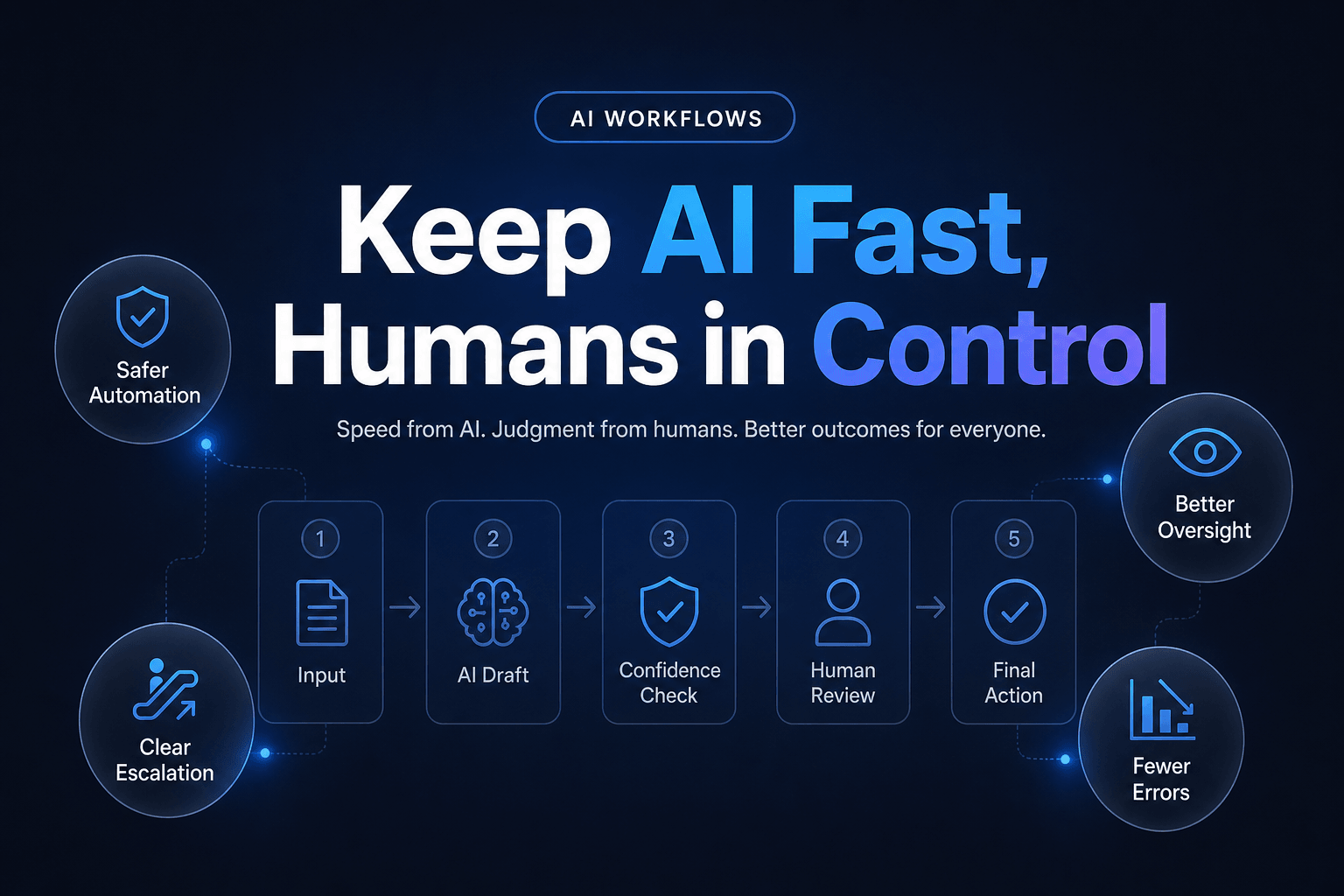
A good human-in-the-loop AI workflow is not “AI, plus someone checks it sometimes.” In practice, it is a system with clear autonomy boundaries, structured review points, escalation rules, and feedback loops that make the workflow better over time. Done right, it helps you move faster because the human is placed carefully, not because they are stapled to every step.
Stop putting humans everywhere, put them where failure is expensive
The most common design mistake is turning “human in the loop” into “human in every loop.” That usually creates the worst of both worlds: slow throughput, vague ownership, and reviewers who rubber-stamp outputs because the queue never ends.
What actually works is risk-based placement.
We’ve found there are usually only three moments where a human meaningfully improves the workflow:
- Before action, when the AI is about to send, approve, purchase, publish, or change a record
- At exceptions, when confidence is low or the case does not match known patterns
- After completion, when sampled reviews help improve prompts, rules, and memory
Anything else often becomes theater.
This matters because Deloitte’s 2026 human-AI interaction research found only 14% of leaders say they are adept at shaping human-AI interactions. Even better, organizations that intentionally redesign those interactions are twice as likely to exceed ROI expectations, and one telecom example improved from a 5% productivity lift to 30% after redesigning workflow roles, escalation paths, and training.
That is the shift: the human is not there to babysit every draft. The human is there to own judgment.
A practical split looks like this:
- AI drafts outbound replies, humans approve only high-value or sensitive ones
- AI classifies incoming tickets, humans review only low-confidence cases
- AI enriches CRM records, humans audit patterns and fix edge cases weekly
- AI proposes next actions, humans approve actions with revenue or compliance impact
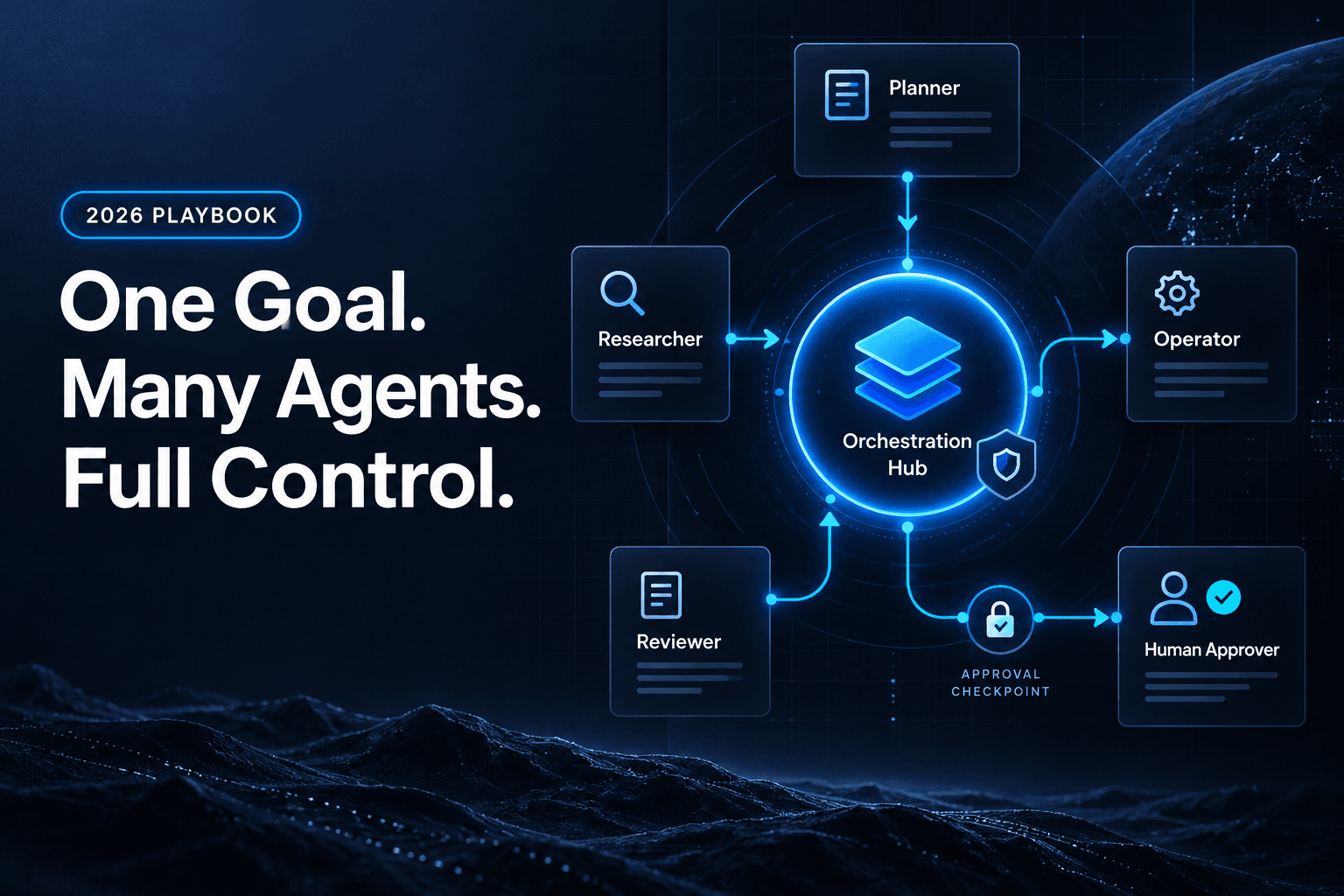
If you are also building agent teams, How to Design a Multi-Agent Workflow That Actually Hands Work Off Cleanly is a useful companion because bad handoffs create review chaos fast.
The handoff should be boring, structured, and impossible to misunderstand
A human review step fails when the reviewer has to reconstruct what happened from scratch. If they need to read the entire thread, guess what the AI saw, and infer why it made a decision, your workflow is not human-in-the-loop. It is human-as-forensic-analyst.
The fix is simple, and weirdly underused: structure the handoff.
Every review event should pass the same minimum packet of information:
| Field | Why it matters |
|---|---|
| Proposed action | What the AI wants to do |
| Reason summary | Why it chose that action |
| Confidence or trigger | Why this hit review |
| Source context | Which data or documents informed it |
| Allowed responses | Approve, reject, edit, escalate |
That means a reviewer sees, in one glance, something like:
Proposed action: Send pricing follow-up
Reason: Lead requested enterprise tier, company size over 500 employees
Trigger: Pricing request plus procurement language detected
Source context: form submission, CRM notes, pricing sheet
Options: approve, edit, route to sales director
Now the human is making a decision, not decoding a magic trick.
This is where memory and workflow state matter more than fancy prompts. If the system cannot carry forward prior decisions, customer context, or reviewer feedback, it will keep asking humans to repeat themselves. That is why Why Memory Is the Missing Ingredient in Useful AI Workflows matters so much in production systems. The review step gets dramatically cleaner when the workflow remembers what has already been approved, rejected, or escalated.
In practice, the cleanest reviewer experience uses:
- fixed schemas instead of free-text blobs
- short reason codes instead of long chain-of-thought style rambles
- direct links to the evidence, not pasted walls of text
- explicit next-step buttons, not “please advise”
Boring wins. Boring scales.
If your workflow never escalates, it is probably lying to you
Here is the mildly contrarian bit: teams often celebrate a workflow that almost never asks for human help. We usually treat that as a red flag, not a victory lap.
Why? Because business reality is messy. If your AI never encounters uncertainty, then one of two things is happening:
- the task is so trivial you did not need much workflow design in the first place
- the system is overconfident and quietly making bad calls
That second one is the expensive version.
Deloitte’s 2026 agentic AI findings say approximately 80% of organizations still lack mature governance capabilities for agentic AI, including boundaries for which decisions require human approval, real-time monitoring, and audit trails. That is not a small paperwork issue. It is a design flaw.
A healthy human-in-the-loop workflow should escalate on purpose. Good triggers include:
Confidence-based triggers
- classification score below threshold
- conflicting source data
- missing required fields
Risk-based triggers
- customer complaint with legal language
- refund above a set dollar threshold
- outbound message to a strategic account
Novelty-based triggers
- unseen issue type
- workflow path not taken before
- tool response outside expected format
The goal is not maximum automation. It is progressive autonomy.
That means you start with tighter review, then loosen controls only where the workflow has earned trust. If you want a cautionary guide for tool-connected systems, 9 Mistakes to Avoid When Giving AI Agents Access to Your Business Tools covers the controls teams usually skip right before learning a life lesson.
The real metric is not accuracy, it is review efficiency plus business impact
A lot of teams measure human-in-the-loop systems with one blunt question: “Was the AI right?” Useful, sure. Incomplete, absolutely.
The better question is: did the review system improve speed, quality, and risk control at the same time?
According to OpenAI’s 2025 enterprise AI report, the findings draw on real-world usage data plus a survey of 9,000 workers across almost 100 enterprises. That matters because enterprise value is increasingly coming from repeatable workflow use, not isolated prompting sessions. The workflow itself has to hold up.
We’ve found the most useful scorecard includes four buckets:
-
Automation rate
What percentage of cases complete without human intervention? -
Escalation quality
Of reviewed cases, how many truly needed review? -
Reviewer efficiency
How long does approval, edit, or rejection take? -
Business outcome
Did conversion, resolution time, compliance, or output quality improve?
A simple metric stack might look like this:
Automation rate: 72%
Human review rate: 28%
Median review time: 94 seconds
Approval without edit: 61%
Escalations later found necessary: 88%
Customer response time improvement: 43%
Now you have something you can improve.
And yes, you should also watch operational fragility. IBM’s June 2026 AI control study found 91% of organizations do not fully understand their dependencies across AI vendors, models, and infrastructure, and surveyed leaders reported an average of six AI-related disruptions over the past two years. Human oversight is not just about output quality. It is also about resilience when the stack gets weird.
Start with one workflow where judgment shows up late, not early
If you want to build a great human-in-the-loop workflow, do not start with the messiest, most strategic process in the company. Also do not start with something so simple that no judgment is needed. The sweet spot is a workflow where most cases are routine, but some require human judgment near the end.
Good candidates include:
- inbound lead qualification with sales approval for top-tier accounts
- support triage with escalation for billing, legal, or churn-risk cases
- content production with editor review before publish
- CRM enrichment with ops review for field conflicts
- invoice or reimbursement routing with manager approval over thresholds
These work because the AI can handle the repetitive setup, while the human handles the consequence-bearing finish.
For example, a lead workflow might run like this:
- form submission triggers the workflow
- AI enriches the company and classifies urgency
- AI drafts the first response and proposes routing
- strategic accounts go to human approval
- reviewer approves, edits, or reroutes
- outcome feeds back into the workflow memory
If that sounds familiar, it should. A lot of the same mechanics show up in How to Turn a Lead Intake Form Into an Automated AI Follow-Up System, just with the human checkpoint placed around high-stakes routing and messaging.
The trick is to design the approval layer before the automation layer sprawls. Otherwise you end up retrofitting safety into a workflow that already thinks it is unsupervised.
Human-in-the-loop is not a compromise, it is the operating model
The strongest AI workflows in 2026 are not the ones pretending humans are gone. They are the ones that know exactly when people should step in, what they should see, and how their decisions improve the system the next time around.
That is the practical advantage of human-in-the-loop design. You get speed where the work is repetitive, judgment where the work is consequential, and learning where the workflow keeps failing in the same annoying places. More importantly, you avoid the fake sophistication of “fully autonomous” systems that collapse the moment reality stops being tidy.
If you are building these workflows inside a real business, the goal is not to add review for its own sake. It is to create a process that can scale responsibly, with structured handoffs, clear approval logic, memory, and visibility across the whole run.
That is exactly where AffinityBots fits. You can build AI agents, connect them into multi-step workflows, control tool access, and keep humans in the right decision points without turning operations into a manual relay race. If you are ready to build a workflow that moves fast and knows when to ask for help, try AffinityBots and start with one high-impact process that deserves better than guesswork.
Related Articles
Continue exploring more insights on artificial intelligence