8 Mistakes to Avoid When Giving AI Agents Access to Your Business Tools
Avoid costly AI agent mistakes when connecting business tools. Learn the risks, guardrails, and access rules that prevent chaos.
Most teams begin with a harmless experiment: let an AI agent read a shared inbox, look up a contact, draft a reply, and book a meeting. Then someone gives it permission to update the CRM “just for efficiency.” A week later, it is changing lifecycle stages, inviting the wrong people to calls, and politely emailing a customer about a problem that was supposed to stay internal.
That escalation is common because tool access feels like a technical setup task. It is really an operating-policy decision. Every connector grants an agent a new way to create value, plus a new way to create cleanup, compliance headaches, or one very awkward Friday afternoon.
The risk is no longer theoretical. In a 2026 survey, 82% of enterprises reported finding unknown AI agents in their environments, and 65% reported an agent-related incident in the prior year. The goal is not to make agents timid. It is to give them clear lanes, useful tools, and firm brakes before they start driving the company car.
1. Stop giving one agent the keys to every system
A new sales-assist agent rarely needs permission to edit invoices. A support triage agent does not need access to executive calendars. Yet “full access for testing” remains one of the fastest ways to turn a limited workflow into a sprawling risk surface.
Start with the smallest possible permission set for the actual job. An agent that qualifies web leads may need to:
- Read a form submission
- Search for an existing CRM contact
- Create a draft record
- Assign a routing label
It probably does not need deletion rights, bulk export access, or permission to merge duplicate accounts.
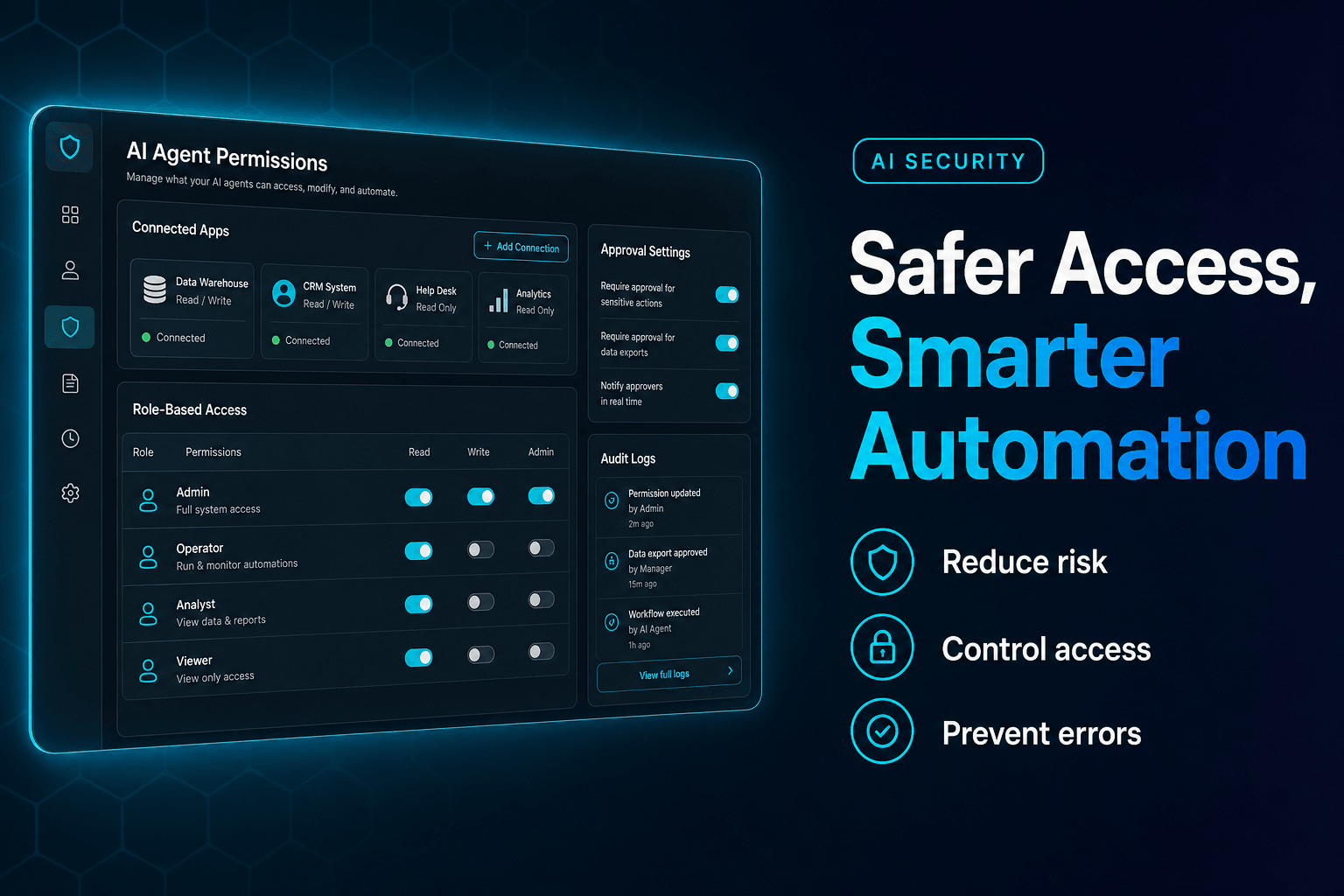
Treat every tool connection as a job description. Write down what the agent can read, write, send, schedule, and spend. Then remove everything else. We have found that permissions become especially messy when teams use one shared “automation admin” account for every agent. It is convenient right until a low-risk calendar helper inherits the power to rewrite customer ownership in the CRM.
If an agent must take action, split permissions by risk. Reading an account record is one capability. Changing its renewal date is another. For a deeper look at the operational side of tool access, see the complete guide to tool-powered AI agents for business operations.
2. A read-only agent can still cause a serious mess
Read-only access sounds safe. Sometimes it is. Sometimes it gives an agent enough sensitive context to cause damage without changing a single record.
Consider an internal support agent that can read HR tickets, customer conversations, and CRM notes. It may not have permission to update anything, but it can still pull a confidential complaint into the wrong Slack summary or include a salary-related detail in a response draft. The action was “read.” The outcome was not harmless.
This is where teams need to think beyond database permissions. Ask four questions for every source:
| Question | Example |
|---|---|
| Who can the agent act for? | A support manager, not every employee |
| What records can it retrieve? | Open tickets in one queue |
| What can appear in outputs? | Redacted account details only |
| Where can outputs go? | Internal review channel, not customer email |
Permission-aware retrieval matters. If a human would not be allowed to open a document, the agent acting for that human should not retrieve it, summarize it, or casually quote it in an answer.
Keep separate knowledge collections for public help content, internal procedures, finance records, and employee data. Blending them into one giant “company brain” may feel efficient. It also makes accidental disclosure far easier.
3. Never let “send” mean send, especially on the first run
The most dangerous button in an agent workflow is often not delete. It is send.
A draft email can be corrected. A customer-facing message can be forwarded, screenshotted, replied to angrily, and copied to a procurement lead before anyone realizes the agent used an outdated policy. Calendar invitations create their own comedy: wrong time zone, wrong attendee, wrong meeting link, wrong sales rep. Suddenly six people are in a call nobody intended to schedule.
Use a staged action model:
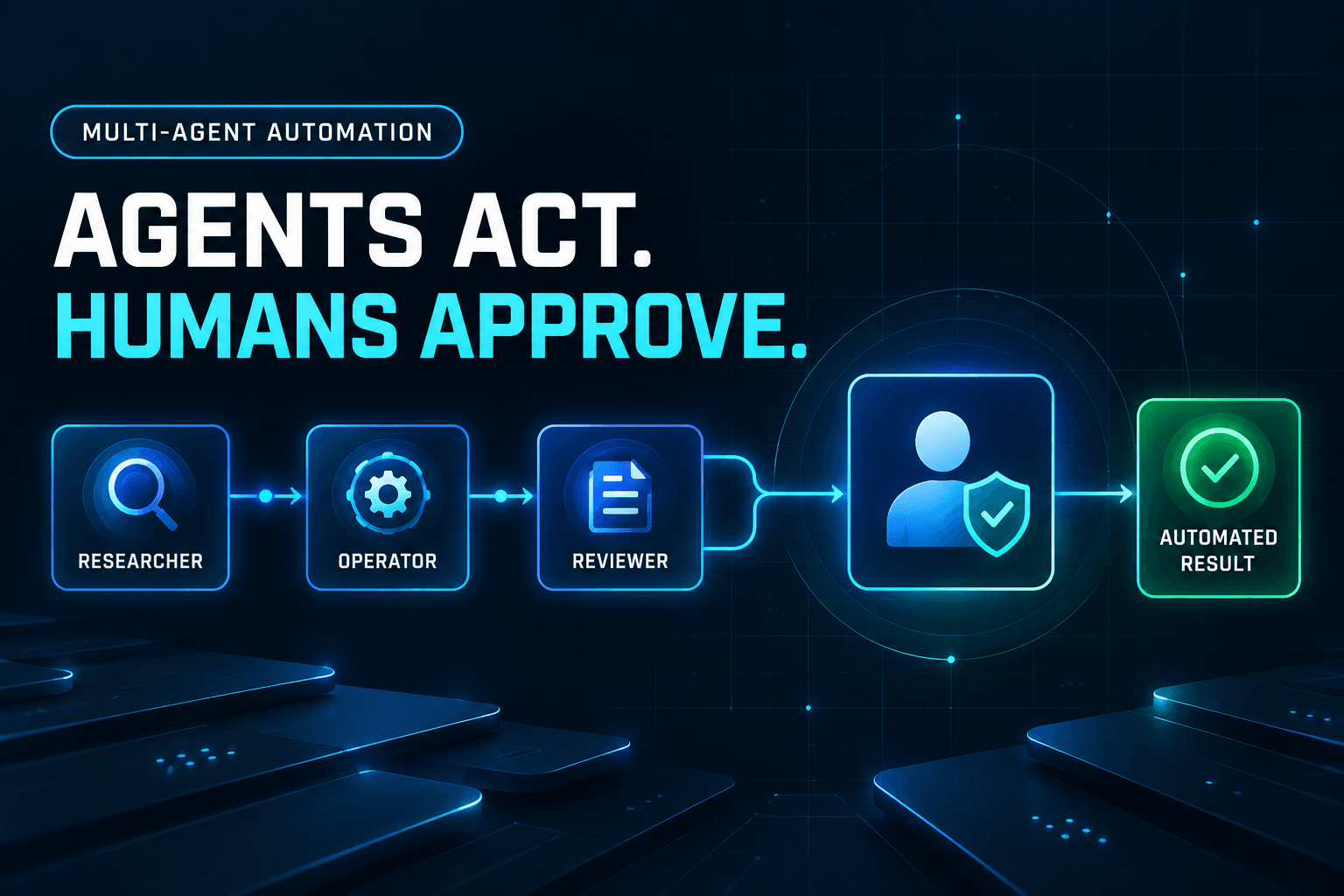
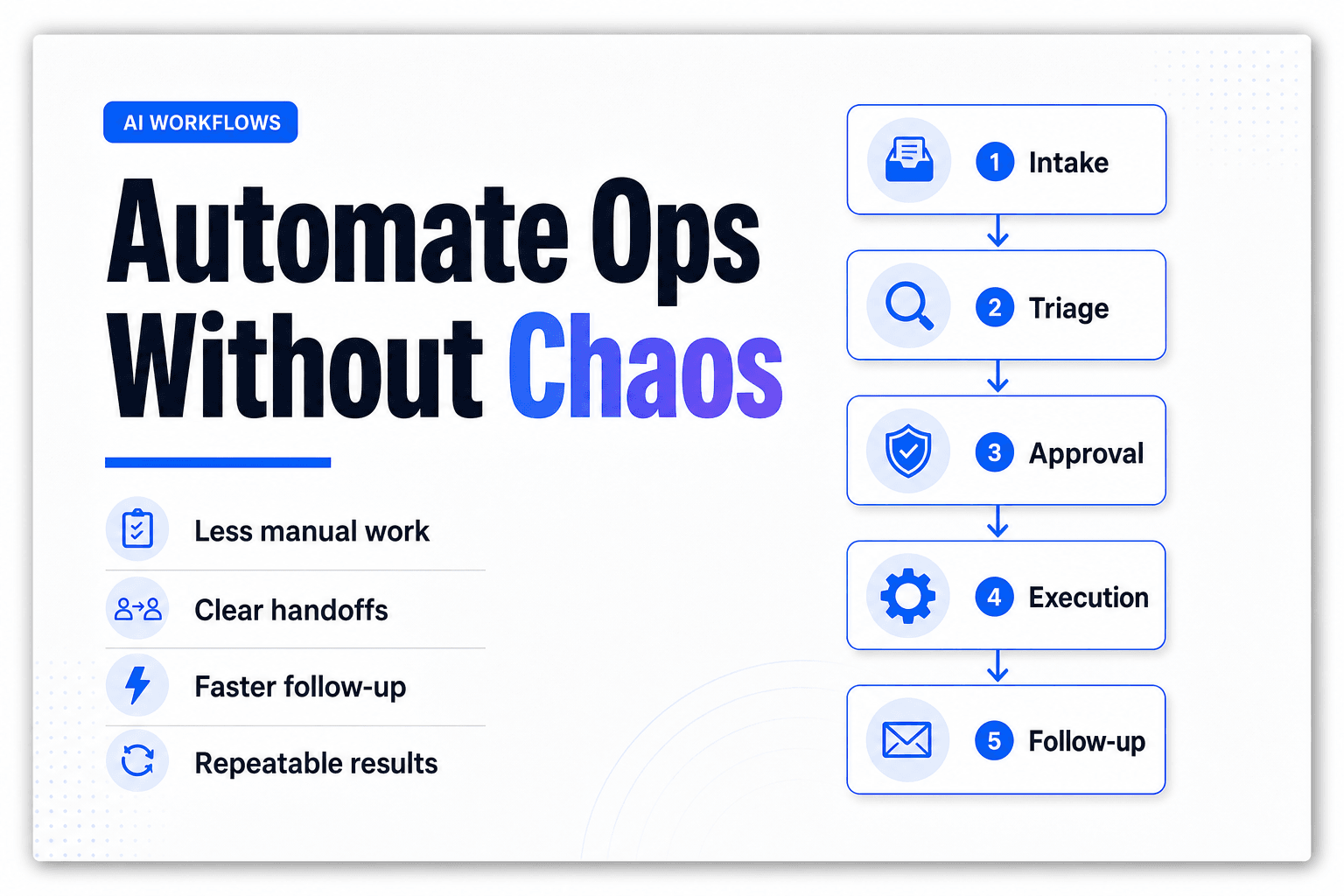
Draft → Validate → Approve or auto-approve → Execute → Log result
For low-risk, repeatable tasks, validation may be enough. For example, an agent can send a standard acknowledgment only when a ticket matches a known category, the recipient is an existing customer, and the message contains no price, refund, contract, or account-security language.
Everything else should pause. A refund over $100, a CRM ownership change, a customer escalation, or a meeting with an executive should require a named human approver. The point is not blanket review. It is matching the approval level to the blast radius.
In practice, agents gain trust faster when teams begin with drafts and gradually automate proven paths. How to set up AI approval gates for refunds, escalations, and sensitive actions outlines how to turn that principle into rules people can actually operate.
4. If you cannot replay a run, you cannot defend the action
“Why did the agent do that?” should have a better answer than “the model thought it was reasonable.”
An audit trail needs more than a final status of completed. When an agent updates a CRM field, schedules a meeting, or tags a support ticket, capture the request, the data it retrieved, the policy or instruction it used, the tool call it made, the response from that tool, and the identity of the person or rule that authorized the action.
That sounds like a lot. It is a lot. Business tools are full of irreversible consequences.
Deloitte’s 2026 survey of 3,235 technology and business leaders found that only 21% said their organizations had a mature agentic-AI governance model. The missing pieces Deloitte highlights include decision boundaries, real-time monitoring, and full action trails. Those are not enterprise decorations. They are the difference between diagnosing one bad update in five minutes and spending three days reconstructing it from Slack messages.
At minimum, every run should answer:
- Which agent acted?
- Which user, policy, or workflow triggered it?
- What data did it see?
- What action did it attempt?
- Did a person approve it?
- What changed afterward?
AI workflow observability before scaling your first agent team goes deeper on the traces and failure signals worth retaining.
5. Do not confuse a connected tool with a reliable tool
A connector demo can hide a brittle workflow. The CRM API may return partial data. A calendar integration may hit rate limits. A help desk field may be renamed by an administrator at 4:47 p.m. on a Thursday, which is apparently when all bad configuration changes occur.
Agents handle ambiguity better than traditional rules. They do not make broken integrations disappear.
Build for imperfect tool behavior from day one. Before an agent can write to a system, decide what it should do when required fields are missing, a search returns multiple matches, a tool response times out, or an update succeeds but the confirmation is unclear.
A lead-enrichment workflow, for instance, should never guess which “Acme” is the right account. Set a match threshold, such as exact email-domain match plus company name similarity, and route uncertain records to a review queue. Likewise, a scheduling agent should verify meeting creation by reading the event back before telling anyone the meeting is booked.
The practical rule: no silent fallbacks for consequential actions. If the CRM lookup fails, do not let the agent invent account context and proceed anyway. Create an exception, preserve the evidence, and let a person resolve it.
6. “Autonomous” is often the wrong success metric
There is a strange incentive in agent projects: the more hands-off the workflow looks, the more impressive it seems in a demo. That is how teams end up trying to automate exceptions before they have even automated the ordinary cases.
Gartner’s 2025 survey found that only 15% of IT application leaders were considering, piloting, or deploying fully autonomous agents. The contrarian takeaway is useful: full autonomy is not the finish line for every process. Often, it is a bad design choice.
A support agent that classifies tickets and drafts replies may save substantial time without ever closing a complex case. A sales agent that researches prospects and prepares CRM updates can remove hours of admin while leaving account strategy to the rep. That is still useful automation. Frankly, it is usually more useful than an agent that confidently improvises.
Measure outcomes that the business recognizes:
- Percentage of tickets correctly routed
- Minutes from inbound lead to first qualified response
- Number of CRM updates accepted without edits
- Escalations caught before a customer sees a bad answer
If autonomy rises while correction volume, spend, or customer complaints rise with it, the agent is not improving. It is just becoming faster at creating work.
7. Forgetting to revoke access creates “retirement debt”
Agents are easy to create and easy to forget. A pilot built for one product launch remains connected to the inbox. A temporary support helper still has a help desk token six months later. A former employee’s personal workspace contains an agent tied to a shared drive.
That is retirement debt: old agents, stale credentials, and permissions that remain active because nobody owns the offboarding step.
The Cloud Security Alliance found that only 21% of surveyed organizations had formal AI-agent decommissioning processes. A tool access review should therefore include an expiration date from the start.
For each production agent, maintain a small record with an owner, business purpose, connected systems, approval policy, access review date, and kill switch. When a workflow changes, review the agent before adding another connector. When an employee leaves, disable the agent credentials attached to their identity. When a pilot ends, revoke its tokens instead of assuming the workspace is harmless.
Boring? Absolutely. But so is locking the office at night.
8. Do not scale usage before you can see cost and quality together
An agent can be secure, polite, and technically functional while quietly becoming expensive or wasteful. Repeated retries, oversized prompts, duplicate tool calls, and endless agent-to-agent chatter can turn a simple task into a tiny invoice generator with excellent manners.
KPMG’s June 2026 AI Quarterly Pulse found that 66% of organizations had monitoring dashboards and 61% had approval processes, but only 26% had full real-time visibility into AI operating costs. That gap matters because teams cannot make sensible tradeoffs when they track quality in one place and cost somewhere else.
Set a cost budget per completed business outcome. For example:
- Lead qualification: maximum $0.75 per accepted CRM record
- Support triage: maximum $0.20 per correctly routed ticket
- Meeting scheduling: maximum $1.00 per confirmed event
- Refund review: maximum $2.00 per approved decision packet
Then track rework beside cost. A $0.05 ticket classification that requires three minutes of human correction is not cheaper than manual routing. It is merely cheaper on a dashboard that ignores the humans cleaning up behind it.
AffinityBots gives teams a practical control plane for this work: create specialized agents without code, restrict tool access per agent, inspect workflow runs, and keep shared automation visible across the team. Build the first workflow with narrow permissions, clear approval rules, and a trace you can replay later. Your future self, and your CRM administrator, will be grateful.
The Bottom Line
Giving AI agents access to business tools is where automation stops being a novelty and starts affecting customers, revenue, and internal trust. The best teams do not solve that by locking agents out of everything. They design exact permissions, review high-consequence actions, test failure paths, retain evidence, and remove access when the work ends.
Start with one useful, bounded workflow: triage incoming requests, enrich a lead record, or prepare a support response. Then build it in AffinityBots with scoped tools, visible runs, and approval points that fit the risk. That is how agents become dependable coworkers instead of extremely fast sources of administrative folklore.
Related Articles
Continue exploring more insights on ai automation