
The Complete Guide to Tool-Powered AI Agents for Business Operations
Learn how tool-powered AI agents move beyond chat to automate workflows, update systems, and improve business operations.
What if the real limit on your AI agent is not the model, but the fact that it cannot actually do anything useful?
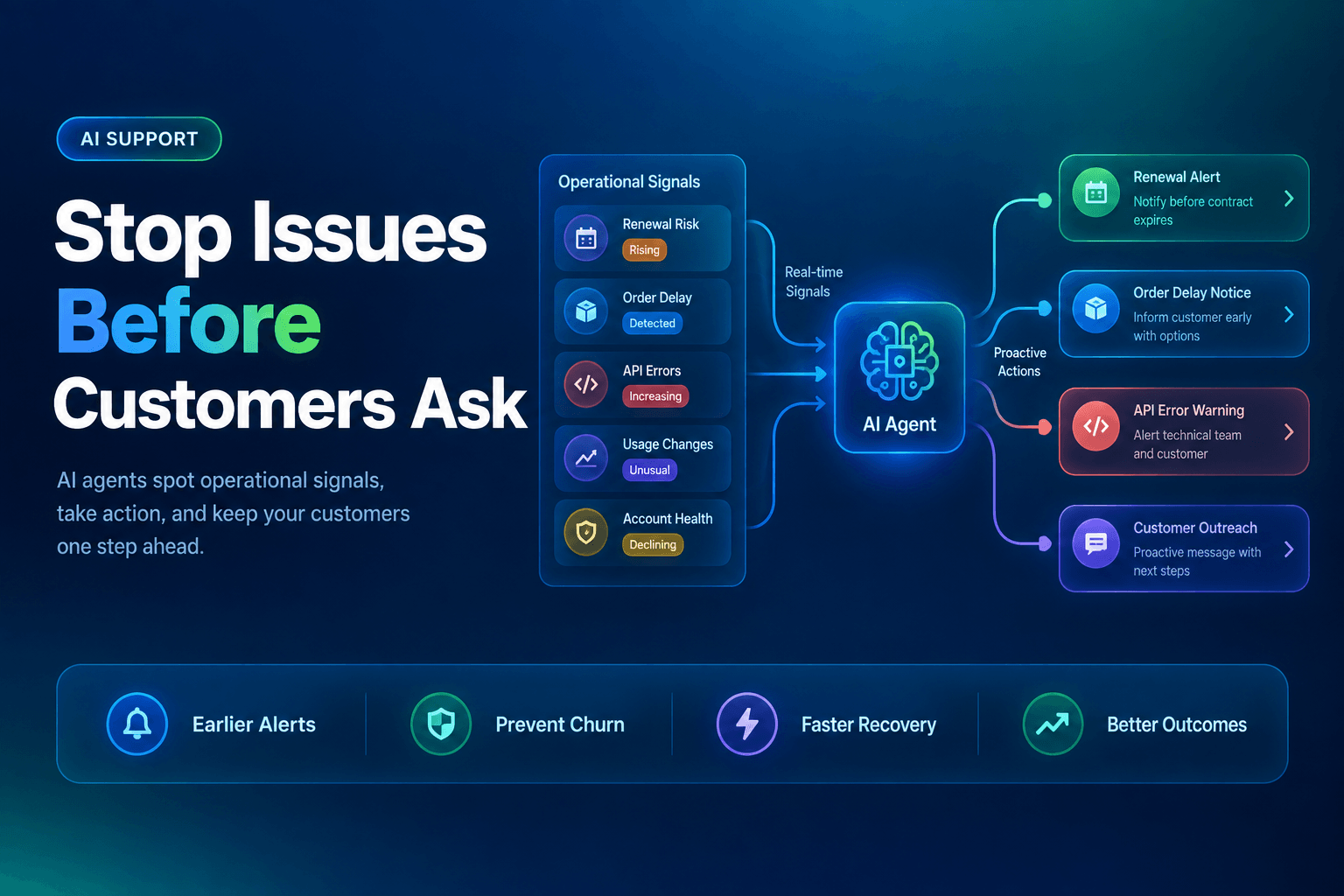
That is the line between a clever demo and an operational system. A chat-only assistant can summarize a policy and sound impressive in Slack. A tool-powered AI agent can check the CRM, read the latest ticket, update a record, draft the next step, and route the weird edge case to a human before it turns into a tiny corporate fire. No surprise, then, that McKinsey’s State of AI survey found 23% of organizations are already scaling an agentic AI system somewhere in the enterprise, while another 39% are experimenting with AI agents. The appetite is here. The operational discipline is not always invited.
What we’ve found in practice is simple: the best agent systems are not the ones that look the most autonomous. They are the ones with the cleanest tool boundaries, the clearest stop conditions, and the least drama when something goes sideways.
A tool-powered agent is not a chatbot with delusions of grandeur
Most business teams still underestimate the jump from “answers questions” to “executes work.” That jump is everything.
A tool-powered AI agent is an AI system that can use external tools to read data, write data, trigger actions, and move work through a process. Those tools might include:
- a CRM
- an inbox or chat platform
- a ticketing system
- internal docs or a knowledge base
- spreadsheets, databases, or ERP records
- workflow apps and approval systems
Once the agent can act across systems, you are no longer buying intelligence as a novelty. You are designing operations.
That matters because most organizations are still early. McKinsey’s June 19, 2026 operations survey reported that almost 90% of organizations are at least experimenting with AI, but only 7% say they have scaled it across the enterprise. In other words, lots of pilots, fewer grown-ups.
The difference usually comes down to whether the workflow is structured enough for the agent to succeed. If you want a stronger mental model, our guide on AI-first workflows explains why the workflow matters more than the bot persona, and our breakdown of multi-agent workflow design gets into the handoffs, roles, and state that keep real systems from turning feral.
Here is the practical test: if your agent cannot tell what tool to use, what fields it may touch, and when to stop, you do not have automation. You have enthusiasm.
The highest-value use case is boring on purpose
Teams love to start with a moonshot. We usually advise the opposite.
The best first tool-powered agents sit inside workflows that are repetitive, high-volume, and painfully measurable. That means they are not glamorous. They are useful. Think lead intake, support triage, account research, document checks, routing, follow-up drafting, knowledge retrieval, and CRM hygiene.
Why these? Because the economics are obvious. Salesforce’s 2026 State of Sales found 87% of sales organizations already use some form of AI, and 54% of sellers say they have used AI agents. That does not mean every sales org has achieved enlightenment. It means the operational pressure to automate the repetitive layer is now impossible to ignore.
Good first workflows usually share four traits:
-
The input is messy, but familiar
Inbound leads, support emails, form submissions, ticket queues. -
The output can be structured
Classify, enrich, route, draft, escalate, update. -
There is a human cost to delay
A missed lead, a stale ticket, a rep doing detective work at 10:47 p.m. -
The blast radius is containable
Bad draft? Annoying. Bad pricing change? Career-limiting.
A simple example: an inbound lead agent reads the form, checks the company domain, enriches the account, scores fit, drafts the first response, and creates a CRM task for the right rep. That one system can remove five manual steps before coffee.
If you want a concrete version of that pattern, how to automatically research leads using AI agents and how to turn a lead intake form into an automated AI follow-up system show where tool use actually earns its keep.
More tools do not make the agent smarter, they make the failure louder
This is the part vendors tend to mumble.
Giving an agent access to ten tools feels powerful right up until it updates the wrong field, triggers the wrong workflow, or confidently drags stale context across three systems. In real operations, failure is rarely caused by the model alone. It is usually caused by bad tool scope, weak context, or missing controls.
The warning signs are already here. Deloitte’s 2026 State of AI in the Enterprise found that about 80% of surveyed organizations currently lack mature governance capabilities for agentic AI, and IBM reported in June 2026 that surveyed organizations experienced an average of 54 AI agent incidents in the previous year. That is not a rounding error. That is a systems design problem wearing a marketing hat.
What actually goes wrong most often:
- Over-permissioning: the agent can edit more than its job requires
- Context drift: it acts on partial, stale, or conflicting information
- No approval layer: risky actions go straight to execution
- Opaque logs: nobody can tell why it made the choice
- Frankenstack behavior: too many tools, not enough workflow logic
We have seen teams spend weeks tuning prompts for an issue that was really a permissions issue. Wrong battlefield.
That is why human-in-the-loop workflow design matters, and why mistakes when giving AI agents access to business tools are usually operational, not philosophical. The goal is not to make the agent fearless. It is to make it appropriately limited.
If the handoff is unstructured, the agent will invent one
This is where many “smart” systems quietly become expensive interns.
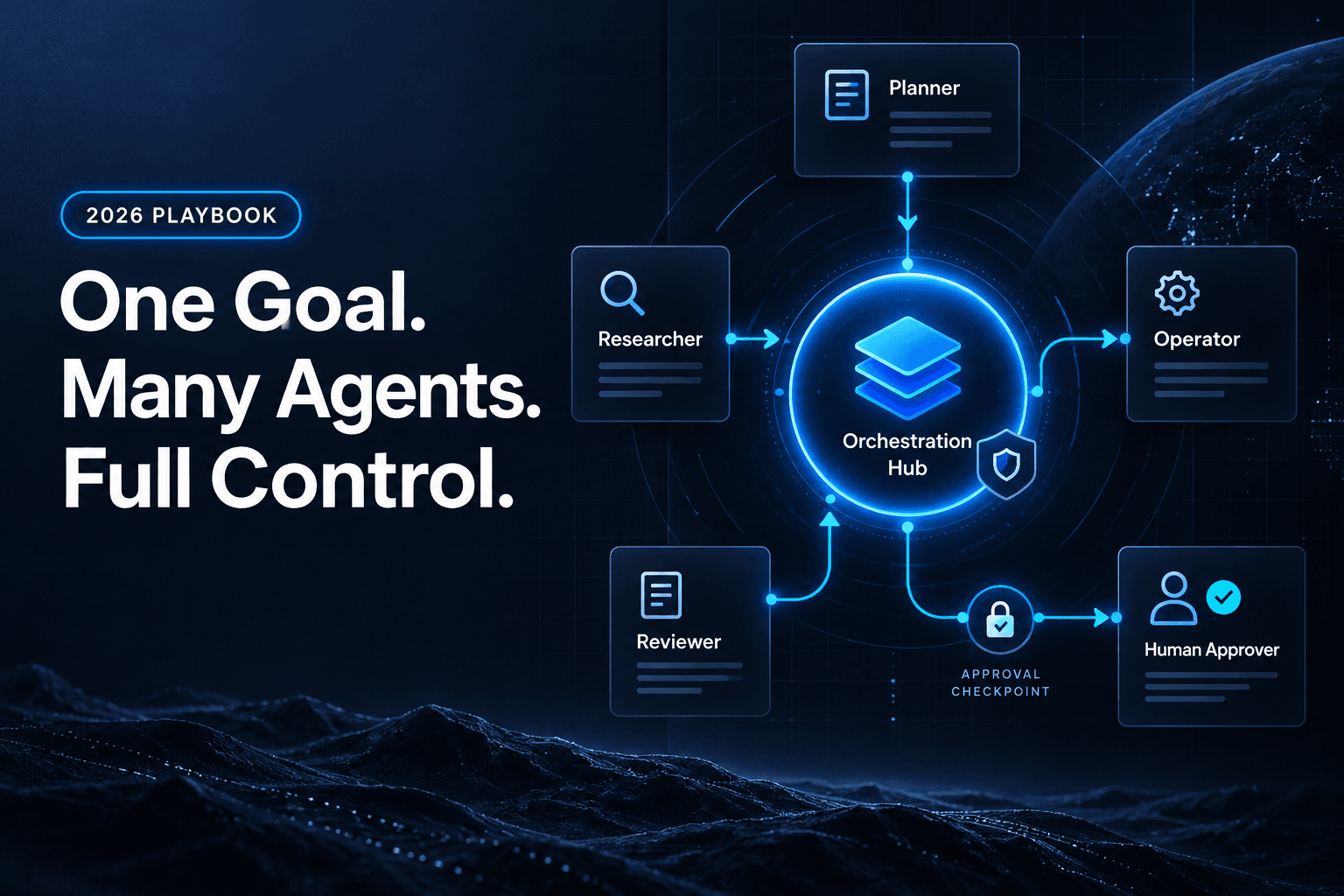
A tool-powered agent should not pass free-form mush from one step to the next. It should hand off structured state. That means schemas, explicit fields, routing labels, confidence thresholds, and acceptance criteria. Not vibes.
In practice, the most reliable agent workflows use a pattern like this:
Input arrives
→ classify intent
→ gather missing context
→ check policy or business rules
→ choose one allowed action
→ log rationale
→ route to human or execute
→ write final state back to system of record
That structure matters because enterprise environments are messy. IBM’s April 2026 context-gap analysis argues that real-world AI failures usually come from fragmented data, inconsistent definitions, and poor workflow integration rather than model sophistication. Exactly. The model is often being blamed for a process crime.
Three design choices improve results fast:
1. Use typed outputs between steps
Do not let one agent say, “Seems urgent, probably finance-ish.” Make it output category, risk_level, next_action, and required_approver.
2. Define stop conditions early
An agent should know when to stop and escalate. “Confidence below 0.8” is better than “use judgment.”
3. Log every decision worth debugging
You cannot fix what you cannot trace. This is why clean multi-agent handoffs and shared memory design are not just architecture topics. They are reliability topics.
The irony is wonderful: the more structured the workflow becomes, the more human the operation feels. Less repetition. Fewer dropped details. More calm.
Do not measure “AI usage,” measure minutes saved and mistakes avoided
A lot of AI programs die under the warm glow of meaningless metrics.
“Users engaged.” “Prompts sent.” “Agent sessions.” Lovely. None of these tell you whether the operation got faster, cheaper, or less error-prone. If the agent touched 2,000 tickets and still created cleanup work for humans, congratulations on your very modern bottleneck.
The better scorecard is operational:
| Metric | Before agent | After agent | Why it matters |
|---|---|---|---|
| Time to first action | 4 hours | 8 minutes | Speed on inbound work |
| Manual touches per item | 5 | 2 | Labor reduction |
| Escalation rate | 100% | 18% | Autonomy with control |
| Error correction rate | 14% | 4% | Quality of execution |
| Throughput per ops rep | 80/day | 140/day | Actual capacity gain |
Those are the numbers leaders care about because they map to cost, SLA performance, and revenue response time.
There is also a strategic reason to get stricter about measurement. A July 1, 2026 Harvard Business Review piece cited a large NBER survey of more than 6,000 senior executives in the U.S., U.K., Germany, and Australia, in which roughly 90% reported no measurable productivity improvement from AI over the prior three years. Brutal, but useful. The lesson is not “AI does not work.” It is “most measurement is lazy.”
What we have found is that tool-powered agents win when the KPI is tied to a specific bottleneck:
- lead response time
- ticket routing accuracy
- time spent enriching records
- percent of drafts sent without rewrite
- queue backlog older than 24 hours
That is the difference between an AI initiative and an operations improvement.
The best systems feel less autonomous than the demo, and that is why they scale
This is the mildly contrarian bit. A lot of teams still think the endgame is maximum autonomy. It usually is not.
In production, the best agent systems are shaped more like supervised workflows than independent digital coworkers. Harvard Business Review argued in May 2026 that leaders should not treat AI agents like employees, and that is exactly right. Employees can absorb ambiguity, negotiate exceptions, and own outcomes in a social system. Agents cannot. They execute within constraints.
So the scalable design is usually:
- narrow tool access
- explicit role boundaries
- approval gates for sensitive actions
- audit logs for every meaningful decision
- continuous tuning from accepted and rejected outputs
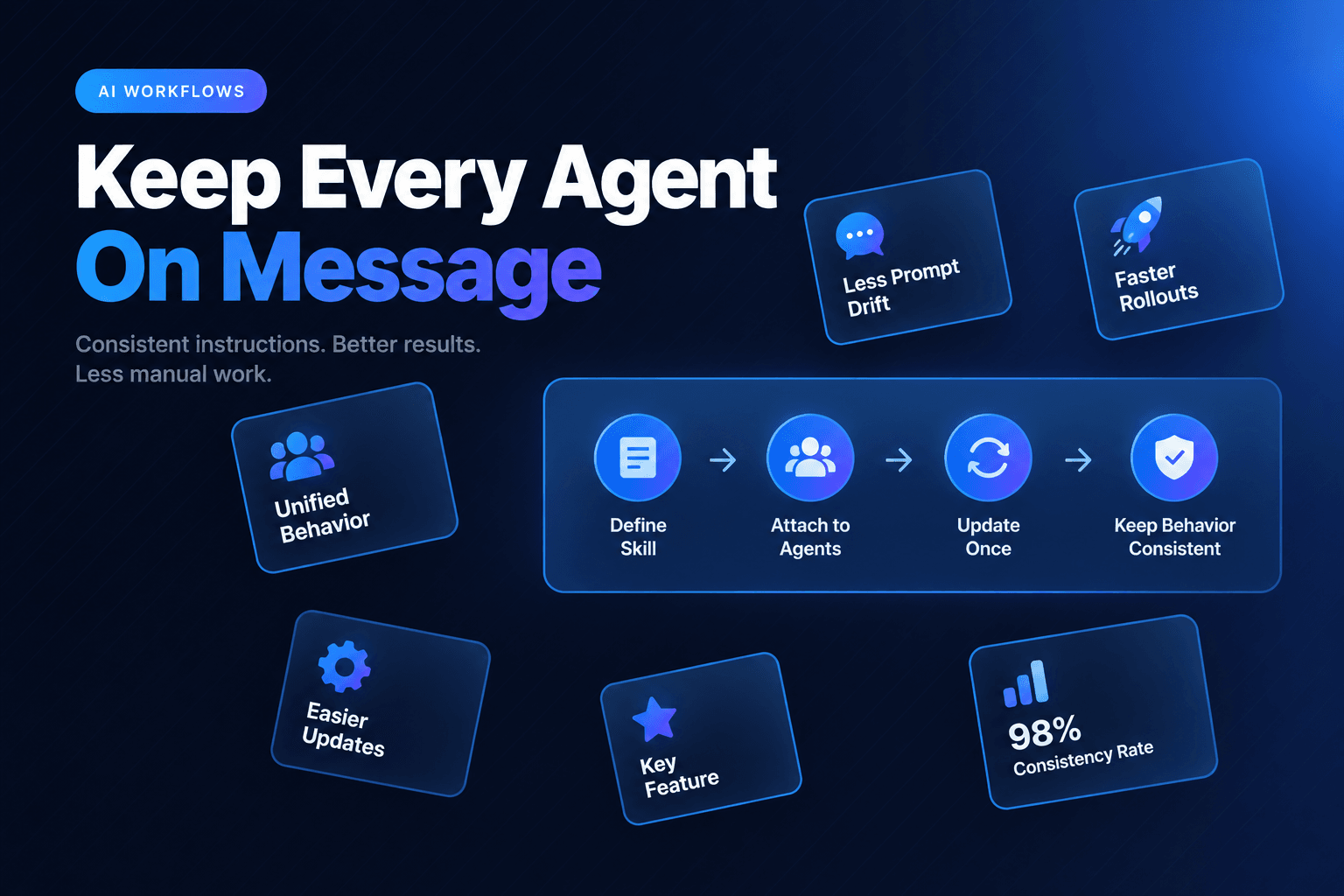
That is also how we think about systems at AffinityBots. The point is not to build a theatrical “AI teammate” that appears magical in a demo. The point is to build a workflow that ships, survives contact with reality, and gets better with use. Our own guidance on AI agent teams in 2026 makes the same case: start from a strong single-agent baseline, then add agents only where specialization, parallelism, or verification measurably improves the outcome.
That sentence alone can save a team months.
Tool-powered AI agents are not valuable because they can talk. They are valuable because they can move work through real systems without creating more cleanup than they remove. The winners in business operations will not be the companies with the flashiest agent demos. They will be the ones that choose the right workflow, constrain tool access ruthlessly, structure handoffs, and measure success in time saved, errors avoided, and queue friction removed.
If you want to build that kind of system without stitching together a pile of brittle automations, AffinityBots gives you the control plane: multi-agent orchestration, memory, tool integrations, workflow visibility, and the guardrails to keep useful automation from becoming expensive chaos. Start with one high-friction process, wire in the right tools, and let the agent earn more responsibility the boring way, by proving it deserves it.
Related Articles
Continue exploring more insights on artificial intelligence