How to Build Human-in-the-Loop Multi-Agent Workflows for Business Automation
Build multi-agent workflows that automate real work while keeping approvals, guardrails, and accountability where they matter.
How to Build Human-in-the-Loop Multi-Agent Workflows for Business Automation
AI can research a prospect, draft an email, update a CRM, and route a support request in seconds. But fast is not the same as sound.
Most businesses do not want an unchecked system to send the wrong message, change the wrong account record, or act on incomplete information. They want automation that keeps work moving while people remain responsible for decisions involving customers, revenue, compliance, and brand trust.
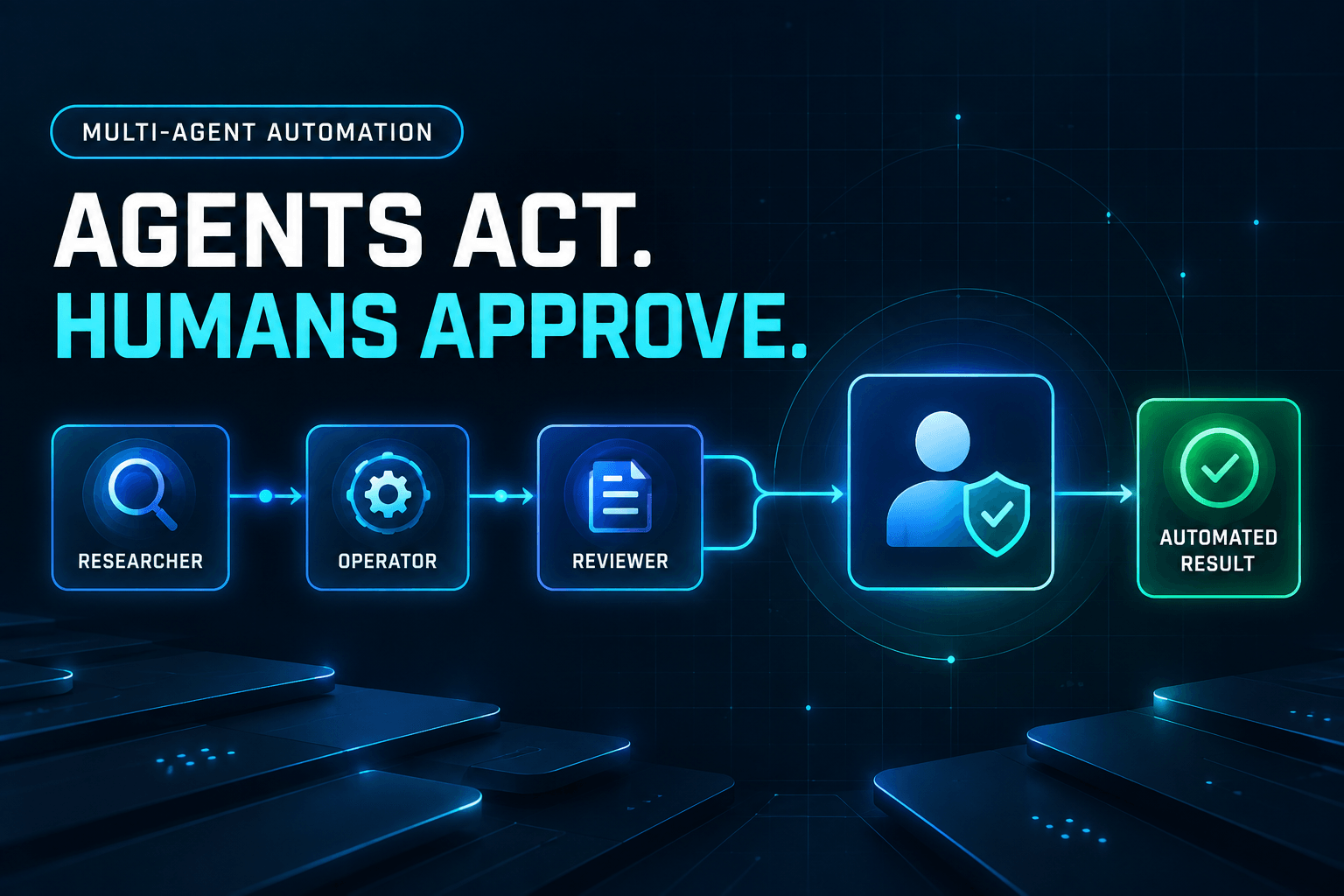
That is the role of human-in-the-loop multi-agent workflows. They split work among specialized AI agents, then pause when a person should review, approve, correct, or escalate.
The point is not to remove people from every workflow. It is to put their attention where it has the most value.
The best workflow is not the one with the fewest people involved. It is the one where people intervene at the highest-leverage, highest-risk moments.
Why human-in-the-loop multi-agent workflows matter
AI adoption is moving beyond isolated chat prompts.
Rather than asking one assistant to “write this email,” teams are connecting multiple agents into workflows: one gathers information, another analyzes it, another drafts, and another prepares an action for execution. Google Cloud’s AI agent trends report describes the shift toward orchestrated, end-to-end systems—digital assembly lines for knowledge work.
That changes the design question. It is no longer only, “What prompt should we use?” It is also:
- What business result are we trying to achieve?
- Which steps can safely run on their own?
- What information can each agent access?
- Which decisions require a person to take responsibility?
From prompts to operating systems for work
A prompt produces an answer. A workflow produces a repeatable business outcome.
Consider lead follow-up: it may involve research, qualification, writing, review, and CRM updates. Treating that sequence as one giant prompt makes it hard to inspect, improve, or govern. Treating it as a coordinated set of focused roles makes every handoff visible and manageable.
If you are still working out the basic structure of an agent team, see our guide to building a multi-agent AI agency.
The human job changes—but does not disappear
In an agent-driven workplace, people spend less time producing every first draft and more time setting direction, evaluating quality, handling exceptions, and owning outcomes. The Microsoft Work Trend Index highlights the growing importance of human agency: clear intent, informed oversight, and judgment about what should remain human work.
AI agents can speed up execution. Humans should still set intent, approve exceptions, and own accountability.
What is a human-in-the-loop multi-agent workflow?
A human-in-the-loop multi-agent workflow is a process in which multiple AI agents handle specialized steps while a person reviews, approves, corrects, or redirects selected actions at predefined decision points.
A reliable workflow has four core components:
-
Specialist agents
Each agent has a focused responsibility, such as research, drafting, validation, or execution. -
Orchestration
Rules determine the sequence of work, the conditions for handoffs, and what happens when something goes wrong. -
Shared context
Agents work from approved inputs, relevant business information, and a defined source of truth. -
Human checkpoints
People review high-impact actions, uncertain cases, and exceptions before the workflow proceeds.
Not every step needs a human
Human oversight should follow risk, not habit.
Low-risk, reversible tasks can often run automatically with monitoring or spot checks. Examples include summarizing an internal document, categorizing an inbound request, or preparing a first draft.
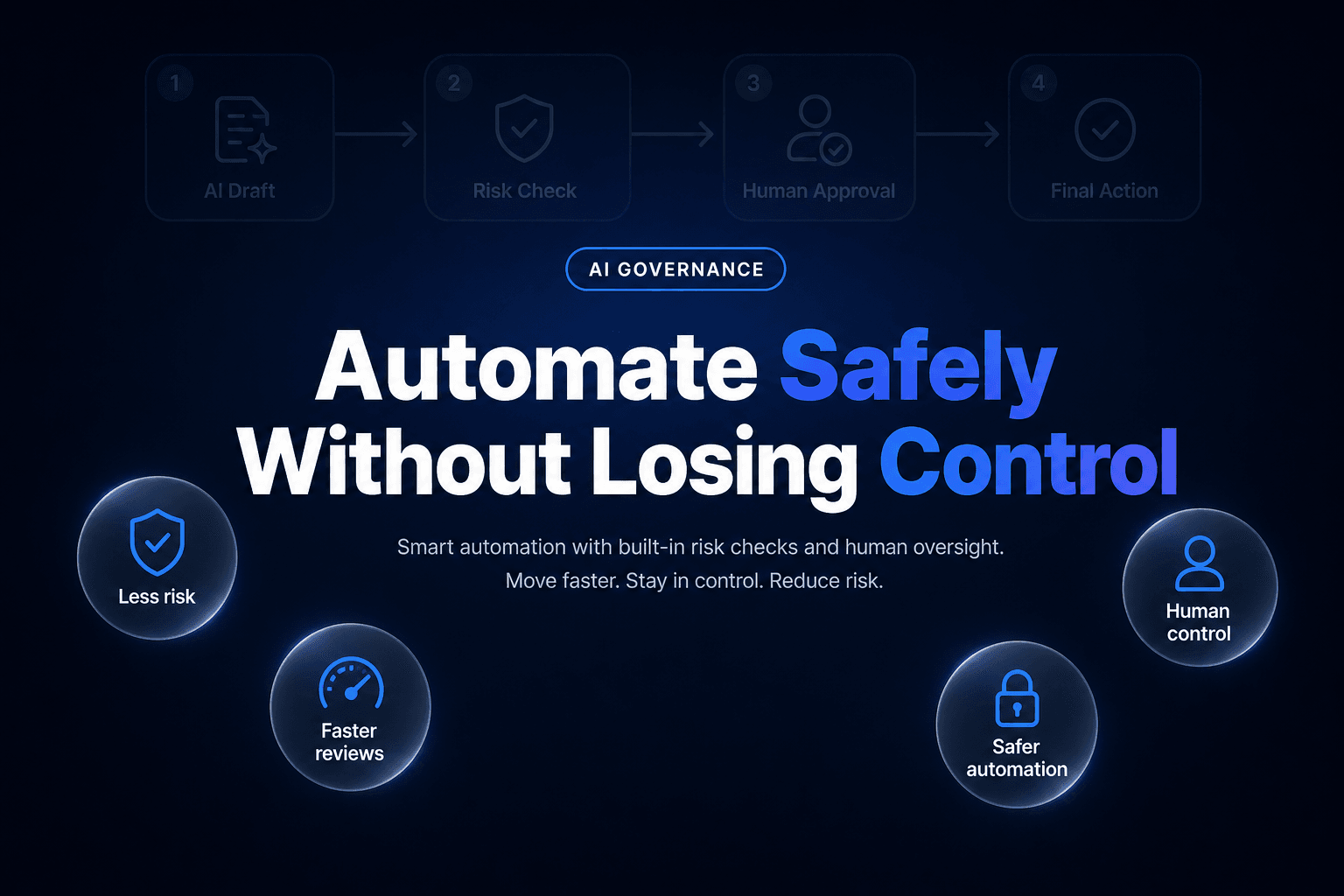
High-risk, customer-facing, financial, sensitive, or difficult-to-reverse actions should pause for human review. The important part is to approve before the action, not after it.
The five-part architecture of a reliable agent workflow
1. Start with a clear business outcome
Do not begin with “We need an AI agent.”
Start with the operational result you want, such as:
- Qualify inbound leads within 15 minutes
- Reduce support-ticket routing time
- Produce review-ready social posts from approved source material
- Keep CRM records complete after sales calls
Then decide how you will measure success. For lead follow-up, that might include response time, approval rate, revision rate, conversion rate, or CRM data accuracy.
Use this planning prompt with your team:
What business result are we trying to achieve, how will we measure it, and which decisions must remain human-owned?
A measurable outcome keeps the workflow from becoming an impressive demo with no accountable business value.
2. Give agents narrow, complementary roles
One broad agent with access to everything is hard to test and risky to deploy. Specialized agents are easier to understand, evaluate, and constrain.
A typical workflow might include:
- Research Agent: Collects approved background information.
- Data Enrichment Agent: Validates and formats account or contact data.
- Drafting Agent: Produces an email, summary, report, or response.
- Quality Review Agent: Checks outputs against defined rules.
- Execution Agent: Performs an approved action in a connected system.
Each role needs a clear objective and limited authority. A drafting agent, for example, can create a message but should not automatically send it.
3. Define explicit handoffs and shared context
Agents need more than a task description. At every handoff, define:
- The input the agent receives
- The output format it must return
- The approved sources it may use
- The confidence or quality threshold it must meet
- What the agent must not do
For example, a Qualification Agent could receive a form submission and company summary, return a fit score with a rationale, and be prohibited from changing a customer record.
This structure reduces ambiguity and makes failures easier to diagnose. When an output is wrong, you can trace the issue to poor inputs, an unclear role, an unsupported source, or a flawed decision rule.
4. Put approval gates around risk
Approval gates are not generic “review steps.” They are deliberate controls placed before consequential actions.
Require approval before an agent:
- Sends external communications
- Updates CRM or customer records
- Publishes content
- Spends money or submits a payment
- Accesses sensitive data
- Takes an irreversible action
A well-designed gate gives the reviewer enough context to decide quickly, without requiring them to read a full agent transcript.
5. Log actions and plan for exceptions
Every meaningful workflow should create an audit trail that captures:
- The original input
- Agent actions and outputs
- Sources or tools used
- The reviewer’s decision
- Reasons for rejection, revision, or escalation
- The final action taken
Traceability supports both operational improvement and governance. As Strata Identity’s analysis of agentic identity and governance notes, production systems need clear controls around identity, permissions, and accountability.
Exception handling matters just as much. Decide in advance what the workflow should do when an agent is uncertain, data is missing, policy rules conflict, or a reviewer rejects a recommendation. A safe default is to pause, preserve context, and route the case to the right person.
A practical example: human-approved lead follow-up
Consider a business that wants to respond quickly to new form submissions without letting AI send unreviewed outreach.
Workflow objective
Turn a new inbound lead into a relevant, review-ready follow-up while retaining control over customer-facing communication and CRM changes.
Workflow steps
-
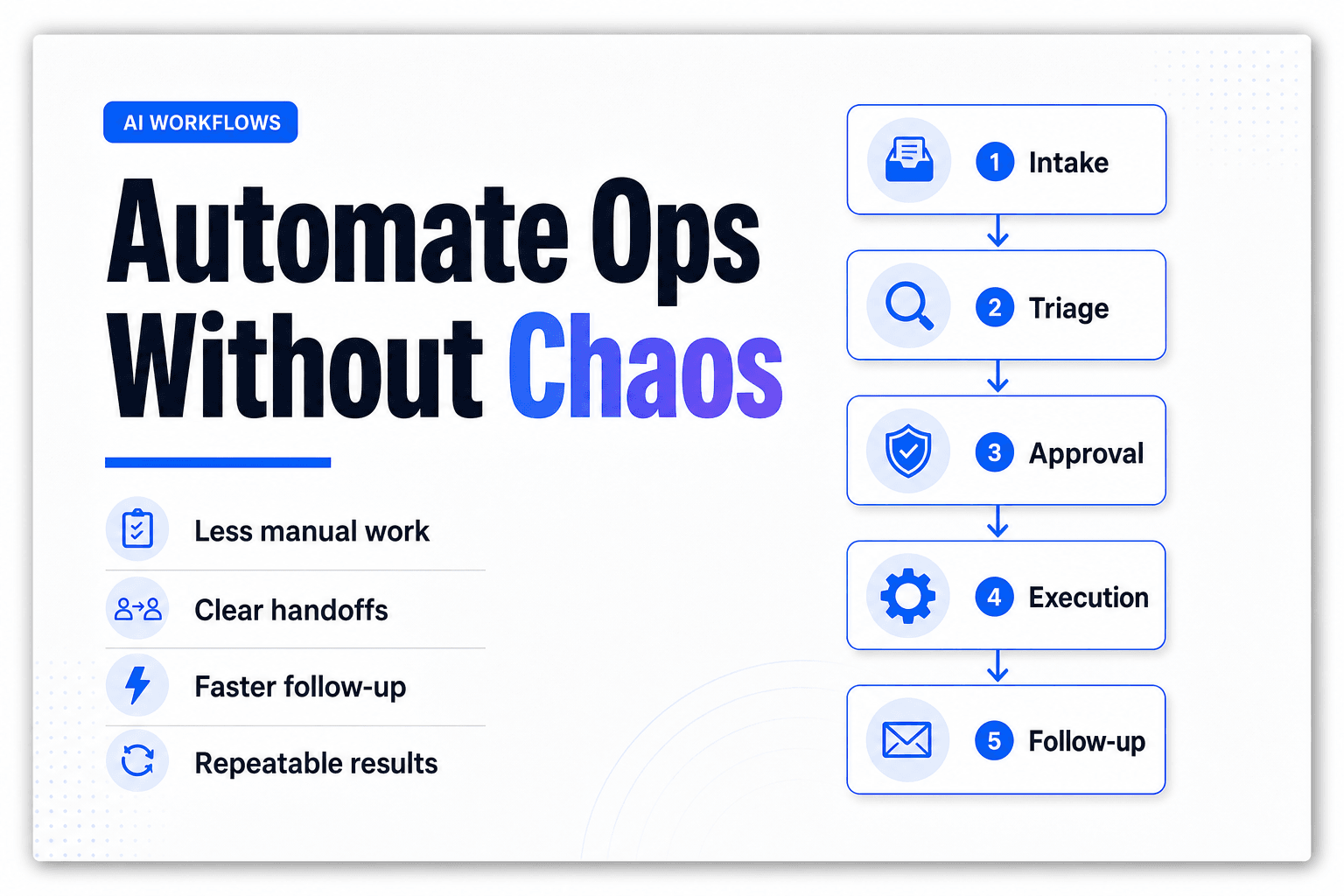
Intake Agent captures the form submission, checks for required fields, and routes the request.
-
Research Agent creates a brief company and contact summary using approved sources.
-
Qualification Agent scores fit against defined criteria, such as company size, industry, location, use case, and buying signal.
-
Drafting Agent prepares a personalized email and a proposed CRM note.
-
Human reviewer receives a concise decision packet with the research summary, fit score, draft email, proposed CRM update, risk flags, and recommended next action.
-
Execution Agent sends the email and updates the CRM only after approval.
For marketing teams, the same pattern can support a controlled content pipeline. Read our guide on building an AI agent team for content creation for another practical use case.
What the reviewer should approve
The reviewer does not need to inspect every hidden reasoning step. They need the information required to make a responsible business decision:
- Is the contact and company information accurate?
- Does the message reflect our brand voice?
- Is the offer appropriate for this lead?
- Are there unsupported claims, sensitive details, or missing context?
- Should the workflow send, revise, escalate, or discard?
That is the difference between a vague request to “review the AI output” and a useful approval system.
Treat approval as a compact decision packet: a recommendation, supporting evidence, risk level, and clear actions in one place.
How to decide where human approval belongs
For every workflow action, ask two questions:
- What is the potential impact if this is wrong?
- How easy is it to reverse?
| Workflow action | Risk level | Reversibility | Recommended oversight |
|---|---|---|---|
| Summarizing an internal document | Low | High | Automate with spot checks |
| Drafting a social post | Medium | High | Review before publishing |
| Updating a customer record | Medium-high | Medium | Require approval |
| Sending an external contract or payment | High | Low | Require human authorization |
| Accessing sensitive customer data | High | Varies | Limit access and log actions |
A useful rule of thumb: the greater the external impact and the harder the action is to undo, the stronger the human checkpoint should be.
Do not add approval after an agent has already sent an email, published a post, or changed a system of record. Put the gate immediately before execution.
Common mistakes to avoid
Automating a broken process
AI will accelerate confusion if the existing process has unclear owners, inconsistent inputs, or no definition of “done.” Map the manual workflow first, then automate the stable parts.
Giving every agent broad access
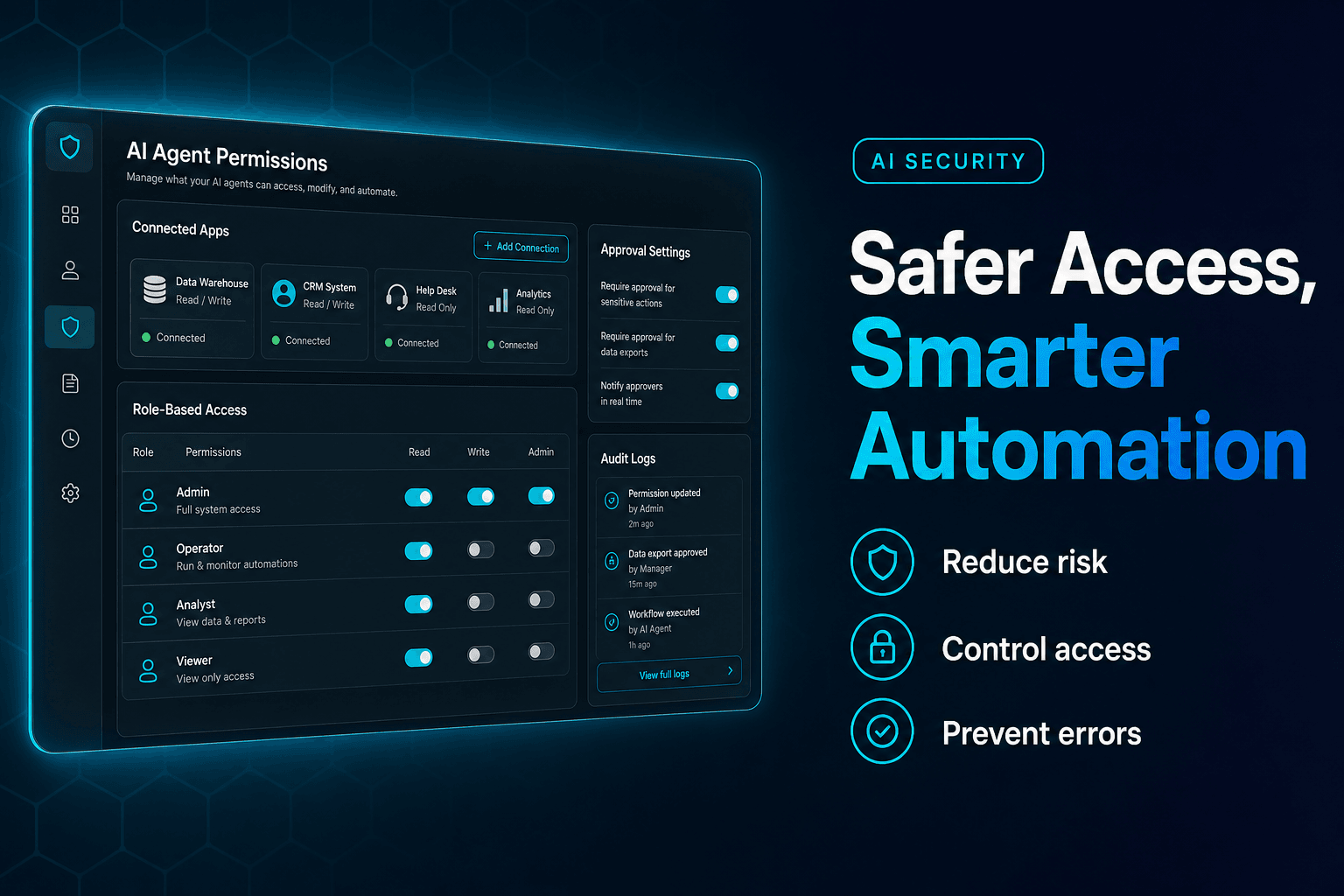
Apply least-privilege access. An agent that drafts a message should not also have unrestricted permission to send it, alter records, or access unrelated customer data.
Adding humans to every step
Too much review slows work and encourages rubber-stamping. Keep people focused on judgment calls, high-impact actions, and exceptions—not routine, low-risk tasks.
Measuring activity instead of outcomes
Counting agent runs is not a business metric. Track outcomes such as:
- Approval and rejection rates
- Revision rate
- Time to completion
- Exceptions and escalations
- Error rate
- Customer response or conversion
- Downstream business impact
These metrics show whether automation is improving the process.
Build your first controlled multi-agent workflow with AffinityBots
Start with one real bottleneck, not an abstract AI experiment. Choose a process that is repetitive, measurable, and important enough to improve, but bounded enough to control.
Map the outcome, define focused agent roles, document the handoffs, and identify the decisions that should remain human-owned. A no-code approach to agent collaboration can help business teams turn disconnected experiments into repeatable workflows with visible responsibilities and review points.
If you need ideas for a first use case, explore these repetitive tasks you can automate with AI agents.
Automate execution, not accountability
Businesses do not have to choose between slow manual work and uncontrolled AI autonomy.
A thoughtful multi-agent workflow lets AI handle research, preparation, coordination, and other repeatable execution tasks. Humans retain ownership of judgment, exceptions, customer impact, and consequential decisions.
Start with one workflow where the risk is clear, the outcome is measurable, and approval can happen before the point of no return. That is how automation becomes faster and more trustworthy.
Frequently asked questions
What is a human-in-the-loop multi-agent workflow?
It is an automated process in which specialized AI agents complete connected tasks while a person reviews, approves, corrects, or escalates selected decisions.
When should a human approve an AI agent’s work?
Require approval before irreversible, high-impact, external, financial, customer-facing, or sensitive-data actions. Low-risk, reversible work can usually run with monitoring and periodic quality checks.
Why use multiple AI agents instead of one?
Specialized agents make complex workflows easier to design, test, govern, and improve. Each agent has a clear responsibility, defined inputs, and limited permissions.
Can no-code teams build multi-agent workflows?
Yes. No-code platforms can help teams map roles, define handoffs, add review stages, and test controlled workflows without building custom orchestration systems from scratch.
Related Articles
Continue exploring more insights on ai automation