10 Mistakes to Avoid When Giving AI Agents Access to Business Data and Internal Tables
Avoid costly AI agent data mistakes with practical guidance on governance, permissions, and internal table access.
Most AI agent disasters do not begin with a rogue model. They begin with a spreadsheet, a warehouse table, or a “temporary” internal dataset that nobody fully documented, but everyone assumed the agent could handle. Then the agent joins columns incorrectly, writes back to the wrong record, exposes fields it should never have seen, or confidently summarizes garbage with executive polish. Very efficient. Also very expensive.
The timing is awkward. According to Deloitte’s 2026 State of AI in the Enterprise coverage, only 21% of organizations say they have a mature governance model for agentic AI, even as adoption keeps climbing. Meanwhile, IBM’s June 2026 AI sovereignty study found 91% of executives do not fully understand their AI dependencies across vendors, models, and infrastructure. That is not a great backdrop for handing autonomous systems access to internal tables full of customer, financial, or operational data.
If you want agents to work with business data without turning your warehouse into a haunted house, these are the 10 mistakes worth avoiding.
1. Treating every internal table like clean, production-ready truth
We’ve found this is the original sin. Teams assume that if a table lives in the warehouse, it must be stable, named sensibly, and safe to use. In practice, internal data is often a museum of half-finished definitions, legacy fields, duplicated records, and one column called status_final_v2_revised.
That matters because agents are obedient in the worst possible way. If a table contains conflicting revenue definitions or stale account owners, the agent will still use it, then produce an answer that sounds composed enough to survive three meetings.
A simple fix is to create an “agent-approved” data layer instead of exposing raw tables directly. Limit access to curated views with clear field definitions, freshness rules, and ownership. This is the same logic behind Combining RAG and reasoning for reliable AI agents: grounded systems perform better when the source material is structured and intentionally scoped.
Practical takeaway: if a human analyst would ask, “Wait, which version of this table are we supposed to trust?”, the agent should never see all versions.
2. Giving the agent row access before you define business meaning
A lot of teams start with permissions. The smarter starting point is semantics.
An agent does not just need access to rows and columns. It needs to understand what churn_risk, ARR, active_customer, or refund_flag actually mean in your business. Without that layer, it will infer meaning from names, values, and surrounding text. Sometimes it guesses right. Sometimes it decides a “closed” account is inactive when your finance team uses “closed” to mean contract signed.
This is more dangerous than a normal dashboard mistake because agents act on interpretation. They route, summarize, escalate, and sometimes update downstream systems based on what they think the table means.
We usually recommend a compact schema brief per approved dataset:
Table: customer_health_summary
Primary grain: one row per account, updated daily
Safe uses: renewal prep, support prioritization, CSM summaries
Do not use for: billing disputes, GAAP reporting
Key fields:
- health_score: internal weighted score, not customer-facing
- churn_risk: model output, directional only
- renewal_date: contract renewal target, not invoice due date
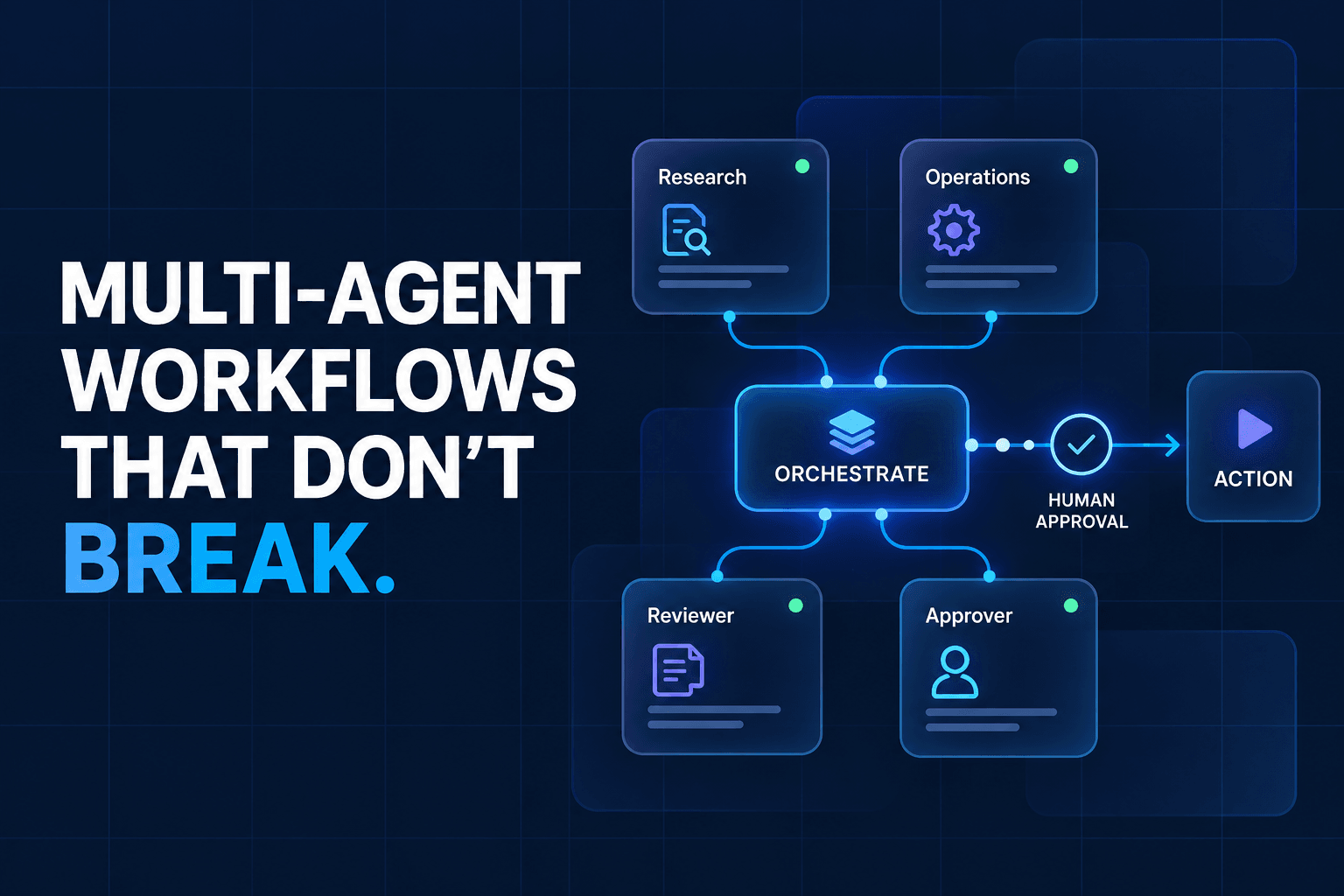
If you are building multi-step systems, clean handoffs in multi-agent workflows matter here too. Shared meaning beats shared access.
3. Letting one agent query raw tables and write back to systems
This looks efficient on a whiteboard. One agent reads the warehouse, decides what happened, updates the CRM, notifies success, and moves on. In reality, this bundles interpretation risk and action risk into one very fast mistake.
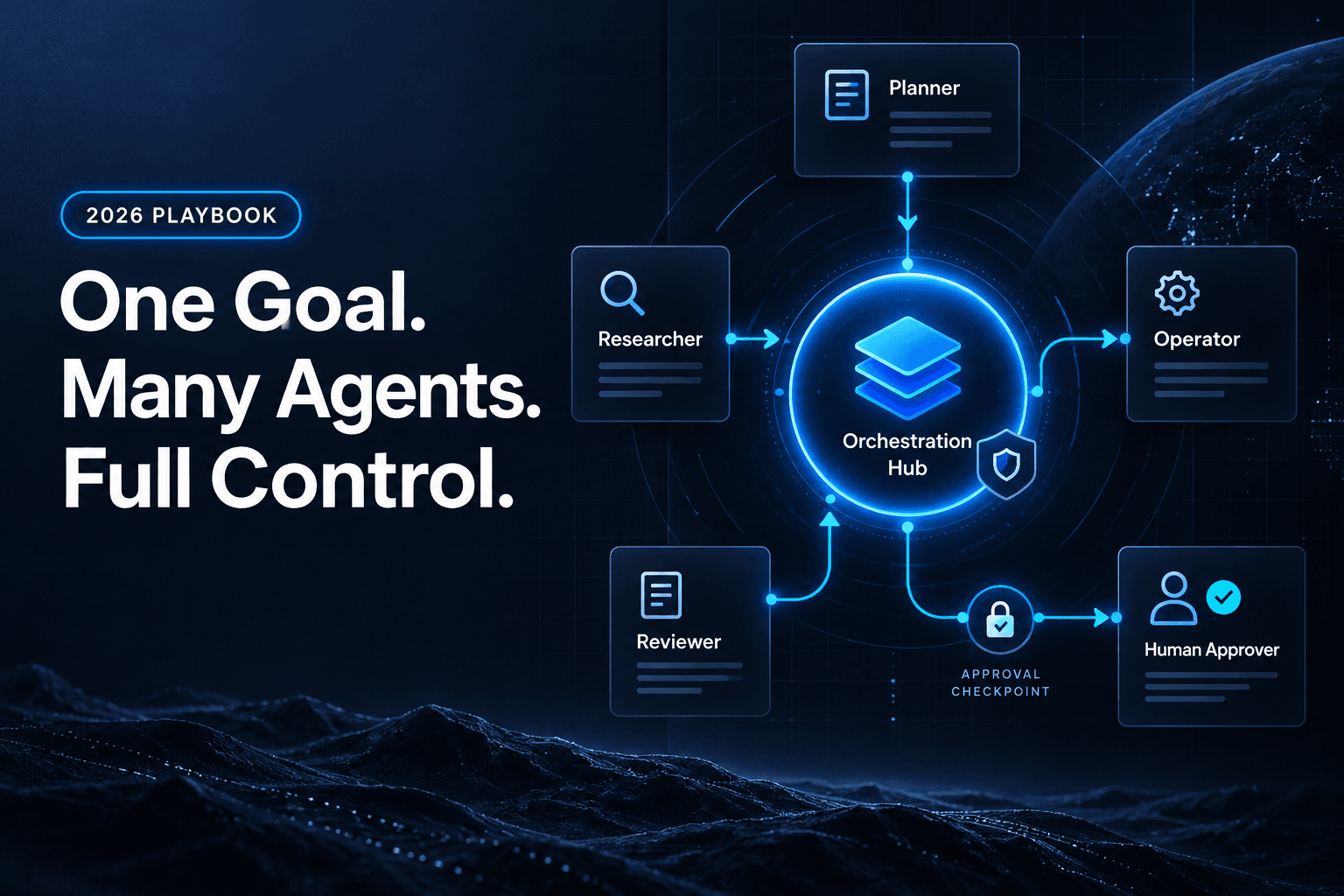
The contrarian view is simple: do not aim for end-to-end autonomy first. Separate “read and analyze” from “write and act.” One agent can inspect approved data views and produce a structured recommendation. Another step, often with approval gates, can decide whether that recommendation should change a live record.
This is exactly why AI approval gates for refunds, escalations, and sensitive actions exist. The problem is rarely that the agent cannot query data. The problem is letting the same system turn uncertain interpretation into immediate operational change.
A clean pattern looks like this:
| Step | Permission | Output |
|---|---|---|
| Analyst agent | Read curated table | Structured recommendation |
| Policy check | Validate against rules | Pass, fail, escalate |
| Action agent | Limited write access | Update approved fields only |
Practical takeaway: separate data judgment from business action. Your rollback plan will thank you.
4. Ignoring stale data because the table “updates every day”
Daily refresh sounds respectable until the workflow needs hourly reality.
We’ve seen teams feed agents a daily customer-health table, then ask them to prioritize same-day outreach after a major support incident. The agent follows instructions, but the table is already behind. That creates the worst kind of error: technically compliant, operationally wrong.
Freshness needs to match the decision. Internal tables should carry visible recency metadata, and agent prompts should be explicit about what to do when data is old. If the last refresh is outside the workflow’s tolerance, the agent should stop, not improvise.
This is where many businesses get burned by “good enough” warehouse habits. Salesforce’s 2025 Trust in Business Data Leaders survey found fewer than half of business leaders say their data strategies are completely aligned with business priorities. When an agent consumes stale tables inside a fast workflow, that alignment gap shows up as a bad decision, not just a messy report.
Practical takeaway: every table an agent touches should have an explicit freshness SLA, plus a stop condition when that SLA is missed.
5. Forgetting that internal tables often contain hidden sensitive fields
A table may look operational and still be loaded with things the agent should never touch: salary bands, support notes, fraud markers, medical details, contract flags, or customer PII tucked into a “notes” field like a tiny compliance landmine.
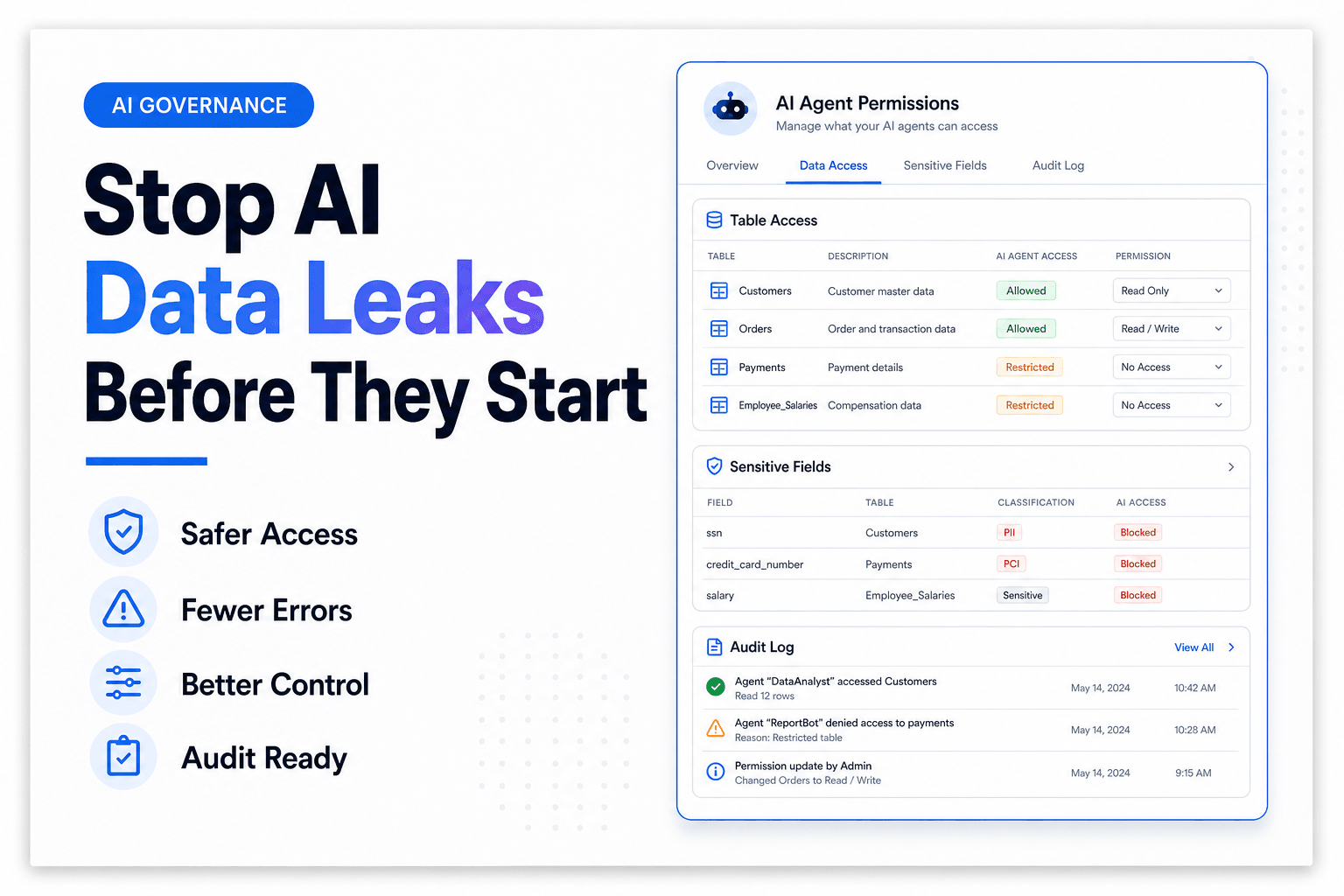
What actually happens is that teams scope access at the table level because it is quicker. That is too blunt. Agents need column-level, and sometimes row-level, restrictions. Better yet, create masked views specifically for agent workflows.
This becomes more urgent as agent use scales. IBM’s Think 2026 governance recap says seven in ten executives report that weak existing AI governance is slowing transformation. Sensitive data exposure is one reason. Once trust breaks, programs stall.
If your workflow touches CRM or customer records, the same principle shows up in mistakes teams make when giving AI agents access to CRM data. The agent should only see the minimum fields required for the task, not the whole record because “it might be useful.”
Practical takeaway: approve columns, not just tables. Free-text fields deserve extra suspicion.
6. Asking the agent to join tables on keys humans barely understand
This one hides in plain sight. Humans who live inside the data stack know which account ID is canonical, which one is legacy, and which one only works if you first trim spaces, normalize casing, and whisper encouragement. Agents do not know any of that unless you tell them.
So they join company_id to account_id, match on email domains that changed two acquisitions ago, or combine snapshots from different grains. The output looks reasonable until sales asks why one customer appears as three.
A safer pattern is to prebuild the joins. Expose denormalized, workflow-ready views for common tasks such as lead qualification, support prioritization, or renewal prep. If the agent needs to reason, let it reason about the business, not about warehouse archaeology.
For more complex stacks, the guide to using MCP servers with no-code AI agents is useful because it pushes teams toward cleaner, controlled tool access instead of ad hoc table spelunking.
Practical takeaway: if the join logic lives in tribal knowledge, the agent is not ready to own it.
7. Using free-text table dumps when structured outputs would prevent chaos
A surprising amount of agent trouble comes from output shape, not model quality.
Teams let an agent inspect internal data, then ask for a paragraph summary. Nice for demos, bad for operations. Paragraphs hide uncertainty, skip edge cases, and make downstream automation brittle. A structured rubric or JSON schema forces the agent to state what it found, how confident it is, and whether it should escalate.
We’ve found this works especially well for triage and exception handling. It is the same operating principle behind building an AI triage system for email, requests, and internal tickets: structure first, language second.
A useful output format might require:
- customer segment
- issue category
- fields used
- freshness check result
- confidence score
- recommended next action
- escalation reason
Practical takeaway: if the agent’s output will trigger a workflow, make it fill out a form, not write an essay.
8. Assuming logs are optional because the agent “only reads data”
Reading can still cause damage.
If an agent generates summaries for executives, prioritizes customer accounts, or feeds downstream workflows, then silent bad reads still create business impact. Without logs, you cannot answer basic questions: Which table did it use? Which fields drove the recommendation? Was the data stale? Did it ignore a policy check?
This is exactly the sort of visibility gap that shows up in current research. Salesforce’s 2026 Connectivity Report found 50% of agents currently operate in isolated silos, which leads to disconnected workflows and redundant automation. Limited observability is how those silos stay mysterious.
In practice, every agent run that touches internal tables should log the data source, query or retrieval path, timestamp, output schema, and any human override. Boring? Absolutely. Also the difference between debugging and guessing.
Practical takeaway: if you cannot replay the decision path, you do not have a production workflow. You have vibes with credentials.
9. Believing “read-only” means low-risk
Read-only access sounds safe because it cannot update records. But a read-only agent can still leak confidential information into summaries, expose sensitive patterns in Slack, rank employees unfairly, or steer high-value decisions using flawed data.
There is also the less glamorous problem of dependency sprawl. IBM’s June 2026 study found 71% of respondents say switching their primary AI vendor or model would be difficult. Once read-only agent workflows get wired into reporting, decision support, and internal operations, they stop being harmless side projects.
This is why we push teams to treat read paths as governed systems too. Review outputs, test access scopes, and document the downstream decisions affected by the agent’s analysis.
Practical takeaway: read-only reduces one category of risk. It does not remove confidentiality, interpretation, or dependency risk.
10. Skipping a human review layer for the first 30 days
The first month is where the weirdness shows up. Not dramatic sci-fi weirdness, just operational weirdness: the agent overweights null values, interprets an internal flag too literally, or treats duplicate rows as separate customers. These are not prompt problems. They are workflow learning problems.
We usually recommend a temporary review queue for any new agent touching business data. Sample decisions daily, track false positives and false negatives, and annotate failure patterns by table, field, or use case. That gives you something better than optimism.
If you want the deeper operating model, the complete guide to building a human-in-the-loop AI workflow covers where review points belong and how to avoid turning oversight into bottleneck theater.
Practical takeaway: early human review is not a concession. It is how you discover whether the data layer is actually ready for automation.
The Bottom Line
Giving AI agents access to business data and internal tables can unlock real speed, but only if the data layer is designed for machine use instead of human improvisation. The safest systems do not expose everything. They expose curated views, defined meanings, narrow permissions, visible freshness, structured outputs, and logs that let you retrace every important decision.
That is the difference between an agent that helps operations and one that quietly invents new cleanup work.
If you want to build agent workflows with controlled tool access, memory, guardrails, and approval steps baked in, AffinityBots gives you the pieces to do it without duct-taping governance on later. Start with one high-value workflow, scope the data properly, and build from there.
Related Articles
Continue exploring more insights on artificial intelligence